Symptom:
Printer resolutions in current drivers (as of 1/15/18) contain non supported resolutions for shipping Vanguard VK300D modes with Kyocera printheads.
Problem:
An error will occur on the printer controller when attempting to print, then the job will be stretched in the X axis within the bounding box of the job.
Solution:
Open the Server Admin (Settings Tab > Server Admin > select the printer > Configure > Resolutions tab
Delete all 635xN resolutions and input the following resolutions
(NOTE: "-1b" = Binary and "-2b" = Grayscale)
605x600-1b
605x600-2b
605x900-1b
605x900-2b
605x1200-1b
605x1200-2b
According to Vanguard, currently only 'Hi speed Bi' is the only supported Quality mode.
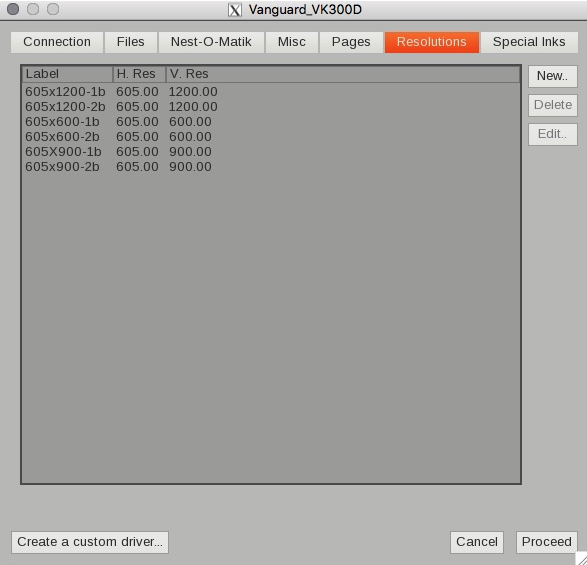
Tutorial on adding the resolutions: