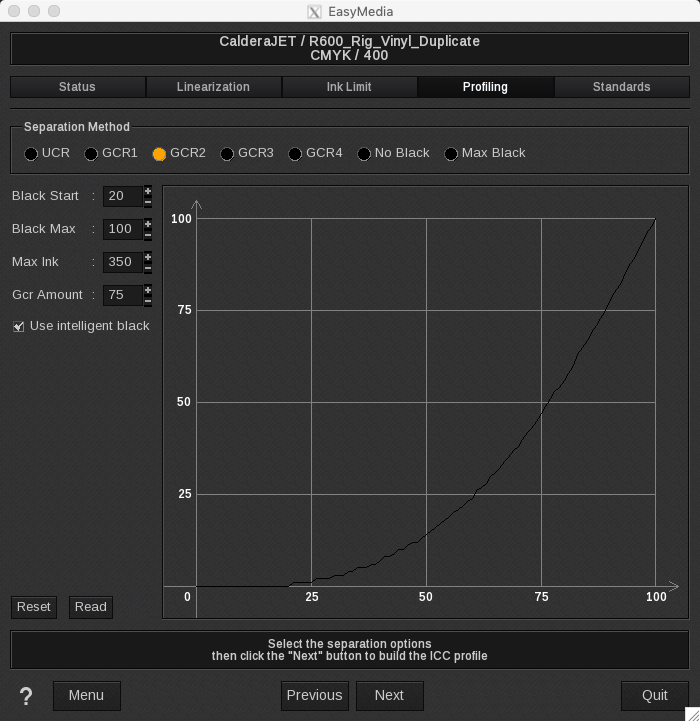
How to recalculate an existing profile using the existing measurements.
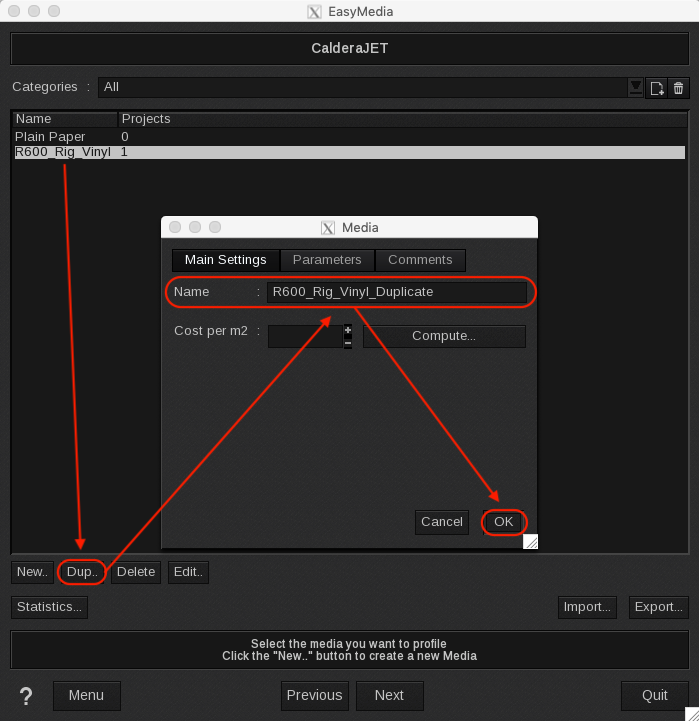
First, duplicate the existing profile in EasyMedia
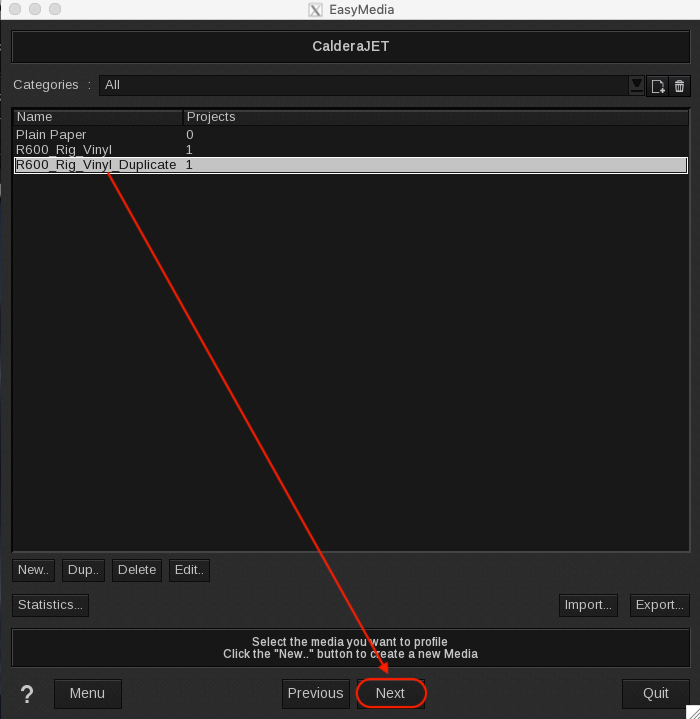
Next, select the duplicated profile and click Next couple to proceed to the Profiling Wizard
Click on the Profiling tab > select "Create a new ICC profile with i1Prism V2" > Next
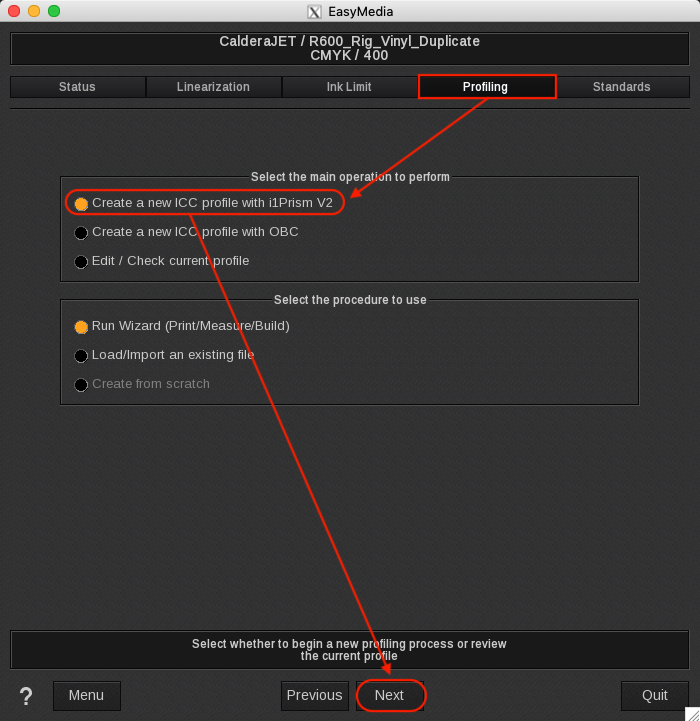
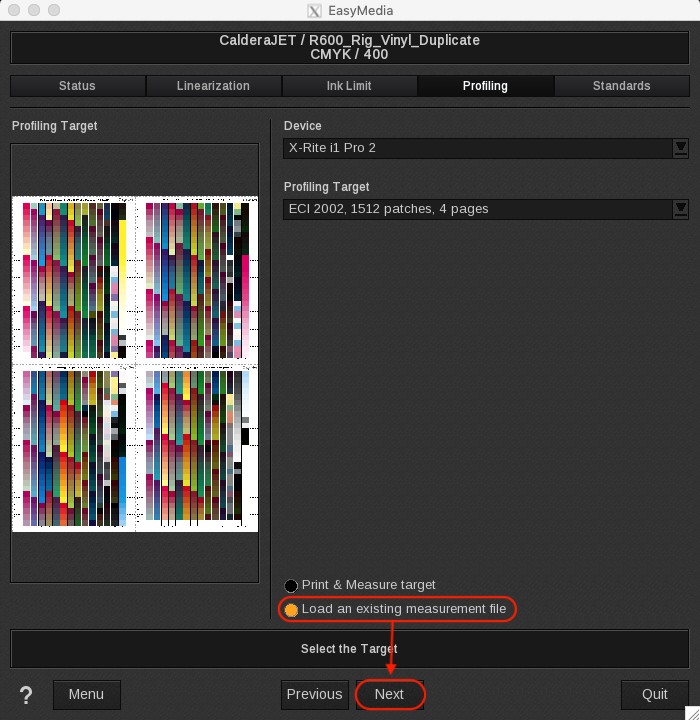
Select Load an existing measurement file > Next
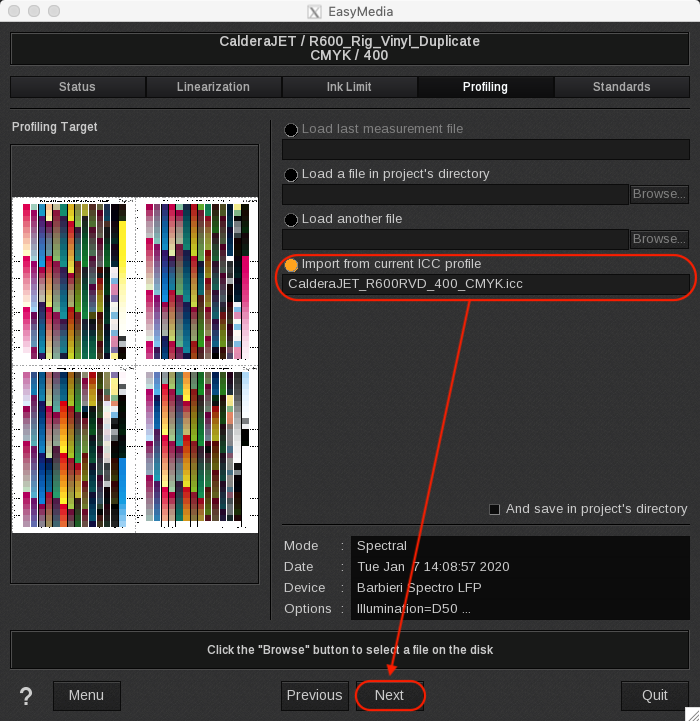
Select Import from current ICC profile > Next
Settings on the following 2 screens can be changed to accordingly to rebuild the media profile.
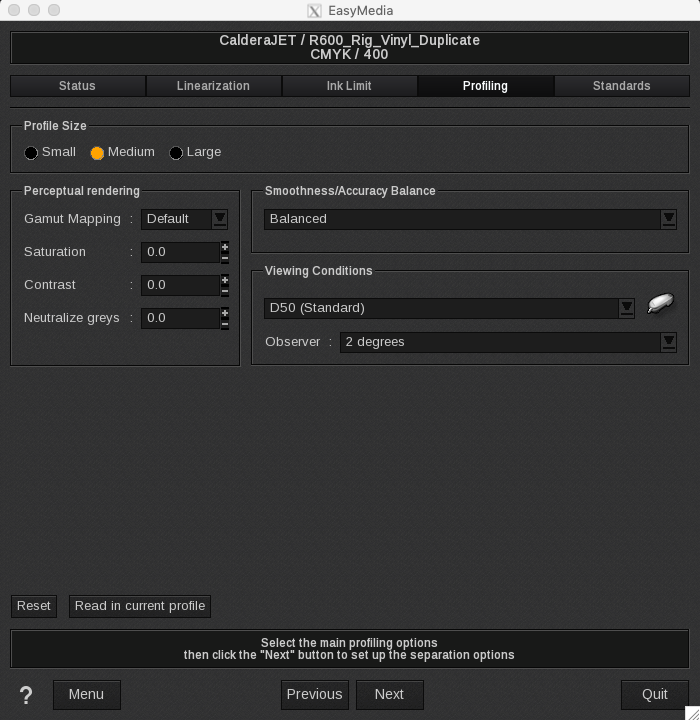
< Next >