The print_parameters.zip file is required to configure the Caldera Fabrivu or Reggiani printer drivers.
Following article explains how to create a complete print_parameters.zip file.
On the printer controller the One Application allows for the export of the print parameters
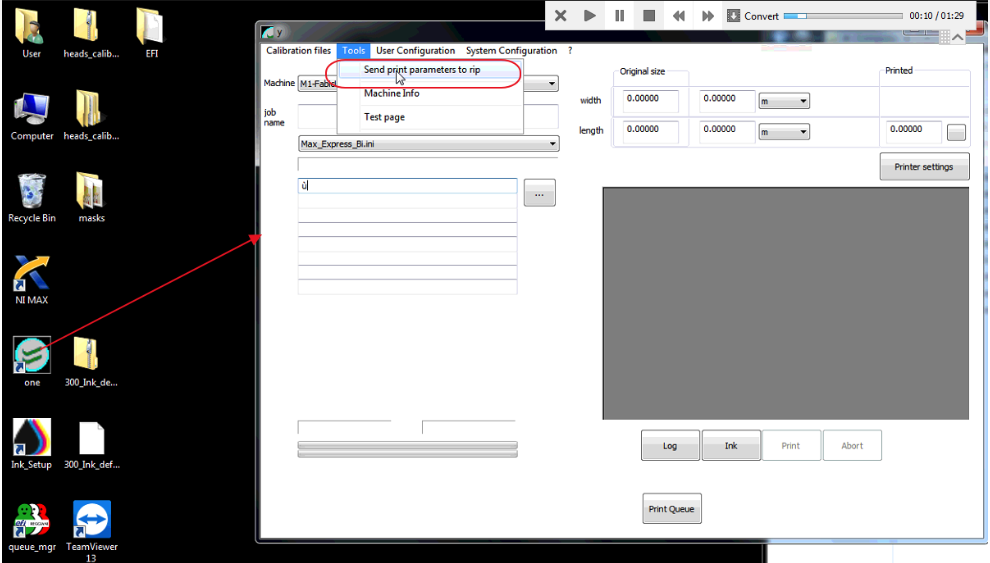
The Data (drive letter K:) partition or HDD contains the \Reggiani\print_parameters\ folder and will be populated by the One application.
Opening the \Reggiani\print_parameters\ folder, select all files then right click and select "print_parameters.zip" will create the by Caldera required archive.
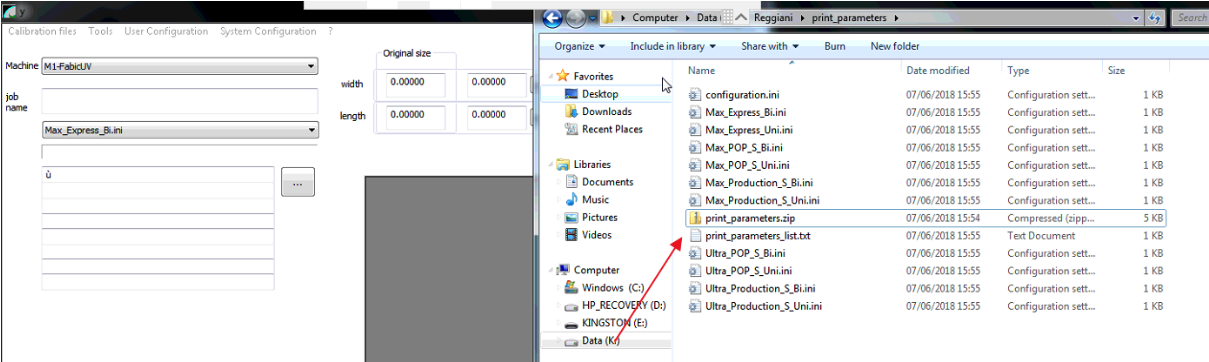
The only parameter folder that is of relevance to the RIP is the print_parameters folder found in [Drive]:\Reggiani\print_parameters
It will typically contain:
- Each of the parameters
- print_parameters_list.txt
- configuration.ini