Mounting on Debian Stretch a QNAP shared folder will require to set some parameters on QNAP server
1) From Debian, go on a Web browser and connect to server typing its IP adress in search bar.
Put your Admin credentials to access to Main Panel :
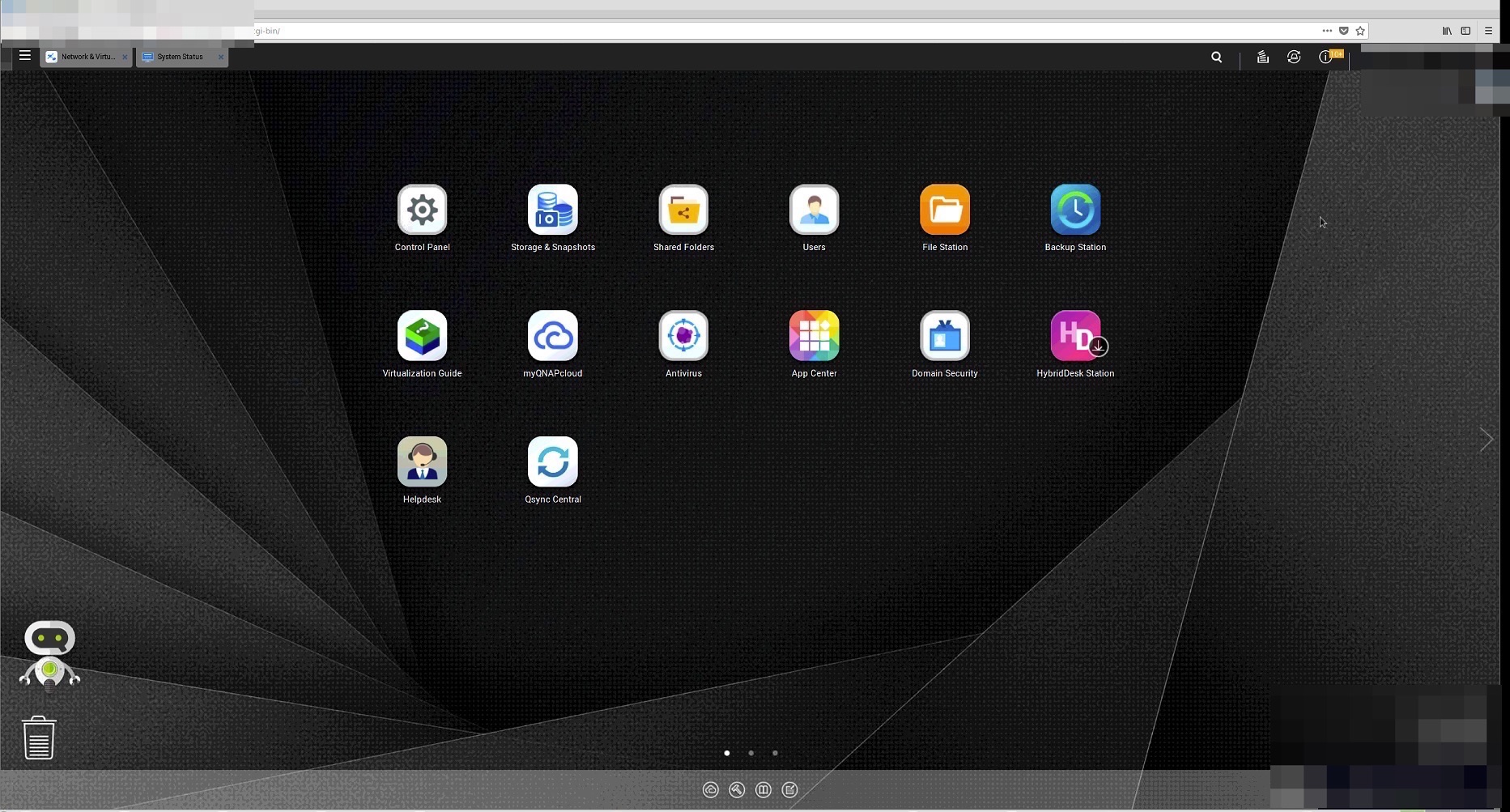
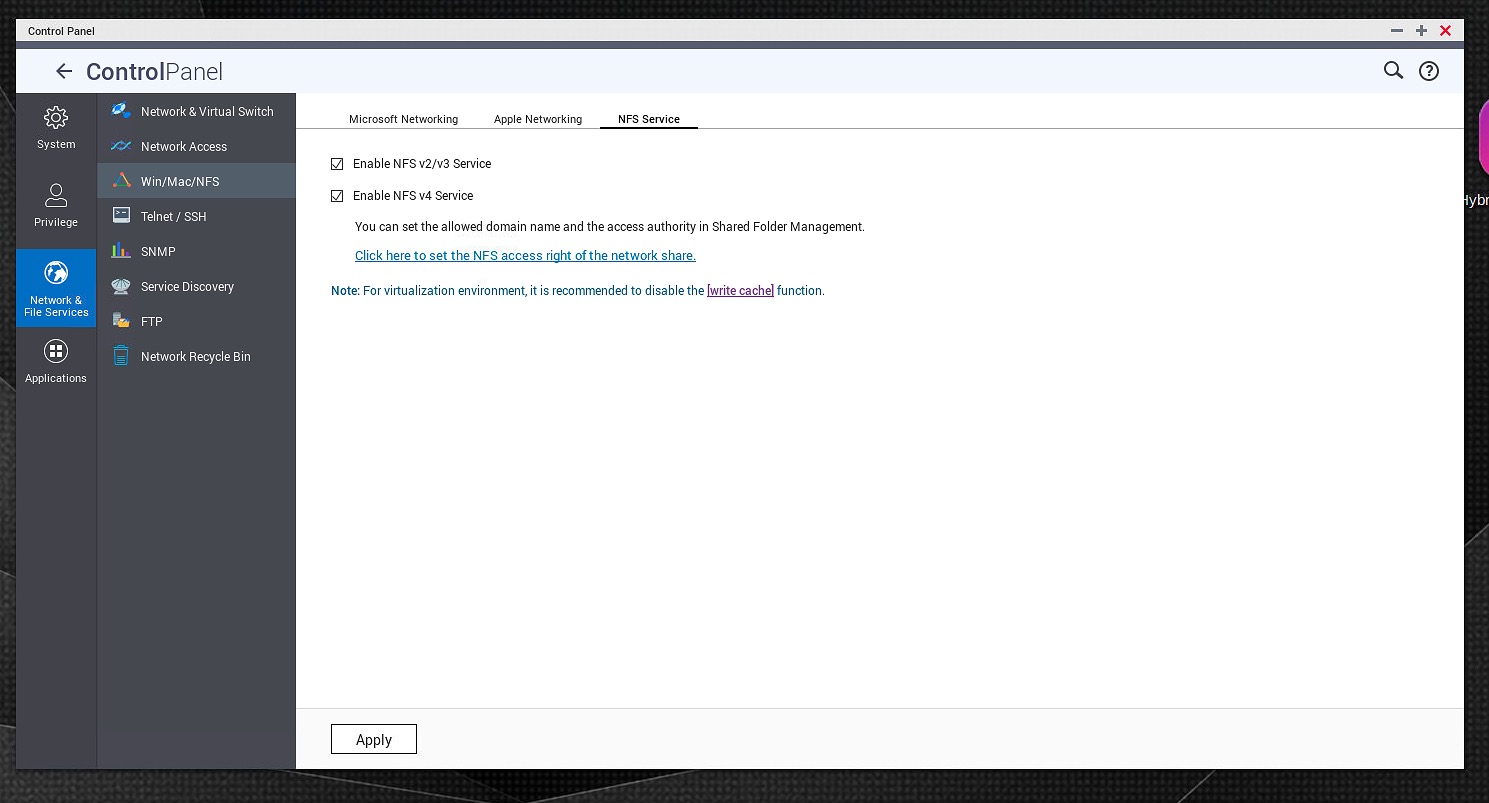
2) Open Control Panel > Network & File Services > Win/Mac/NFS > NFS Services
Check Enable V2/V3 and V4 NFS services:
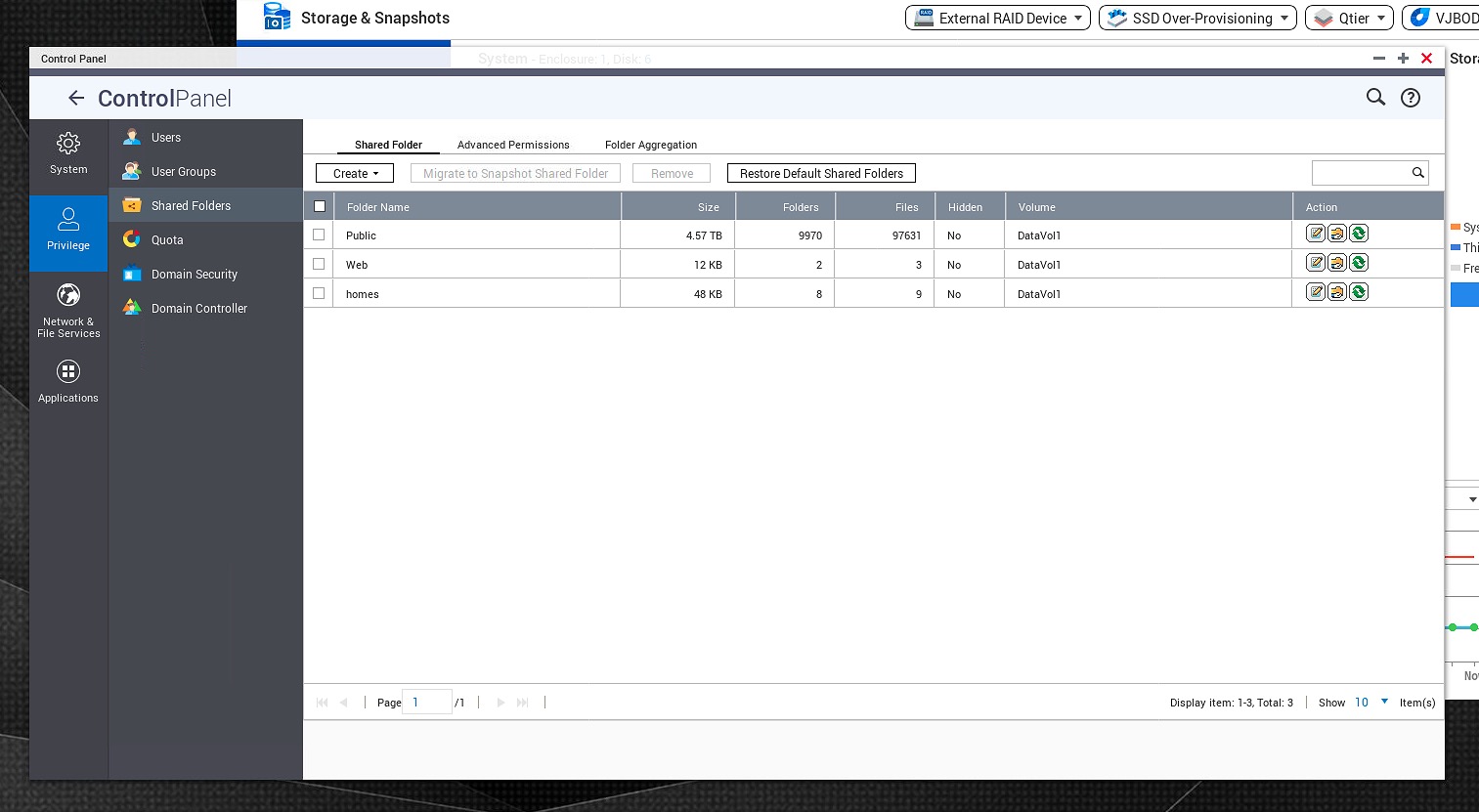
3) Then Go in Privileges > Shared Folders and Select which one you want to grand access to Linux and click on Edit icon (middle one at right).
4) Here for public, Select "NFS host access"
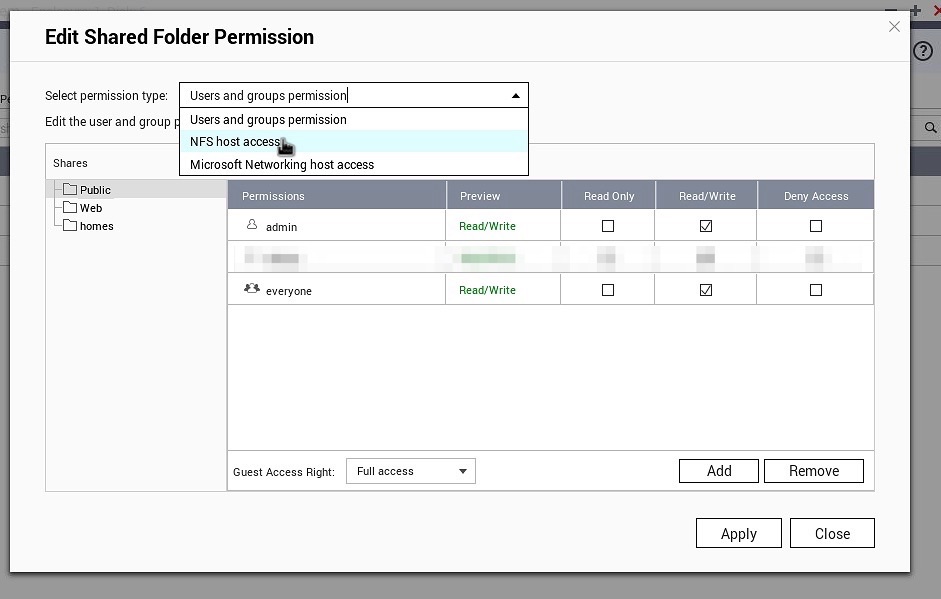
5) Check Access rights and check default one (or create an allowed user).
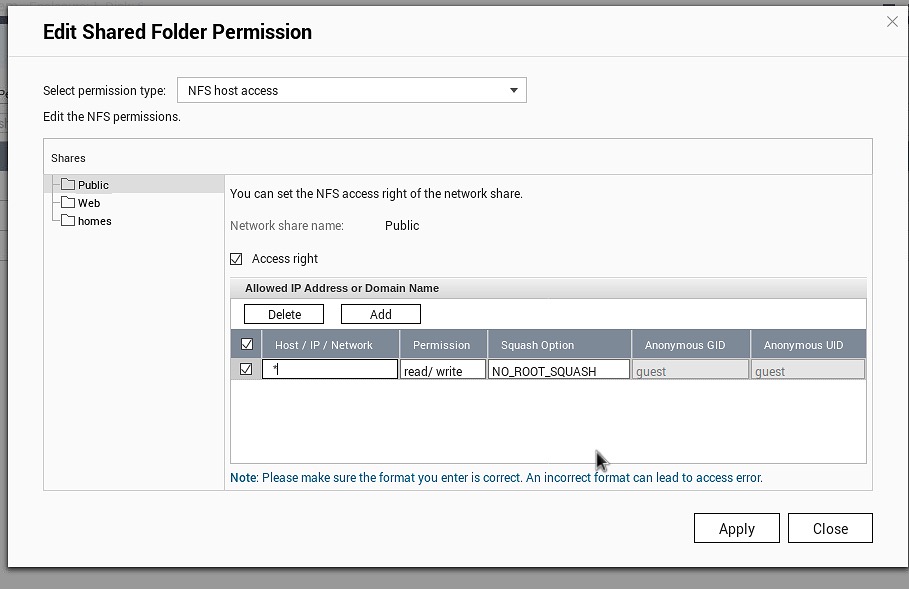
6) Apply and close. There should be a delay about one minute to refresh server.
7) Use MountTool and Select 7- Mount a directory (NFS/Auto Mount)
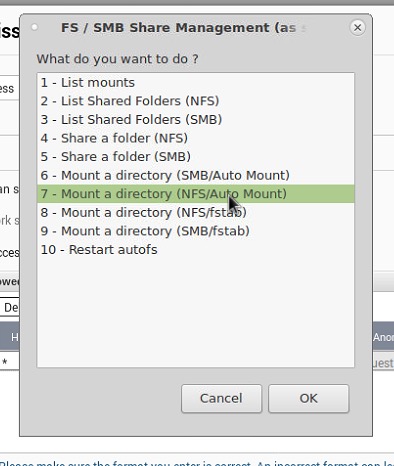
8) It will mount your folder at /mnt/nfs/server-IP/