Issue:
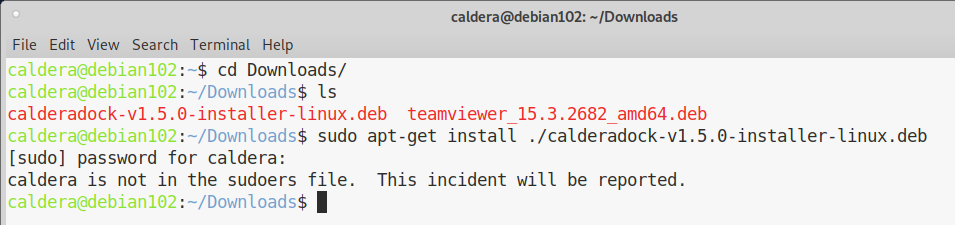
Message when obtaining administrative rights using sudo.
"caldera is not in the sudoers file"
Problem:
With sudo privileges, we can perform any administrative tasks on Debian systems.
When creating a new users on your Linux box, they can’t do any administrative tasks until you make them to be a member of ‘sudo’ group. In this brief tutorial, let us see how to add a regular user to sudo group.
Solution:
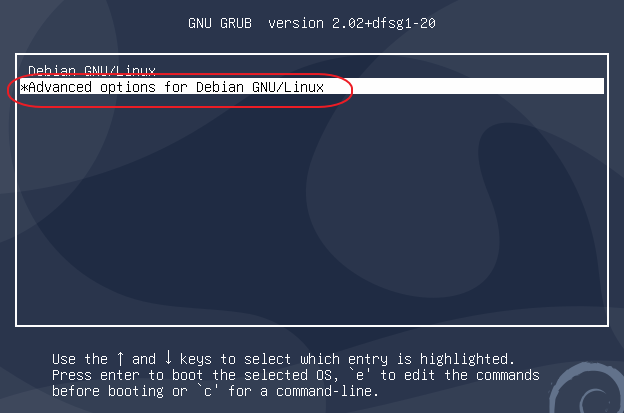
Restart/Reboot Linux and during the startup select in GRUB, "Advanced options for Debian GNU/Linux".
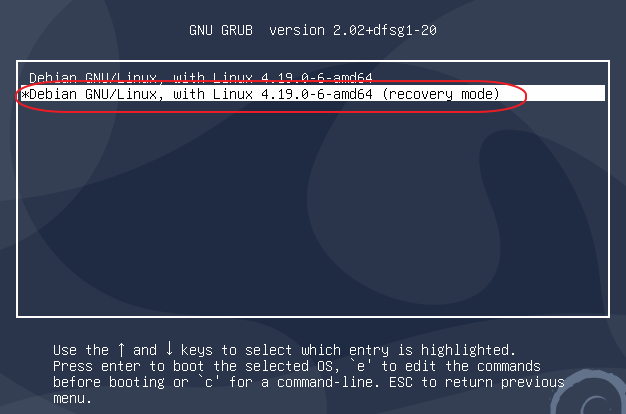
Then select Recovery mode and press enter to continue.
Once the screen stops scrolling enter the administrator password (caldera)
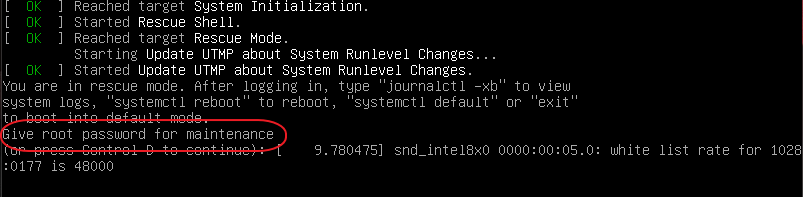
A prompt will appear:

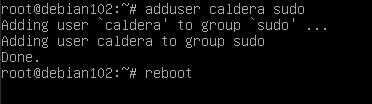
At the prompt enter:
adduser caldera sudo
(this will add the user "caldera" to the sudoers file)
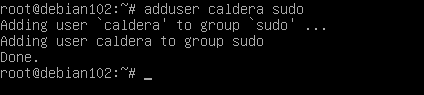
Then enter reboot and the system will boot as normal