When installing V13.1 or newer on macOS 10.15 Catalina or Big Sur, you might get an error message stating that the installer failed to launch installation due to an error for the file XQuartz.app. Error: Can't open display:
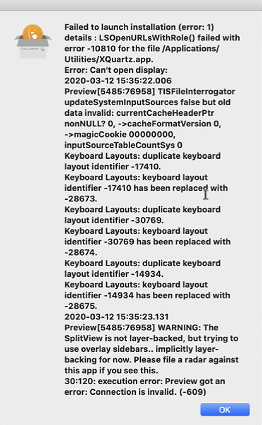
The solution would be to download and reinstall XQuartz 2.7.9 and reboot the computer.
The installer should work after reboot of the Mac.