Here a Graphical tutorial to set main repositories on Debian 10 Buster with Synaptic Package Manager
1) Go to System > Administration > Synaptic Package Manager
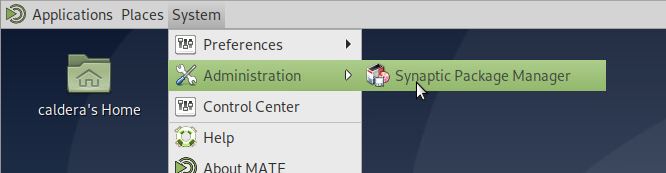
Root password will be prompted
2) In Synaptic, go to Settings > Repositories
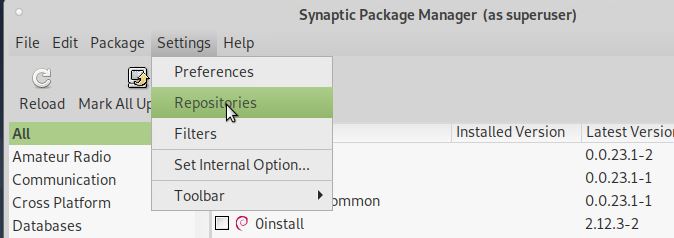
3) Be sure that you have those three configured :
a) Binary (deb)
URL : http://deb.debian.org/debian
Distribution : buster
Section(s) : main
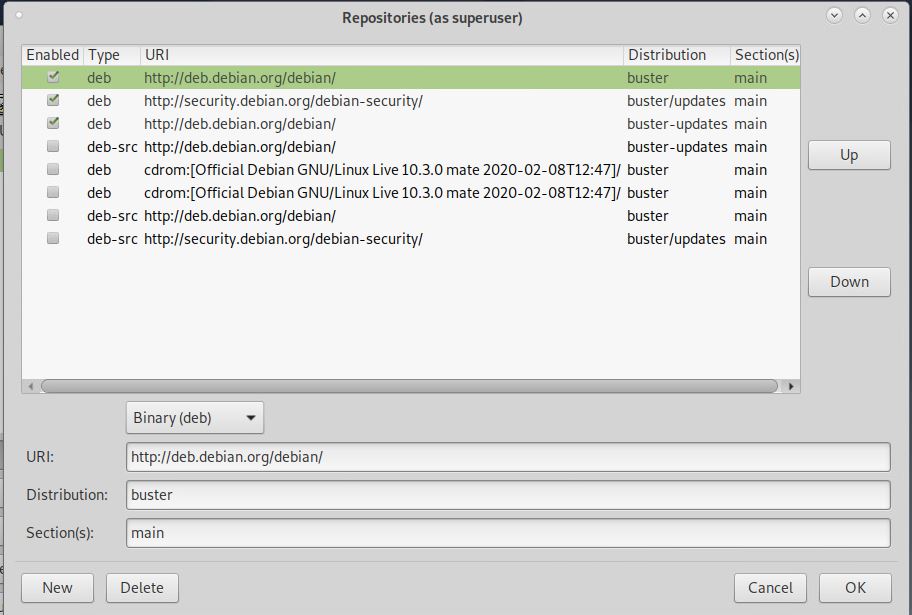
b) Binary (deb)
URL : http://security.debian.org/debian-security/
Distribution : buster/updates
Section(s) : main
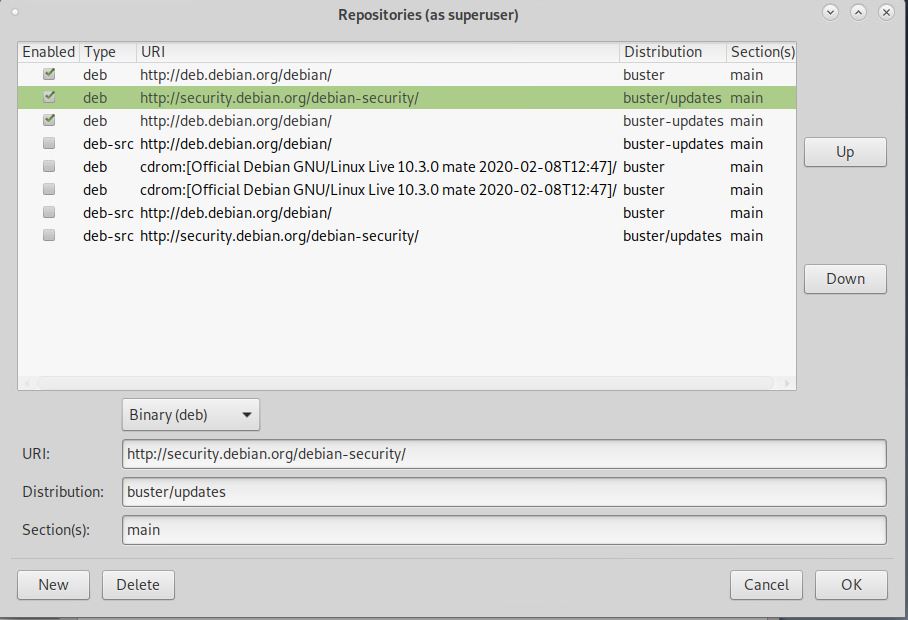
c) Binary (deb)
URL : http://deb.debian.org/debian
Distribution : buster-updates
Section(s) : main
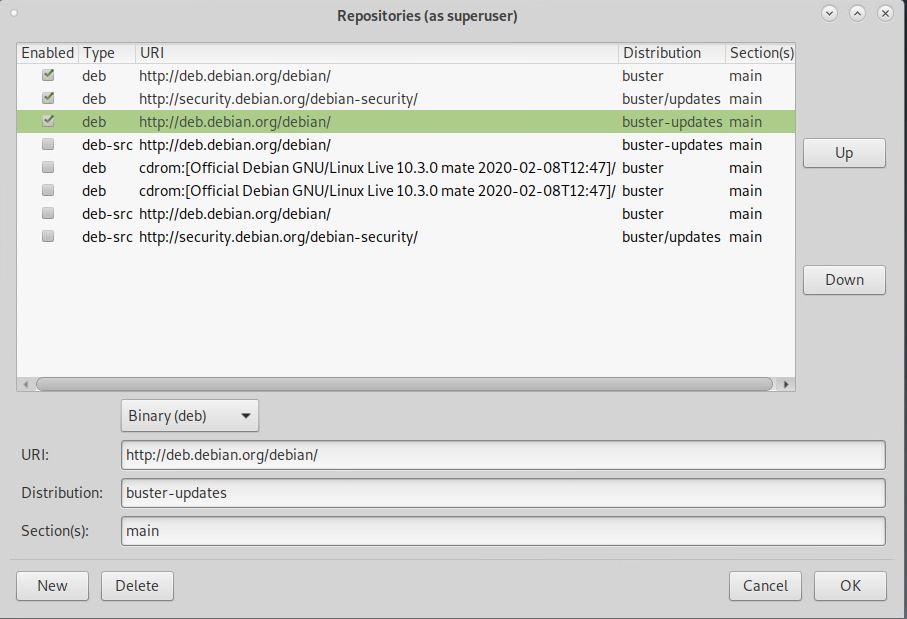
You can use Up and Down to set order, and uncheck other repositories.
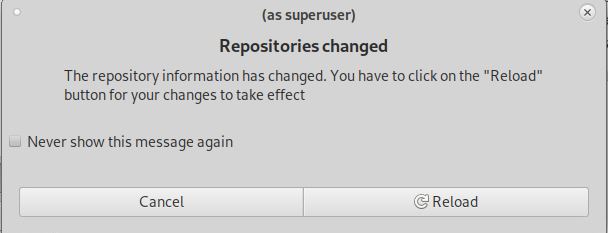
4) Clicking on OK will validate your settings. If there is a warning about "Repositories changed", click on Reload :
5) Quit Synaptic.