This article is about the Variable Display having 4 monitor plugs (Aopen DE6140) and is not applicable to the normal Variable Display version (with 2 plugs).
This VD variant has the possibility to manage 4 monitors however there is a limitation to it: it can manage only 4 monitors in landscape, not in portrait orientation.
These Variable Display units are provided with ATI chipsets and unfortunately their drivers can manage 4 monitors but only in landscape orientation.
You can find the list of possible positions and orientations available with the ATI drivers in the following document:
ftp://asftp.aopen.com.tw/pub02/manual/acp/DE6140%20Eyefinity_SetupGuide_V3-E.pdf
ATI is a well-known graphic cards manufacturer and the drivers to manage their cards and chipsets are created by them. As it’s their software, Caldera cannot modify their content and consequently cannot solve the orientation issue.
We cannot solve the root problem so we had to find a way to work around the issue to be able to provide the campaigns on 4 monitors in portrait orientation.
There are two possible solutions:
1) Buy a second VD unit to plug 2 monitors on it.
2) Create a content that is specifically designed for this type of configuration.
1) Buy a second VD unit:
This is the easiest solution if you are managing several VD units already and send the same campaign content to all of them.
If you are interested by buying a second VD unit, a normal VD with 2 monitor plugs should be enough, please contact the sales representative that sold you the Variable Display.
The second VD will be placed next to the first one and two of the monitor cables of the first VD unit will be placed on this second unit: each VD will then manage 2 monitors in portrait orientation.
You will manage the two VD units from your VD application as usual.
2) Create a specific content:
For this solution you have to set the VD unit to manage the 4 monitors in landscape orientation.
As usual for 4 monitors landscape configurations, the desktop resolution should be 7680 x 1080 and to have the images appear correctly on the 4 monitors you will have to create one big image having the same resolution containing all the needed data. It's advised to know which monitor is which part of the desktop.
However as the monitors are in a portrait orientation you will have to create the pictures for each monitor in a 1080 x 1920 resolution then rotate them by 90 degrees, all in the same direction, before assembling them together to create the image having 7680 x 1080 pixels.
You can see bellow a representation of the process.
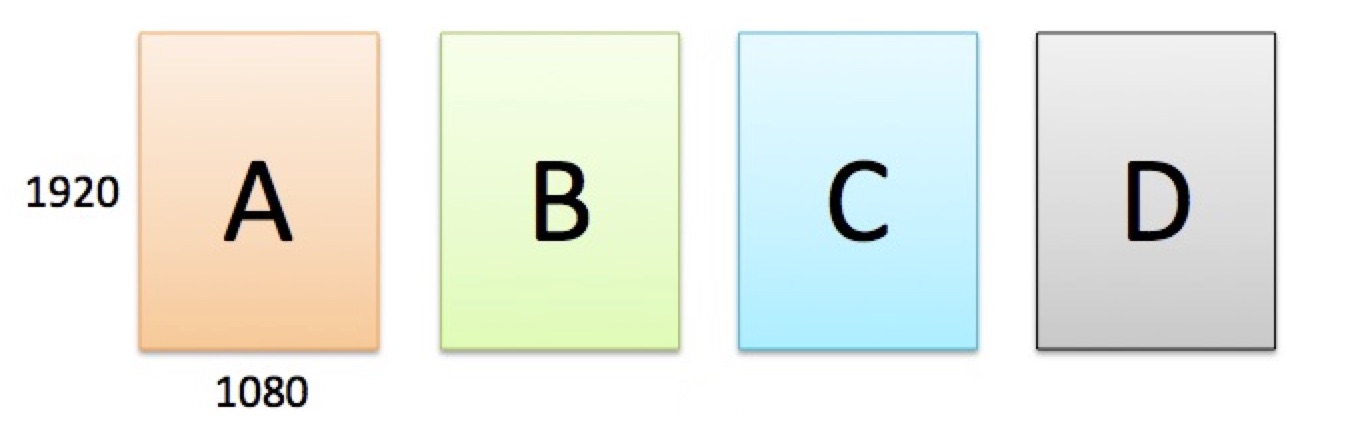
You then rotate each image by 90 degrees (all in same direction) and assemble them together to create one image from all of them.
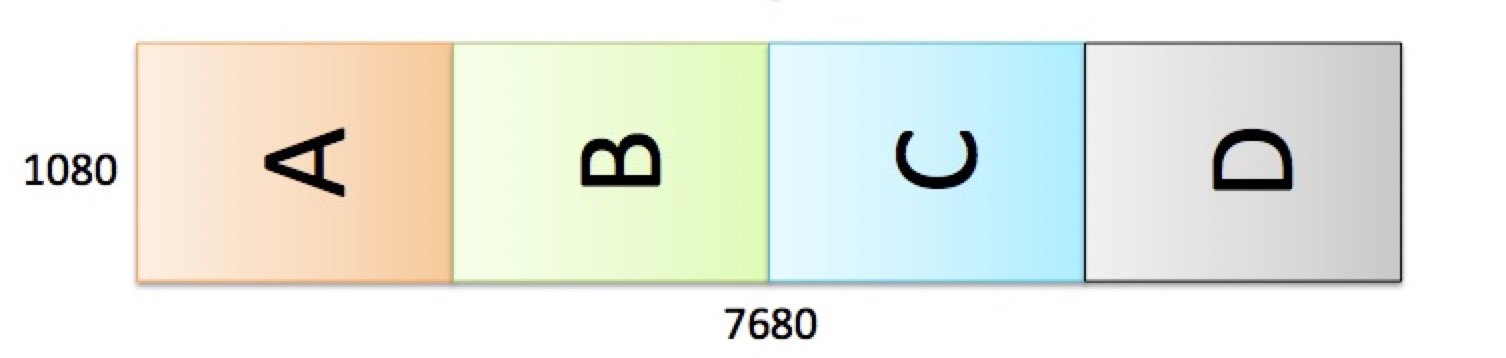
This is the image you will then upload in the Variable Display application and send to the VD.
As the VD unit is then linked to the 4 monitors and it's desktop is the same size as the image it will then put each image on one monitor. The monitors being in portrait orientation the images will also be correctly oriented.