Issue:
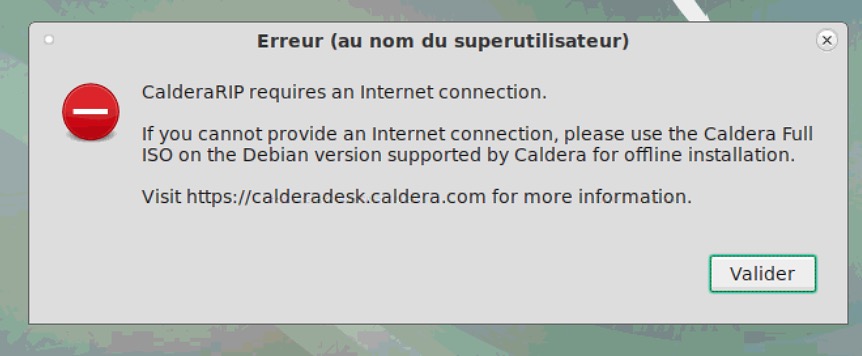
Problem:
This issue happens when you try to install Caldera RIP V13.1 on Debian Stretch (9) or Jessie (8), even if your ISO installation file is a "Caldera Full ISO".
Reason is that this ISO contains Debian 10 repositories, not for 9 nor 8.
Solution:
1) Get internet connection to install RIP.
2) If there's an internet connection and you get still the same message:
On Debian 8 & 9, an internet access is needed to install the Caldera RIP.
You need:
- a working ping to the following addresses:
+ 8.8.8.8 (try first)
+ 114.114.114.114 (if the first failed ping to 8,8.8.8 fails try to ping this address).
+ deb.debian.org
If the ping for 8.8.8.8 is working but you receive this kind of answer for deb.debian.org :

then you have to disable ipv6:
Edit the /etc/sysctl.conf file.
sudo nano /etc/sysctl.conf
Place the following entry to disable IPv6 for all adapters at the end of the configuration file.
net.ipv6.conf.all.disable_ipv6 = 1
To reflect the changes execute the following command.
sudo sysctl -p
- a working access to the Debian repositories to download system packages.
It's an access to the port 80 of the following addresses:
+ deb.debian.org
+ security.debian.org
+ ftp.debian.org
If needed, the exact list of the repositories used by the system is indicated on the Linux computer in the text file "/etc/apt/sources.list".