In Spooler, Printer order is indeed same as in Application Bar.
If your RIP has serveral Application Tabs, Spooler list will be from First Tab, then second then third, etc.
To change this, just edit Printer order in Settings > Config :
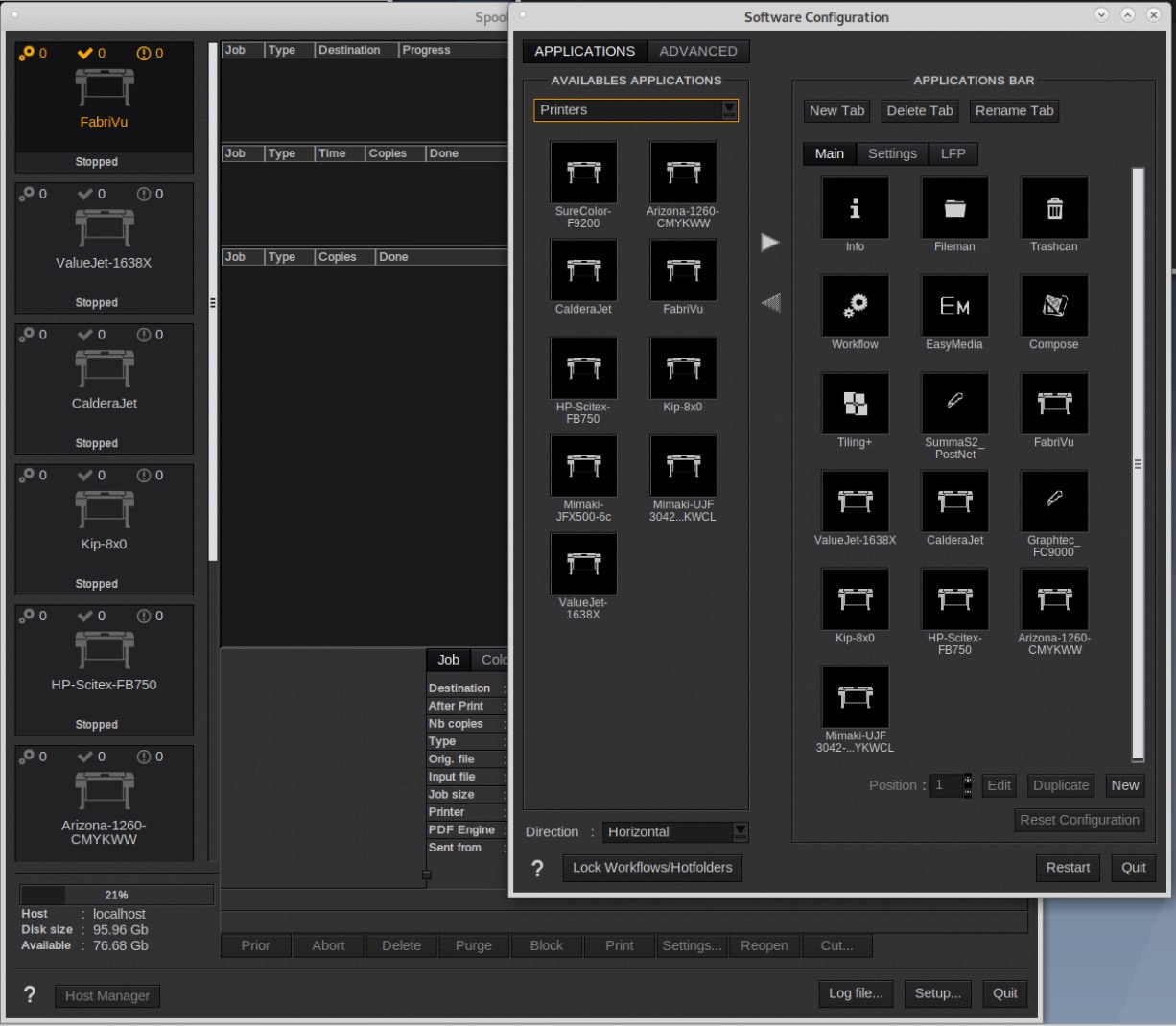
Then restart RIP.