About: MacOS includes a technology called Gatekeeper, that's designed to ensure that only trusted software runs on your Mac.
During the initial launch of Caldera RIP (V13.1), the following message will appear: "Caldera RIP" is an app downloaded from the Internet. Are you sure you want to open it?
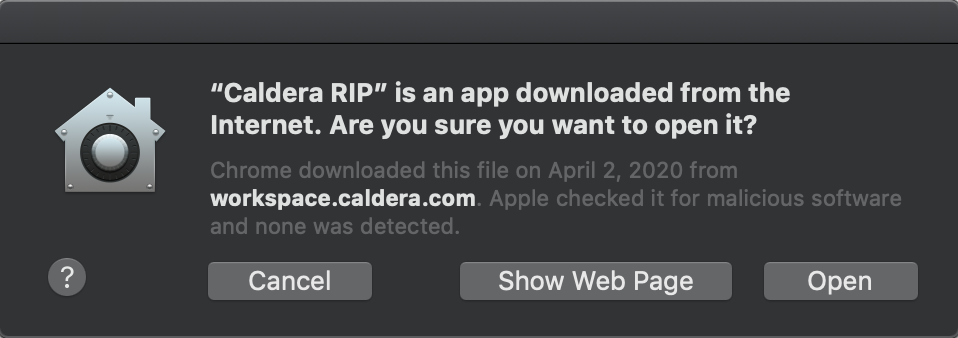
Problem: Even allowing all apps from "Anywhere" in the Security & Privacy settings, the same popup message will still appear for Caldera RIP.
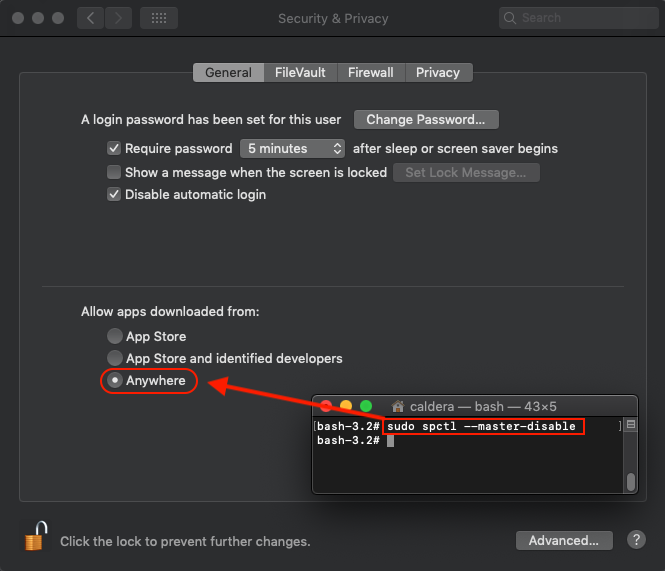
Solution: As root user in the terminal, use the following steps.
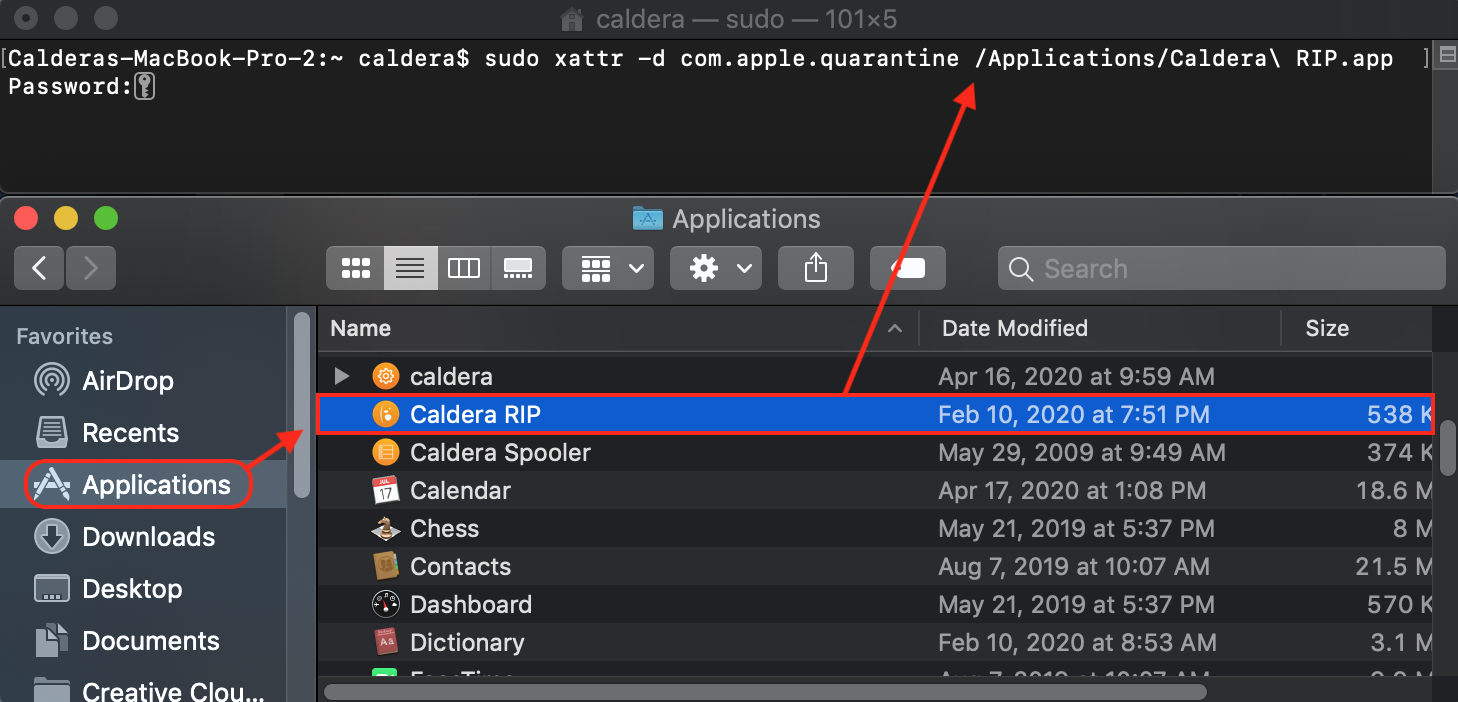
Step 1: Open the terminal and type: sudo xattr -d com.apple.quarantine
Step 2: From the Applications menu, drag and drop the Caldera RIP icon into the terminal to get the next extension ("/Applications/Caldera\ RIP.app") and then Enter.
Step 3: Enter the computer's password to finish the process.
_________________________________________________________
Sources
Apple Support: https://support.apple.com/en-us/HT202491