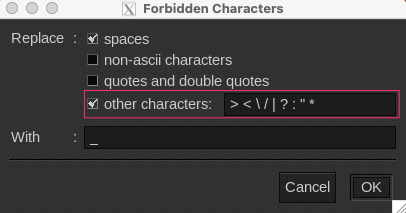
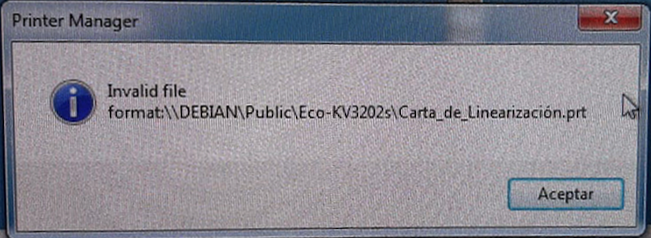
In some languages, it uses special characters when you create a file (e.g. Spanish, á, e, í, ó, ú, ñ, etc). So the files can not process in the print manager of the Misc and Chinese drivers.
Example:
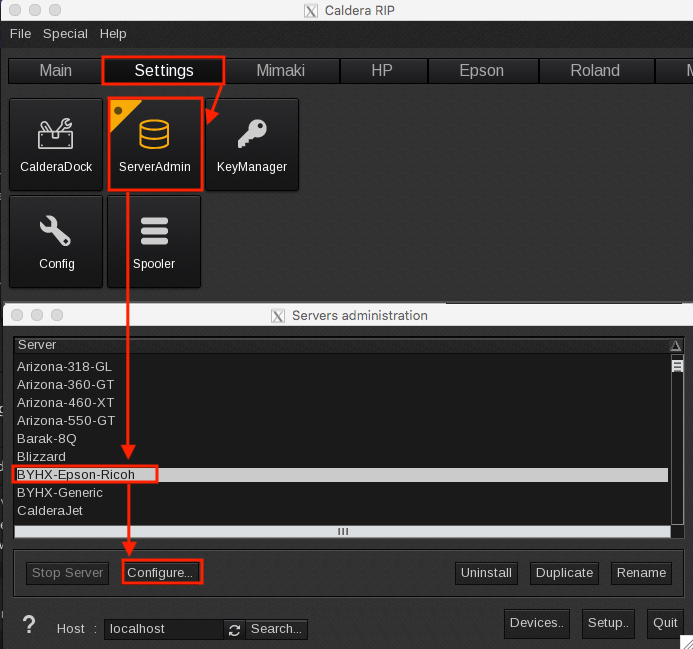
You need to change the configuration of the characters in the file name in Caldera. You need to go Settings > ServerAdmin > Select the driver > Configure:
Then, go to files tab > Edit forbidden characters > select non-ascii characters.
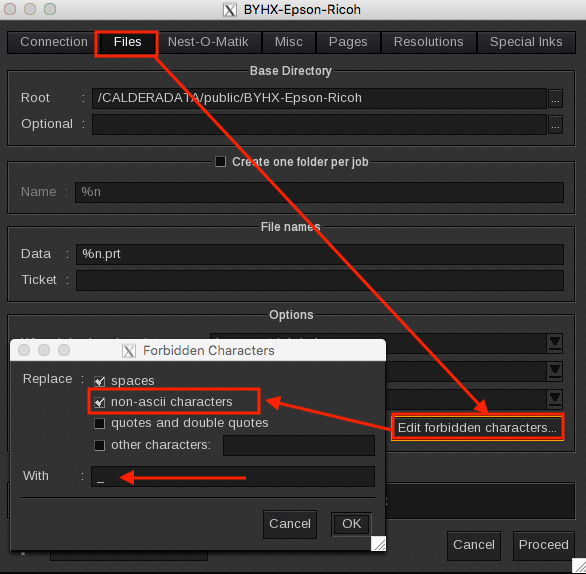
Click in OK, then in Proceed. Caldera will ask the password, and the driver will restart. Now all the files will process without these special characters.
You might also have to specify characters that's forbidden in Windows by going to other characters and filling in the forbidden characters <>:"/\|?*