In recent versions of Debian 10 it's not possible anymore to install by default the .deb packages.
Unfortunately some important packages are installed using this format so you may need to have this option again. This article will explain how to restore it.
The issue is coming from the fact that the package that permits the installation of .deb files, gdebi, is no more by default in the Debian 10 installation files.
We will use the Synaptic Package Manager which exists by default in every Debian 10 system to reinstall gdebi.
1) Launch the Synaptic Package Manager from the "System -> Administration" menu.
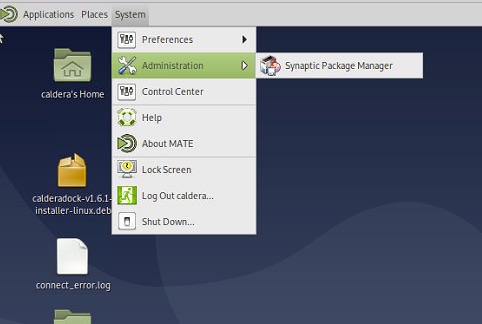
Put the root password in the access rights window if requested.
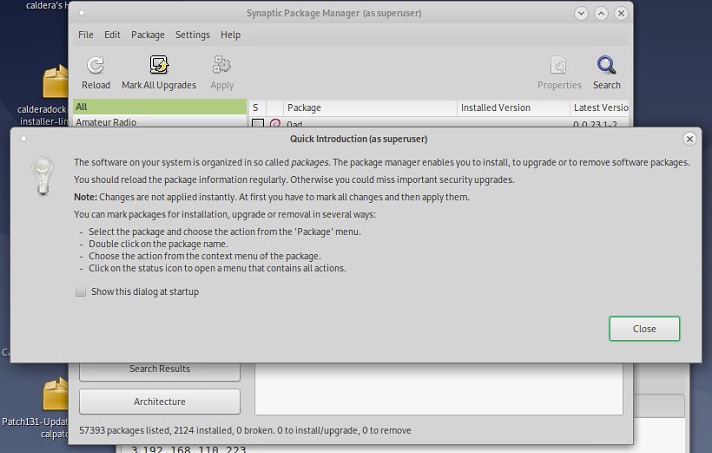
2) When you launch it for the first time an introduction text will appear, click on "Close" to continue.
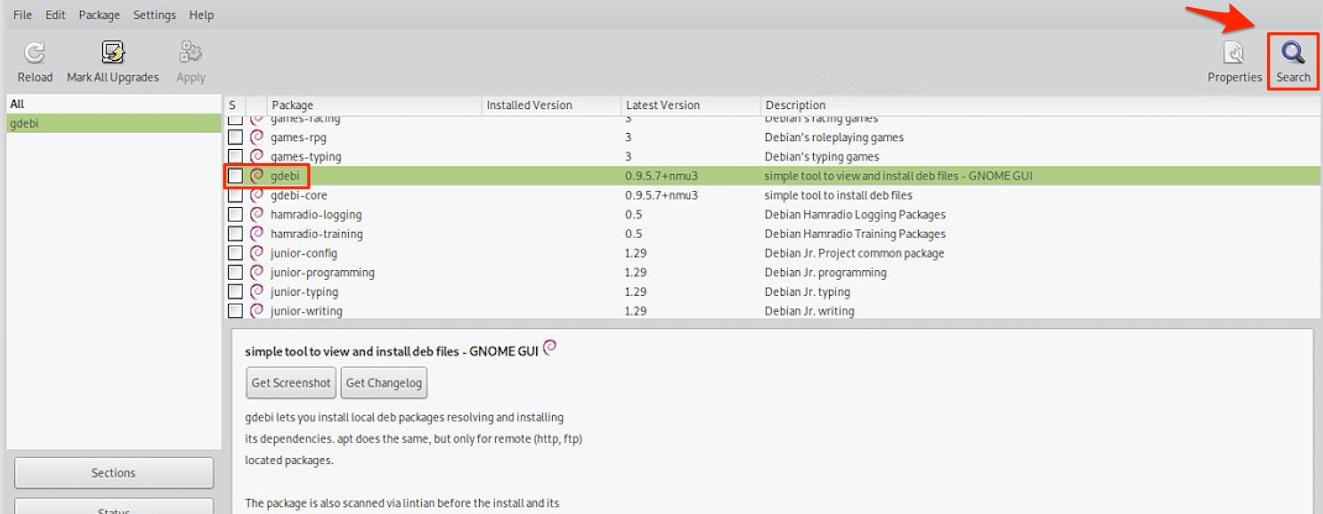
3) Use the search option in top right to look for the "gdebi" package.
4) Click on "gdebi" in the package list and click on "Mark for installation".
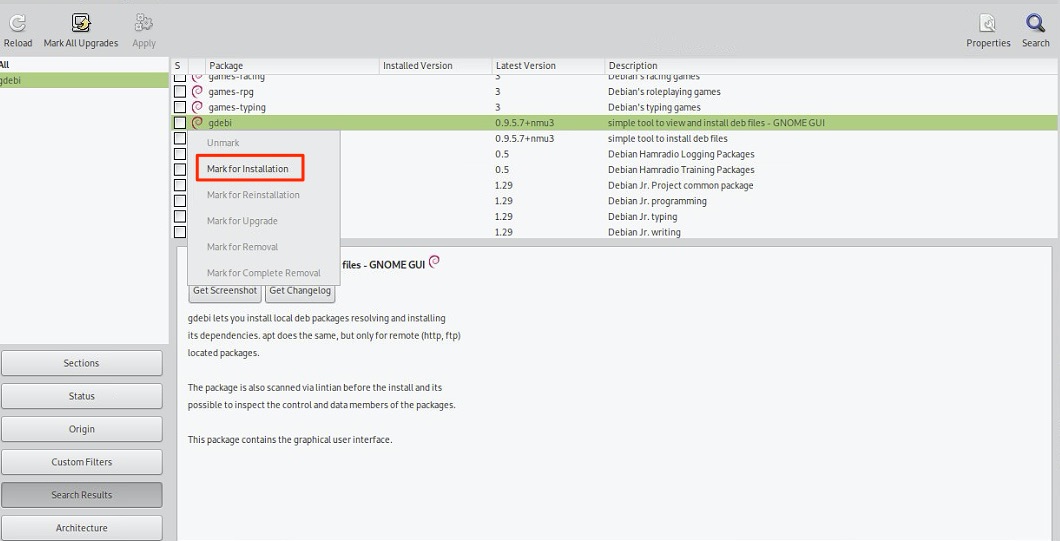
5) Once you have marked it you will have both the "gdebi" and "gdebi-core" packages selected.
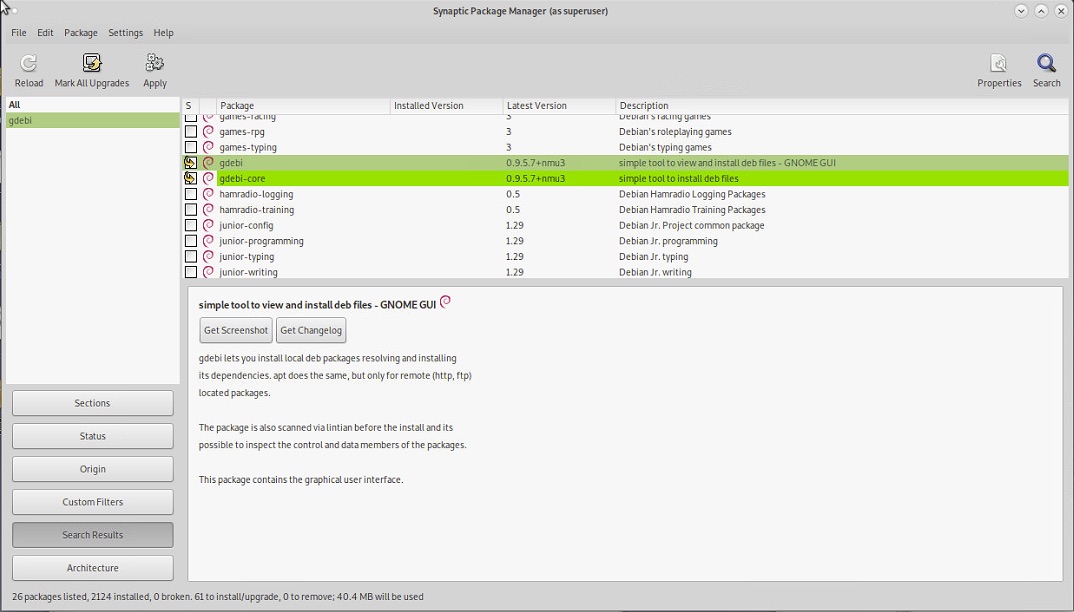
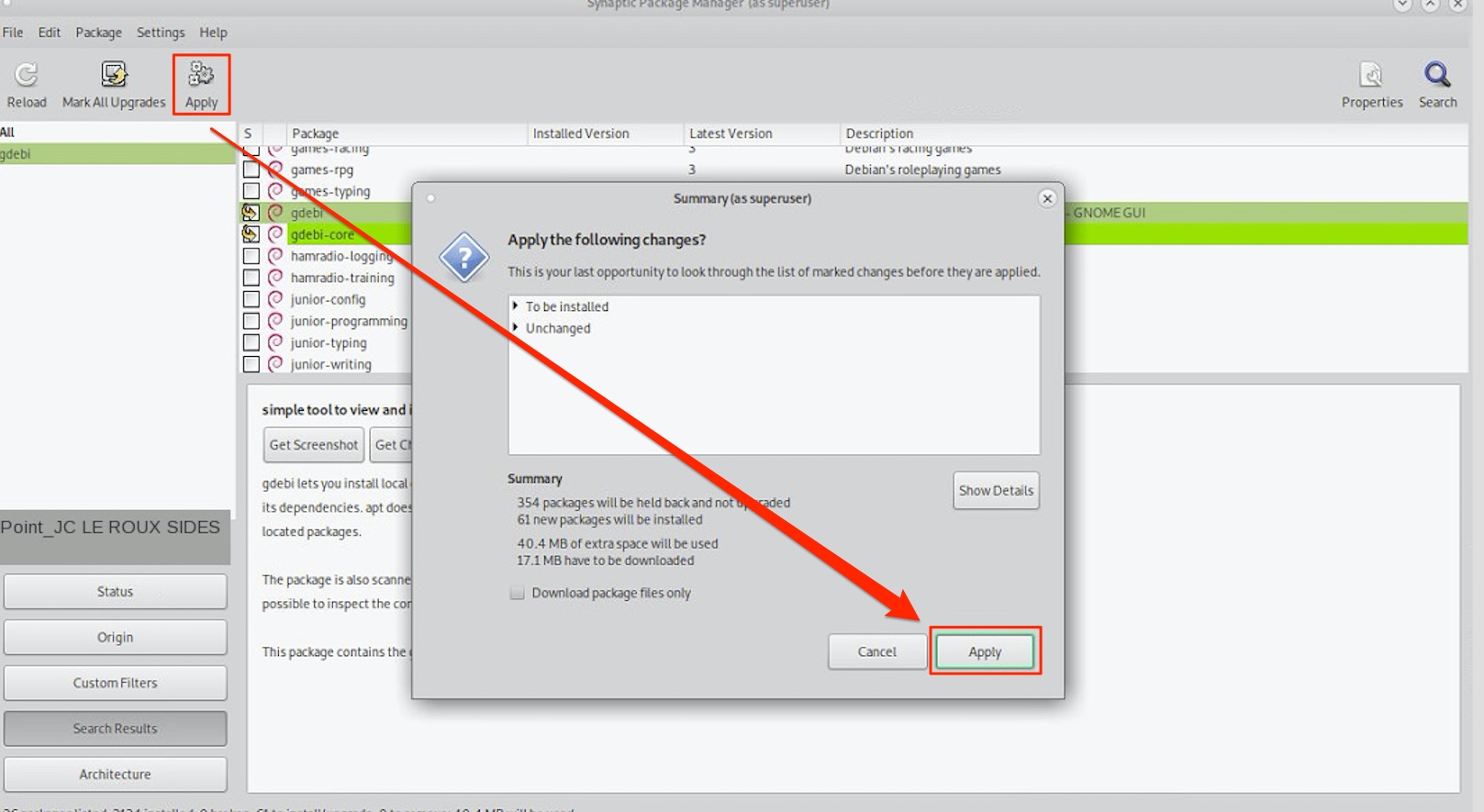
6) Click then on "Apply" in the top of the window to install the packages selected and then validate with the "Apply" button.
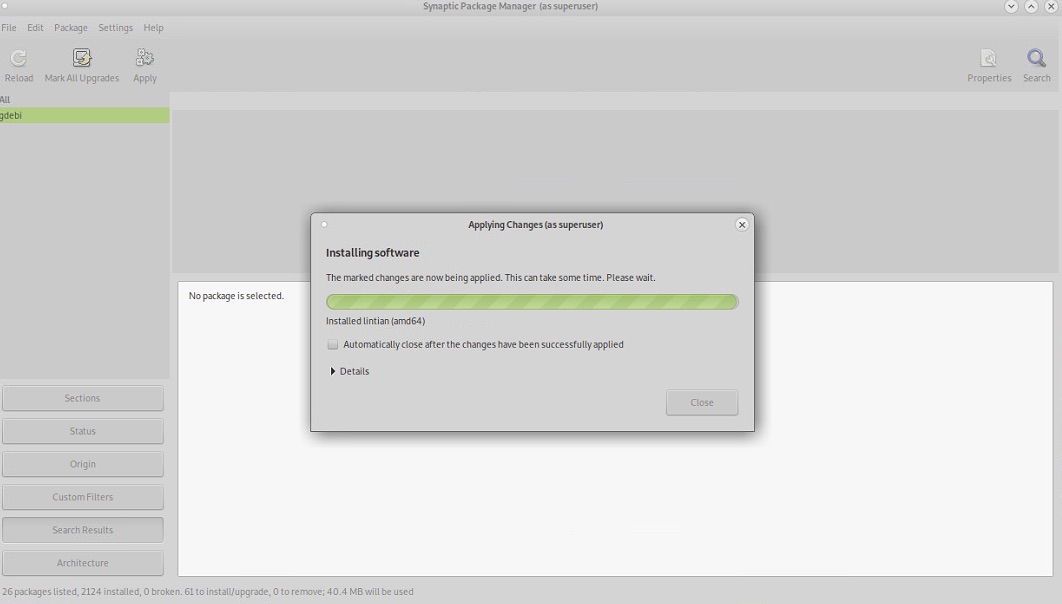
7) Wait then for he packages to be installed.
8) Finalize by clicking on the "Close" button in the installation window.
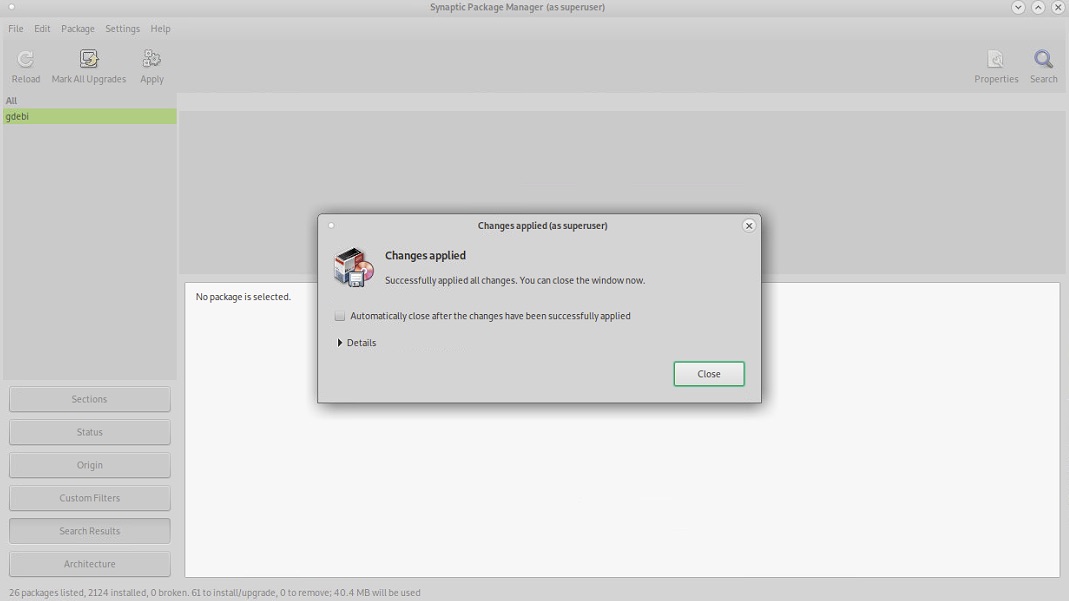
You can then also close the Synaptic Package Manager.
You will then be able to launch the installations of the .deb packages by doing a double-click on the .deb files.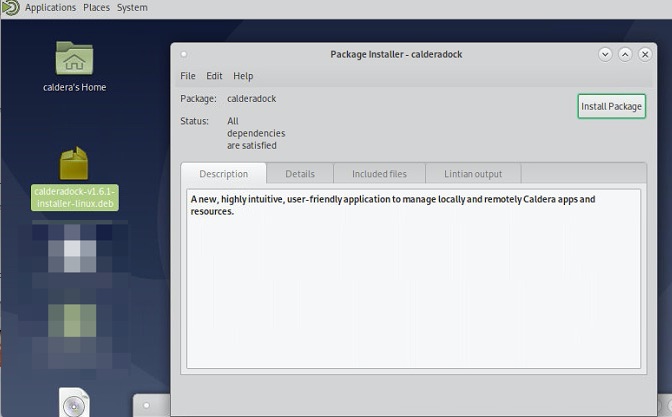
Article created the 10th July 2020.