Multiple users for the VNC server has been discontinued.
RDP can be used as an alternative.
If you want to have multiple RDP connections to the Linux PC at the same time, first create additional users on the Linux computer for each RDP connection:
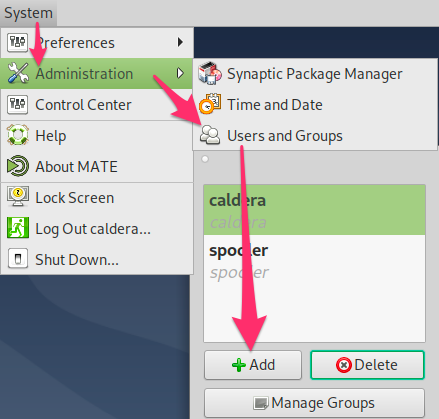
Install the following two packages on Debian Linux to enable RDP connections. Open terminal and copy and paste the following commands to install RDP:
sudo apt update
sudo apt install xrdp
sudo apt install xorgxrdp

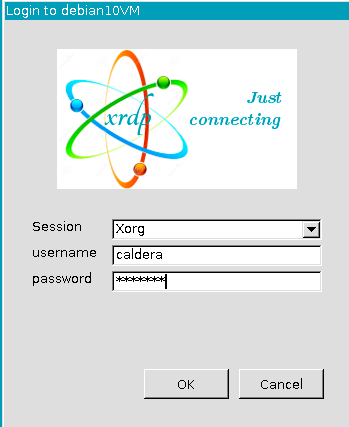
On the client computers, use your RDP client of choice to connect to the Debian Linux computer.
For example: you can use Microsoft Remote Desktop for Windows or Mac to connect to the Debian Linux PC.
Make sure to use a different username to connect to each RDP session:
Be aware that:
1) you'll need an available VisualUser in your Caldera license, for each session of Caldera RIP that you want to open.
2) you can't connect to a running user with xrdp. You must logout on PC to access to it from another client.