Not being able to add servers, printers or change existing settings like exports. Or on a new install when CostView shows a blank screen, check first: CostView not opening and or Error 500 MacOS and Linux
Issue appears to be the permissions in /Library/Webserver/Caldera/costview3
Screenshot of a problematic configuration:
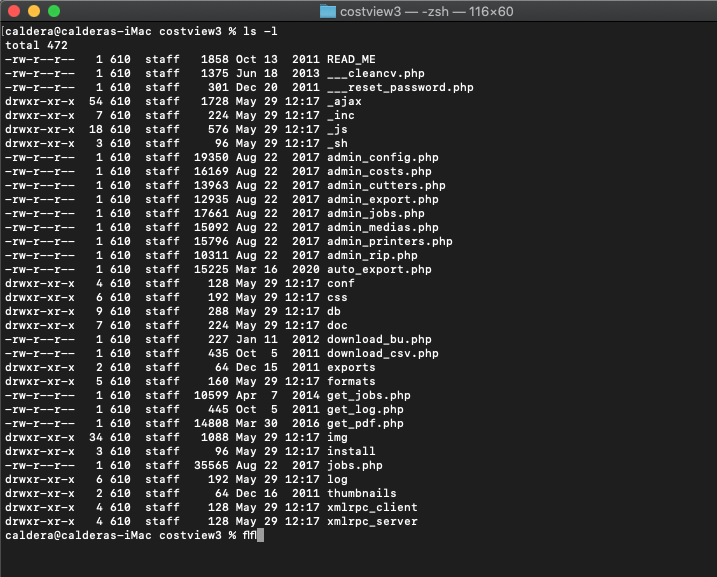
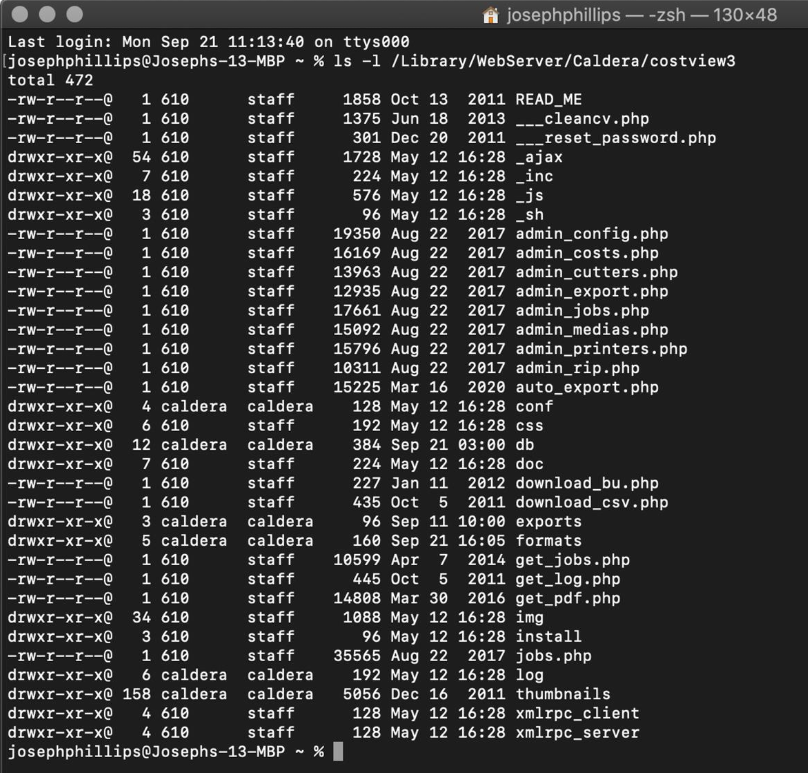
The caldera user is not able to write into the following folders:
conf, db, exports, formats, log and thumbnails.
This is a screenshot of a normal working install:
To fix (using Terminal)
as root (sudo -s):
chmod -Rf 777 conf/
chmod -Rf 777 db/
chmod -Rf 777 exports/
chmod -Rf 777 formats/
chmod -Rf 777 log/
chmod -Rf 777 thumbnails/