1) From Debian, go on a Web browser and connect to server typing its IP adress in search bar.
Put your Admin credentials to access to Main Panel.
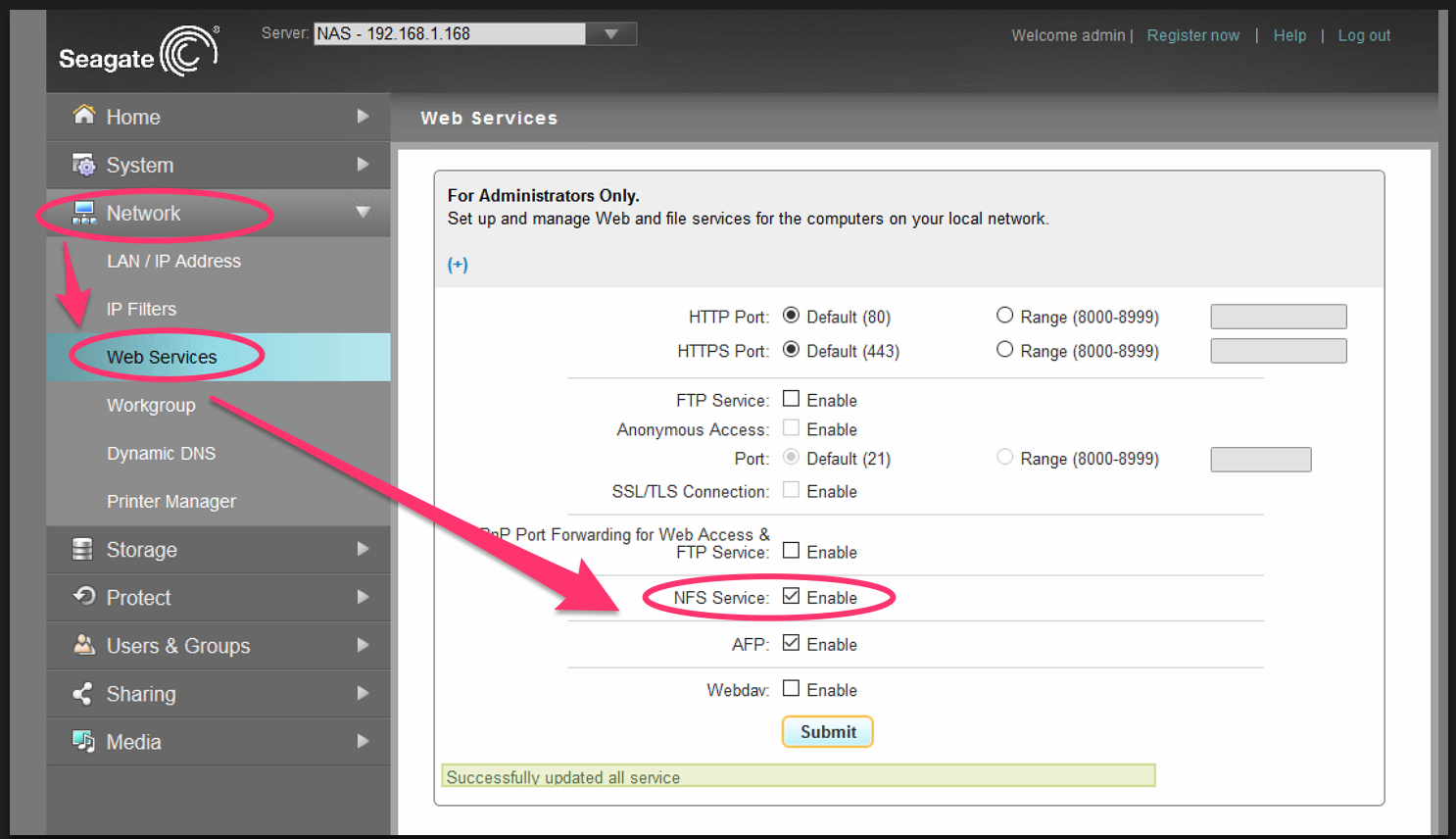
2) Go to Network > Web Services and Enable the NFS Service
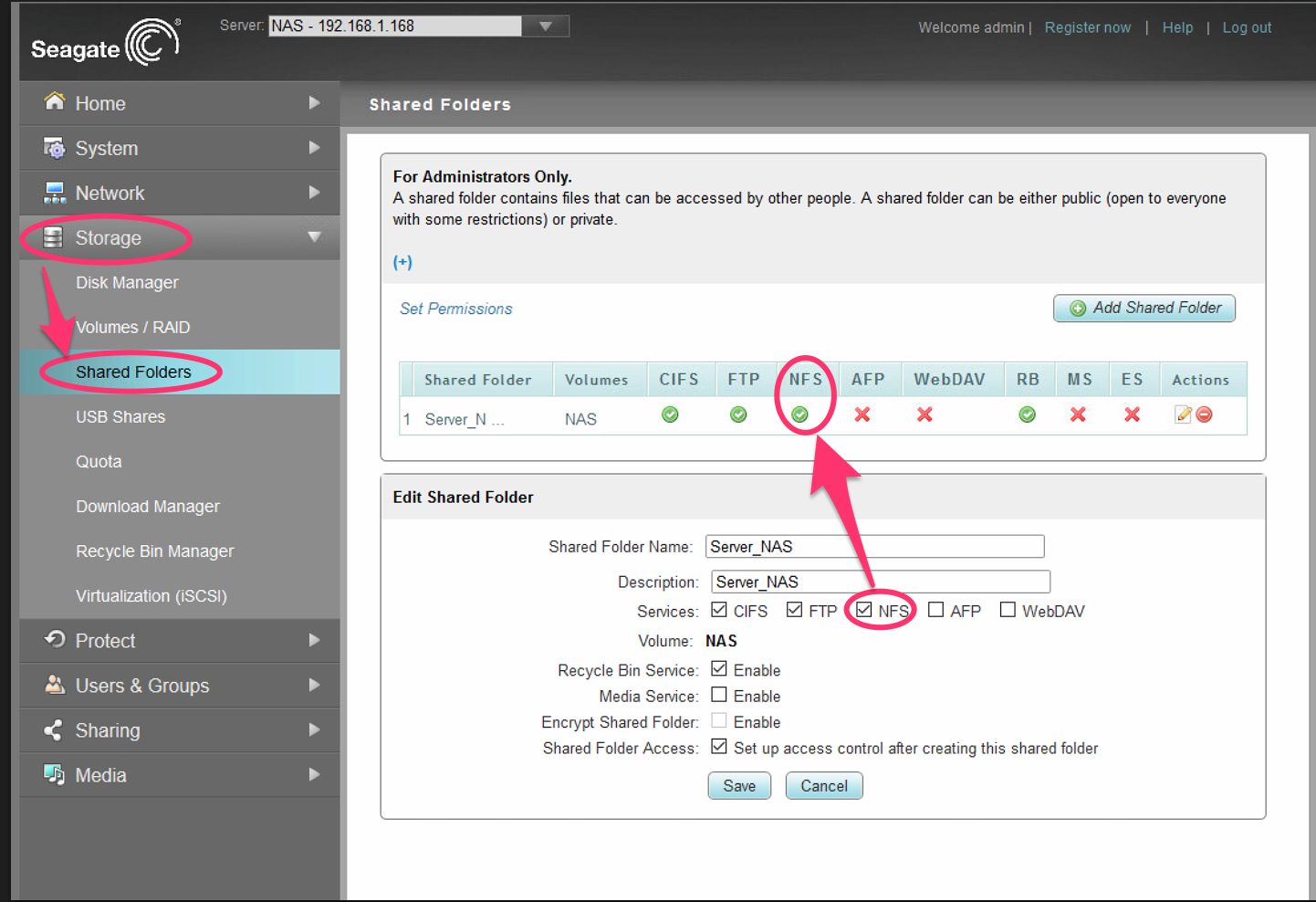
3) Go to Storage > Shared Folders and Check the NFS
4) Use MountTool and Select 7- Mount a directory (NFS/Auto Mount)
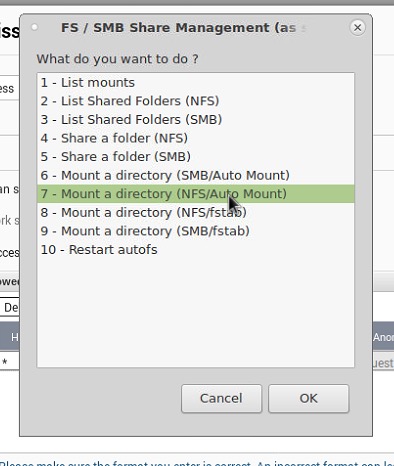
5) It will mount your folder at /mnt/nfs/server-IP/