Issue:
Unable to Mount a SMB1 shared folder from Windows on Linux with MountTools
Solution:
1) Download latest MountTool revision from Workspace.
2) Use it to mount your shared folder.
3) Open Terminal, go in admin mode
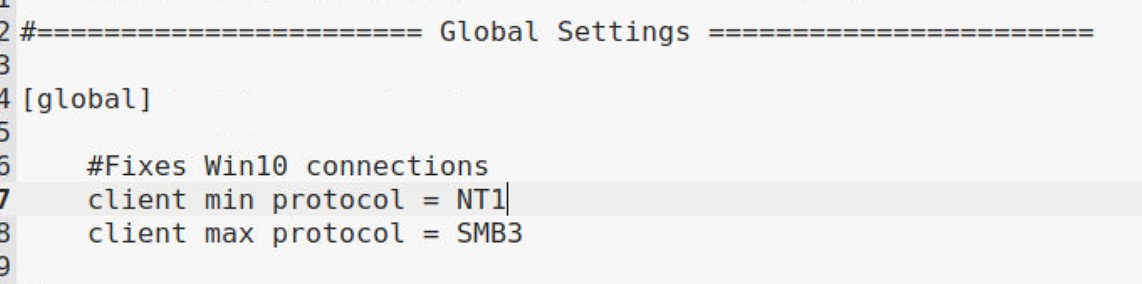
4) Modify /etc/samba/smb.conf to put in Global Settings
client min protocol = NT1
as here
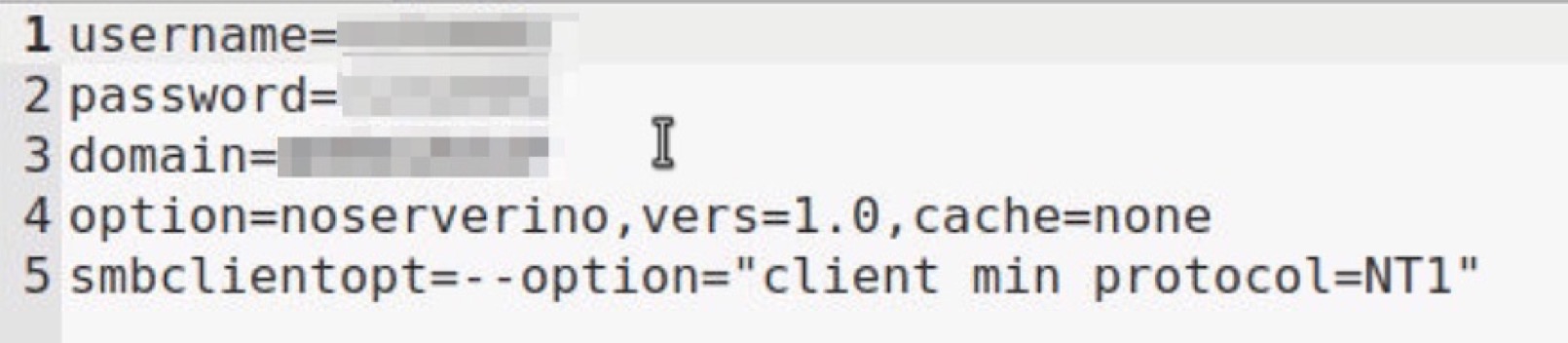
5) Modify your shared folder crendentials in /etc/auto.smb.credentials/yourfile
add
option=noserverino,vers=1.0,cache=none
and
smbclientopt=--option="client min protocol=NT1"
 6) Kill Caja and Restart smb and fsauto services with sudo credentials
killall -9 caja
service smbd stop
service autofs stop
service smbd start
service autofs start
7) Then access to your /mnt/smb shared folder