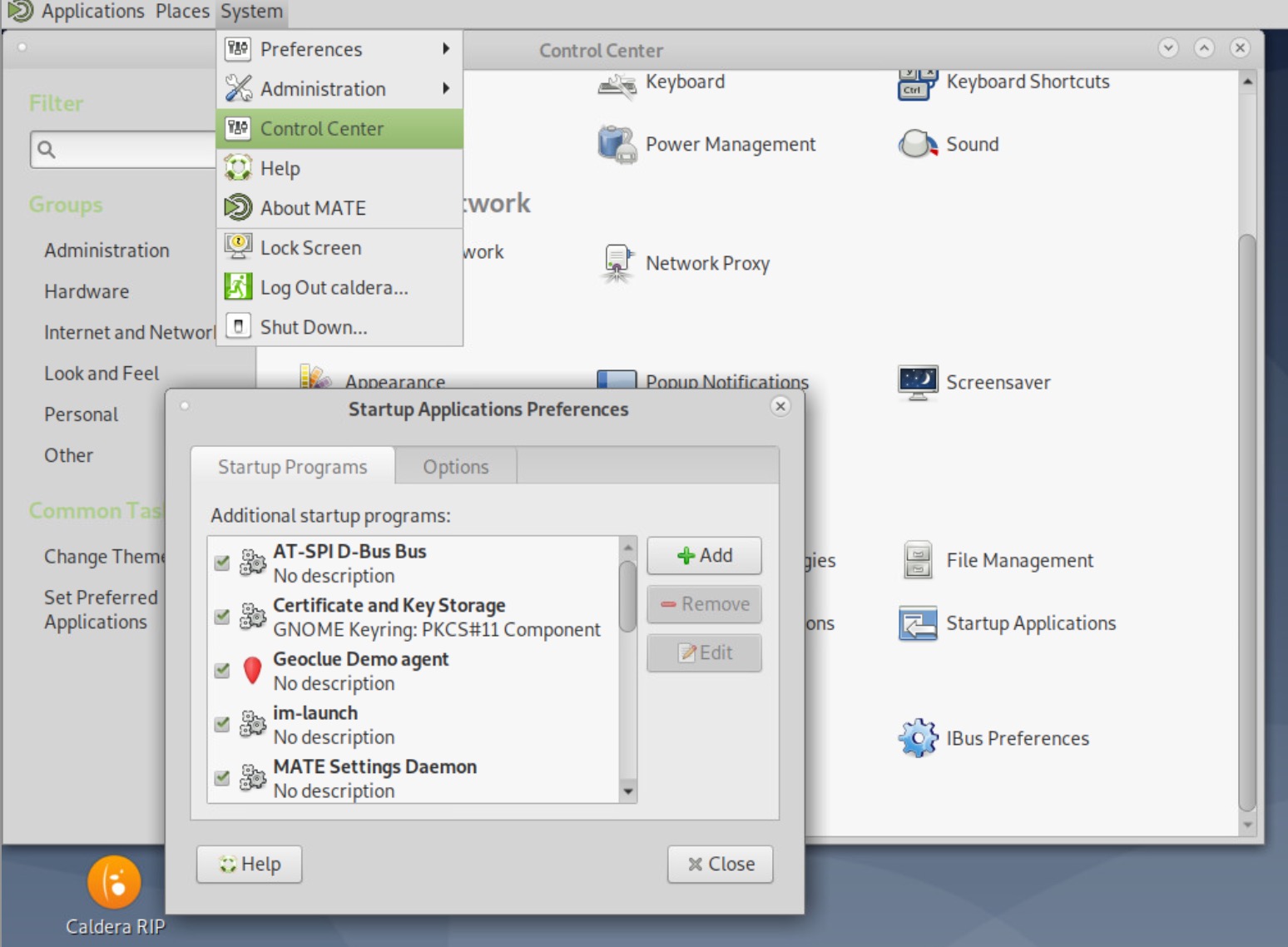
1) Go in System > Control Center > Startup Applications > Click on "Add"
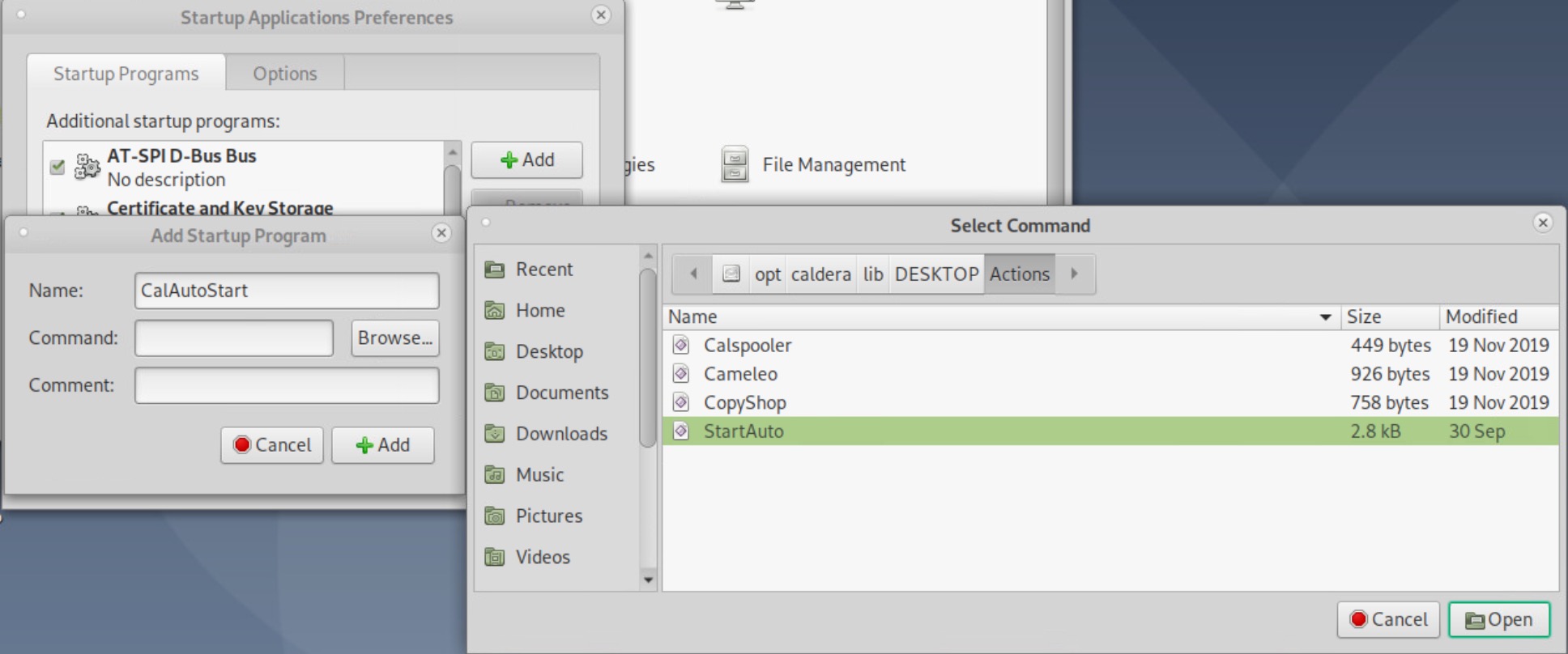
2) Name it CalAutoStart and Browse to /opt/caldera/lib/DESKTOP/Actions to select StartAuto and click on Open
Now Caldera RIP will start automatically at next Debian Login
1) Go in System > Control Center > Startup Applications > Click on "Add"
2) Name it CalAutoStart and Browse to /opt/caldera/lib/DESKTOP/Actions to select StartAuto and click on Open
Now Caldera RIP will start automatically at next Debian Login