After RIP installation, some Workflows need to login automatically, to be used as a "blackbox".
1) Open a Terminal
1-a) Get root permissions typing sudo -s [Press Enter] (it will prompt for your password)
1-b) Edit lightdm.conf typing pluma /etc/lightdm/lightdm.conf [Press Enter]
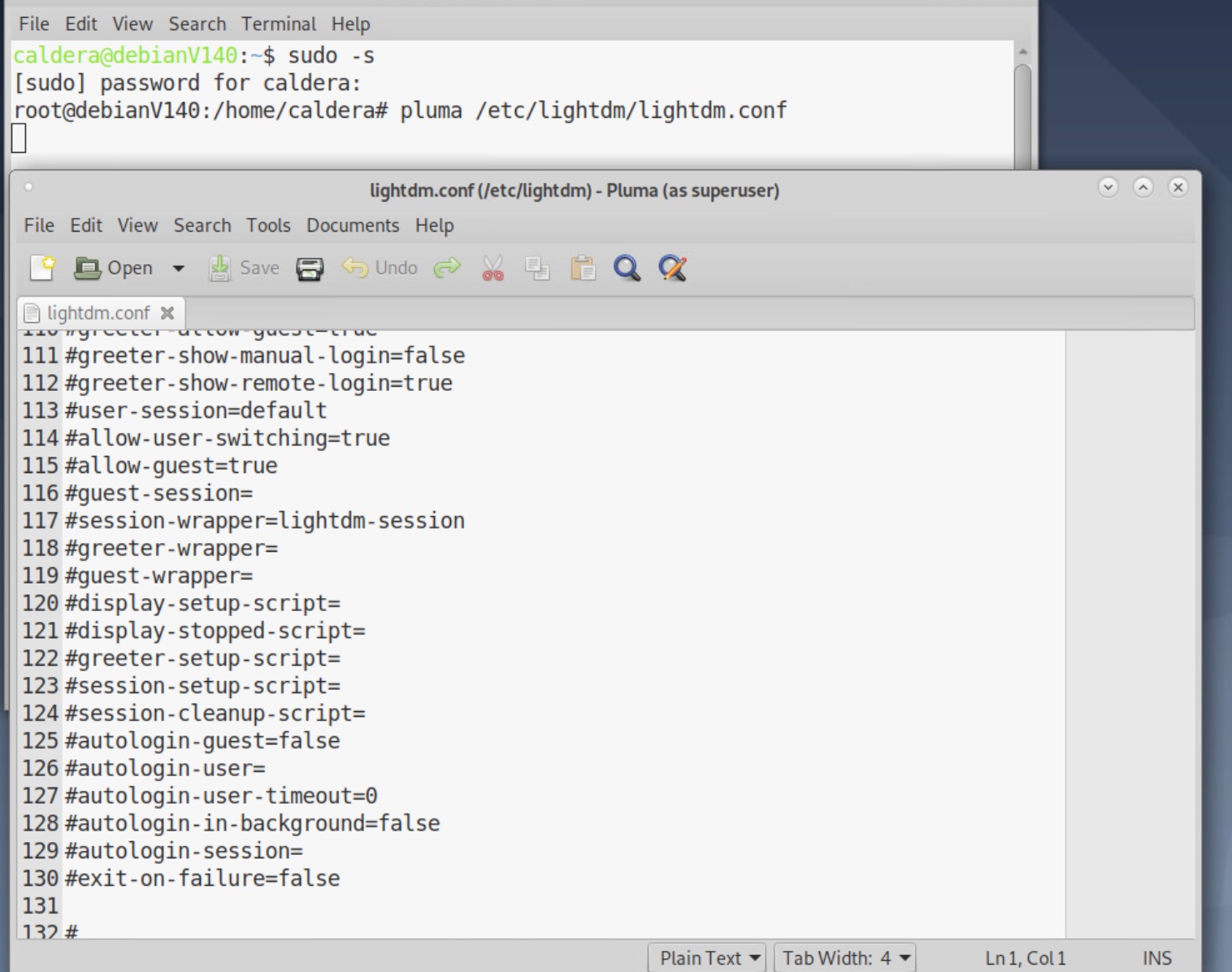
2) Locate #autologin-user= and #autologin-user-timeout=0
2-a) Remove # symbol
2-b) Add caldera to autologin-user= to get autologin-user=caldera

3) Save file and quit Pluma
4) In terminal, type dpkg-reconfigure lightdm ([Press Enter] you should still be with root permissions)

5) Restart Calserver typing /opt/caldera/bin/calserver /opt/caldera/lib/calserver.cfg [Press Enter]

6) Reboot PC.