In the old Caldera Debian 2.3 there was a script to create Linux users but it existed mainly because it was a modified version of the official Debian.
Since Caldera V11 we use the official release of the Linux Debian: consequently this script is not needed anymore and it's possible to create users by using the official Debian settings.
Solution:
You can create new Linux users by going to the menu "System -> Administration -> Users and Groups".
Click on "Add" to create the new user.

Provide a name for the new account. The "Username" will be the login used to access the account.
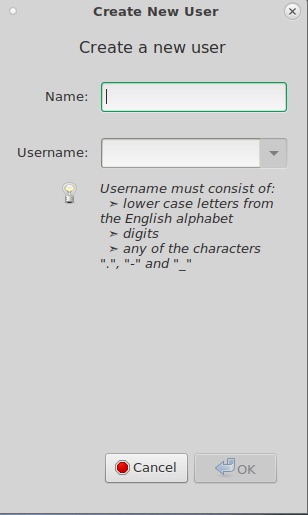
After validation it will ask you to set a password to access the account.
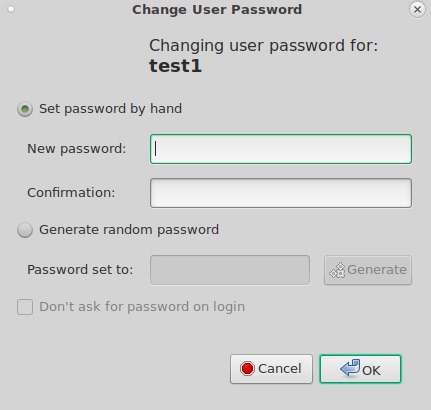
Indicate the wanted password, click on OK and validate the creation by putting the root password when asked.
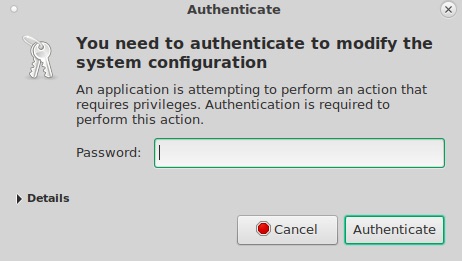
To be able to use this account with Caldera some modifications on the access rights of the account are advised.
Select the account and click on "Advanced Settings".
Go to the "Advanced" tab and select "caldera" in the "Main group" field.
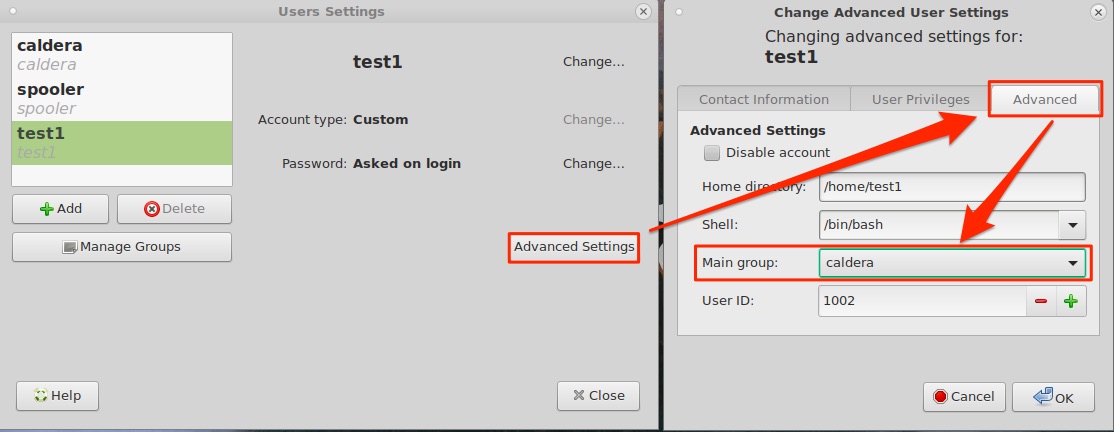
Then go to the "User Privileges" tab and select at least the following options.
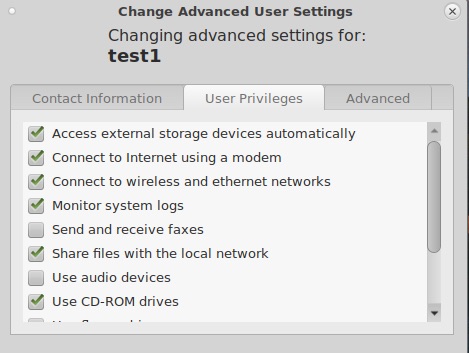
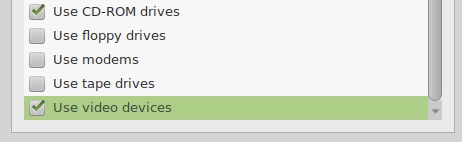
Once the selection of access rights is done click on OK and validate with the root password.
Your new account is then ready to use.
Created in November 2020.