Issue:
Upon on opening a PDF file, the following error:
name_of_file.pdf AGM internal: MakeColorTransform failed

Problem:
Potential issue with the embedded profile
Solution:
Check if file will load by disabling the embedded profile(s).
So under the Special pull down menu, select Color Configuration and disable "Honor embedded profiles"

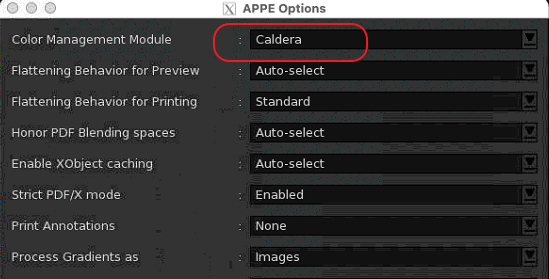
When error occurs during ripping also make sure Caldera is used as Color Management.
Special pull down menu > APPE Configuration.