Issue:
localhost will not remain under Host field after (re)opening the Server admin window.
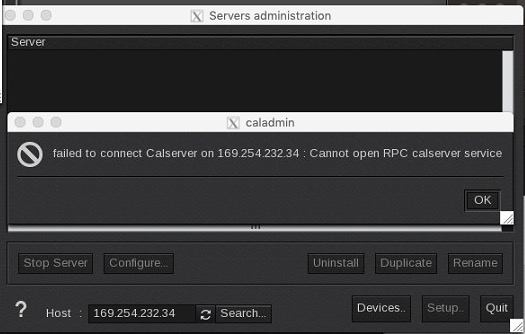
Problem:
One of caladmin configuration files has been locked under ~/.cas/CONFIGS
~/ is the user folder. Under Linux (in case of the caldera user) typically /home/caldera/ and under MacOS /Users/name_of_user. The .cas folder is a hidden folder inside the user folder.
Solution:
Delete the caladmin.c* files.
Using Terminal enter (Terminal opens by default under the actual user).
rm -rf .cas/CONFIGS/caladmin.c*
Once the files are removed they will automatically be recreated after restarting the Caldera services (Can also do a reboot) or using CalderaDock:
"Restart services"