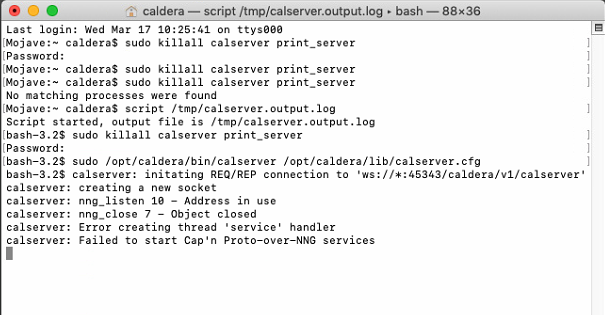
The calserver.log file contains debug information. With intermittent problems it can be useful to create a log file of the calserver.
Close Caldera first, then using Terminal:
Enter: sudo killall calserver print_server (repeat the same command, till you get the message no process found). Using the up and down arrow one can cycle through previous entered Terminal commands.
Then enter the following and leave the Terminal window open during the logging session.
$ script /tmp/calserver.output.log
$ sudo killall calserver print_server
$ sudo /opt/caldera/bin/calserver /opt/caldera/lib/calserver.cfg
$ .... do the actions to reproduce the error
then you input Ctrl + D
Leave the Terminal window open.
Start and use Caldera as you normally would until the error occurs.
Provide as much context as possible (describing the actual unwanted Caldera behavior).
And then retrieve the file /tmp/calserver.output.log
Provide the log file to Caldera Support
----------------------
Terminal showing all the entered commands.