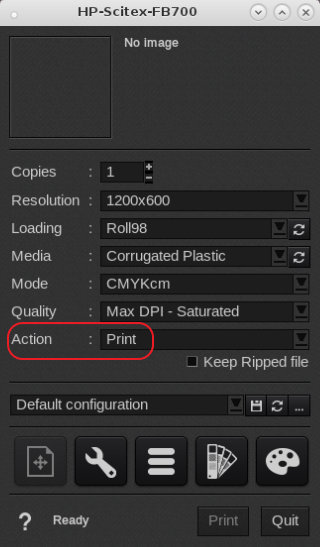
CostProof or CostView is only supported with the action set to "Print" and printer controller set to "Print Only" or "Print & Save" mode.
The HP-Scitex-FB500/700 printer controller has to be set to "Print Only" or "Print & Save" (the default is typically set to "Save only").
To change this setting on the printer's control panel, select Printing > Jobs > Settings > Job Storage Mode and change the selection to Print Only, then press Proceed. The job will now be received by the printer, printed immediately, and not saved. To print the job again, it must be re-sent from the attached print server.
Then in Caldera the printer drivers action is set to "Print" and then it will record the ink usage.