Here you can find basic instructions on importing measurement data out of Barbieri Gateway into Caldera EasyMedia.
For the usage of Gateway software, please refer to Barbieri documentation.
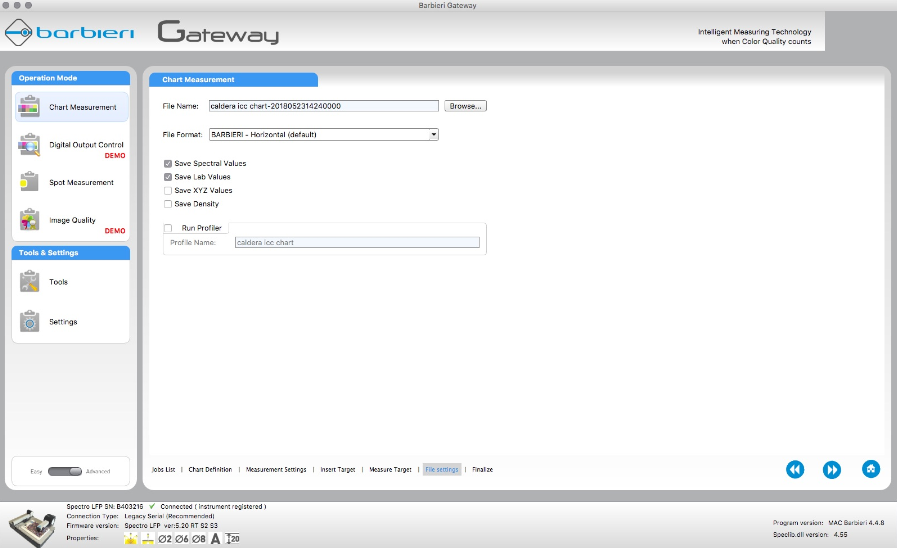
In the Gateway software
From the Gateway software, save measurement data out in the BARBIERI file format, with both spectral and Lab values.
The default save location for MacOS Gateway is: Document\Barbieri\Gateway\Chart\Measurements
In EasyMedia
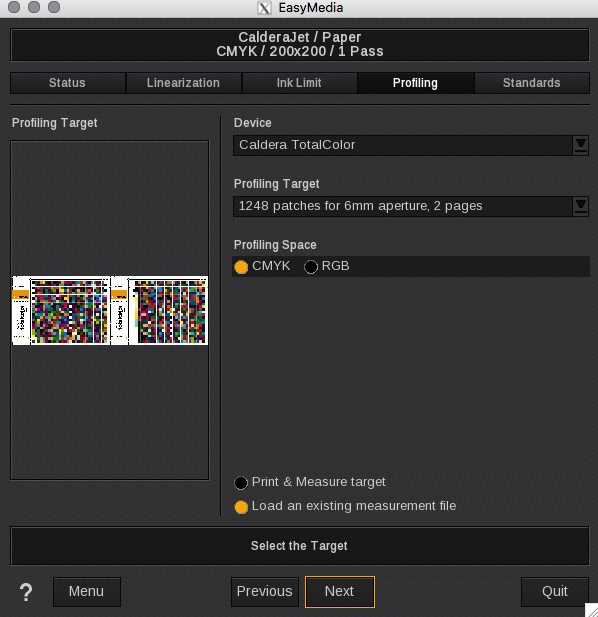
In EasyMedia for the linearization and ICC steps respectively, follow the steps below. (ICC shown)
1. Instead of selecting Print & Measure target, select Load an existing measurement file.
2. Then from the next screen select Load another file. Browse to the directory where the Gateway readings are located. Select the data file appended with the .spd.txt file name indicating spectral data.
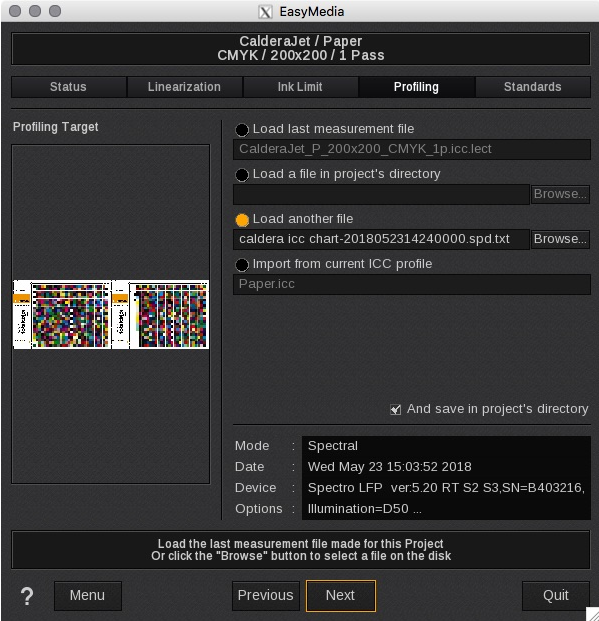
3. Click Next to continue the profiling process.