Some models of the Agfa Jeti 3020 Titan are configured as CMYKOW (O = Orange, White = White), when setting up the Caldera driver to support this configuration a new special ink will need to be added as illustrated in the following screenshot:
Settings Tab > Server Admin > select the printer > Configure > Special Inks tab
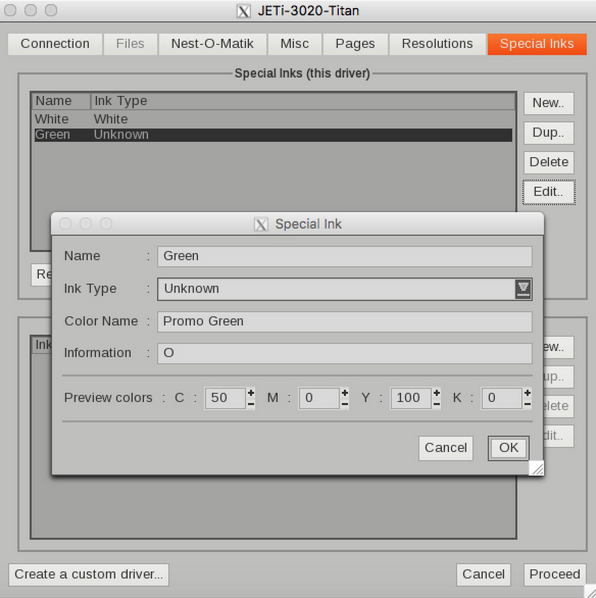
The only requirement is to use an 'O' in the Information dialog box, in this case the customer swapped out a green ink for orange so the Name was changed to Green so Page Setup reflected the change and the spot color had already been defined as Promo Green.