In order to replicate used printer driver settings it's recommended to provide the support technician the so called printer settings also known as QuickPrint.
Select the problem file from the Spooler and select "Reopen". This will open the printer driver with the settings used to print this file (It doesn't matter if the problem file is still present in the user interface as it will simply configure the printer driver with the settings to rip/print the file).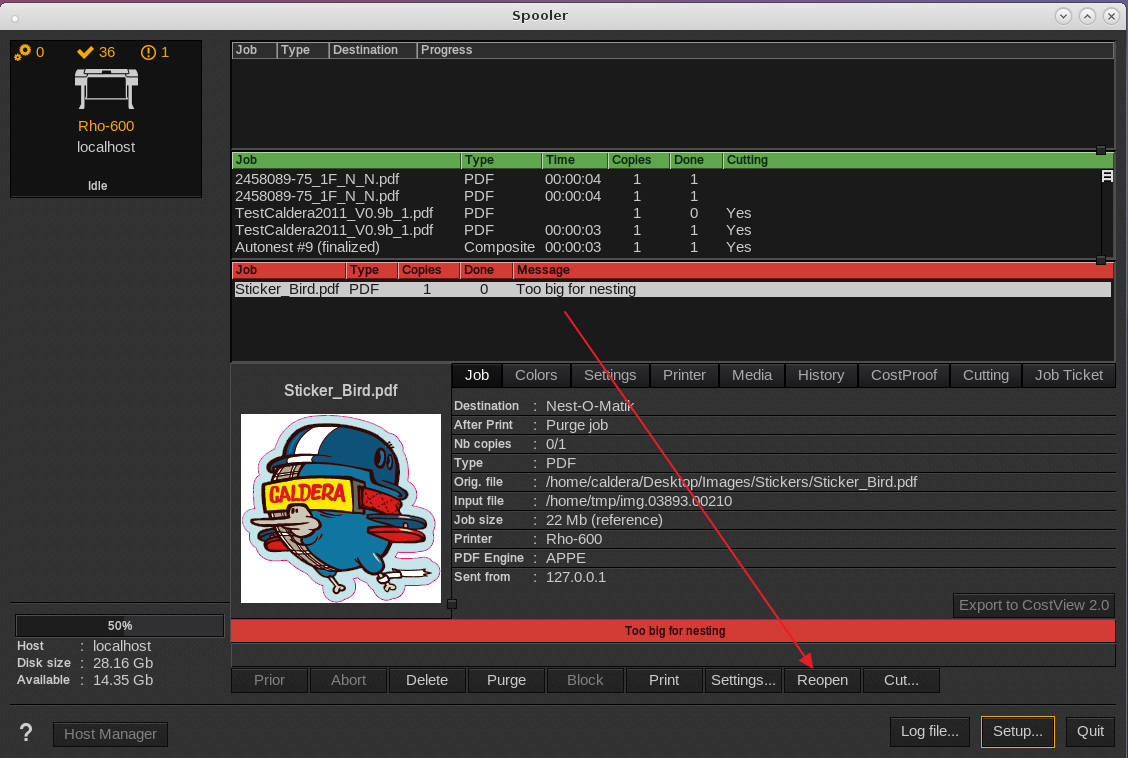
The printer driver should open and configure itself with the settings used to rip/print the file.
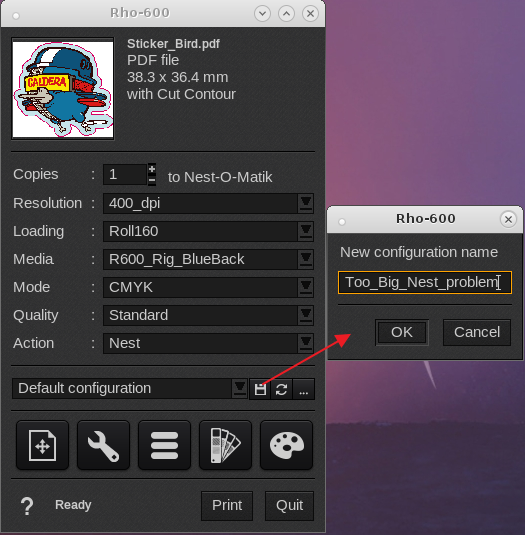
Click on the floppy disk icon and provide a unique name as a new configuration.
Then select the icon with the three small dots and export the QuickPrint or Preset to a xml file (default name is export.xml but this can be changed as you see fit).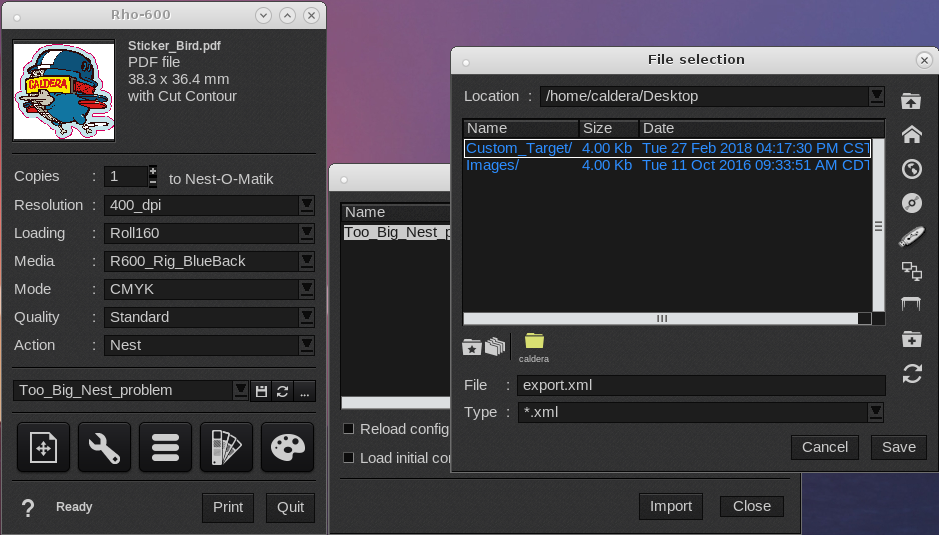
After saving the xml file, email it to the Caldera Support technician.