Issue:
After launching Fileman, the application window is blank, not populating or frozen.
Problem:
Fileman application not properly configuring.
Solution:
Reset the FileMan module to a factory default.
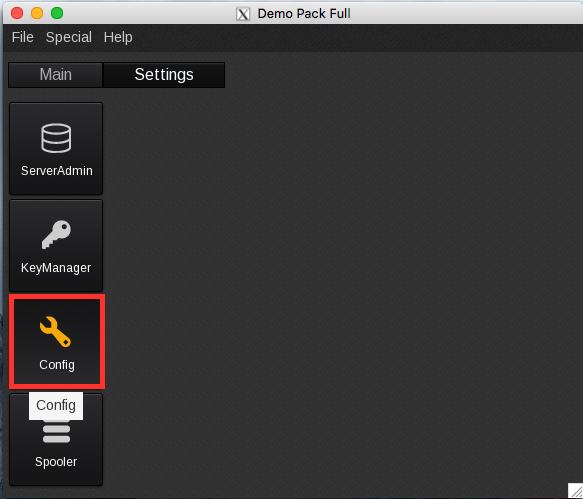
In the applications bar, select the Settings tab. Double click Config:
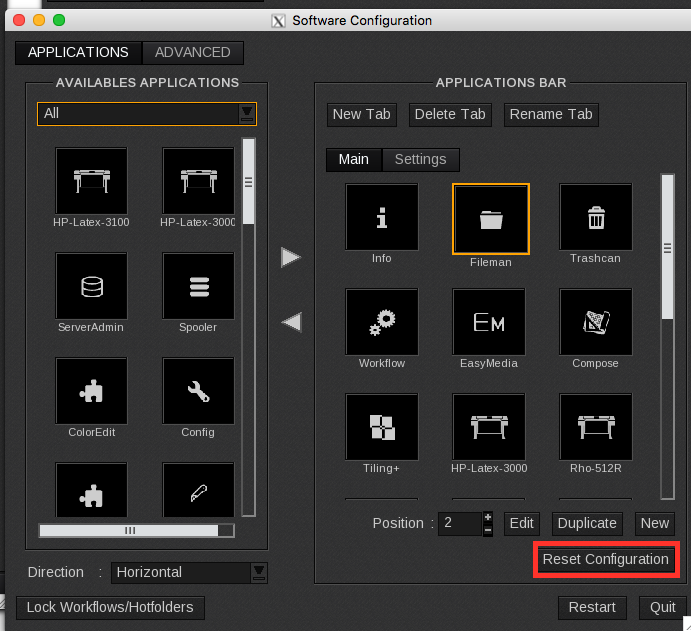
Select Fileman and click the "Reset Configuration" button.