Issue:
Memory allocation errors when opening a raster file such as JPEG and TIFF.
Problem:
The Caldera rip software has some internal raster file size limits (around 1.5GB uncompressed) when the raster to pdf option is not used.
There is no file size limit for EPS or PDF files.
Solution:
With version 9.20 this limit can be circumvented by enabling the "Raster to PDF" option (This increases the limit to around 3GB).
The same applies for version 10 and 11, without the limit (a 30GB raster file was successfully loaded).
Caldera is optimized for PDF workflow as the Adobe PDF Print Engine is being used and the APPE will use all available resources.
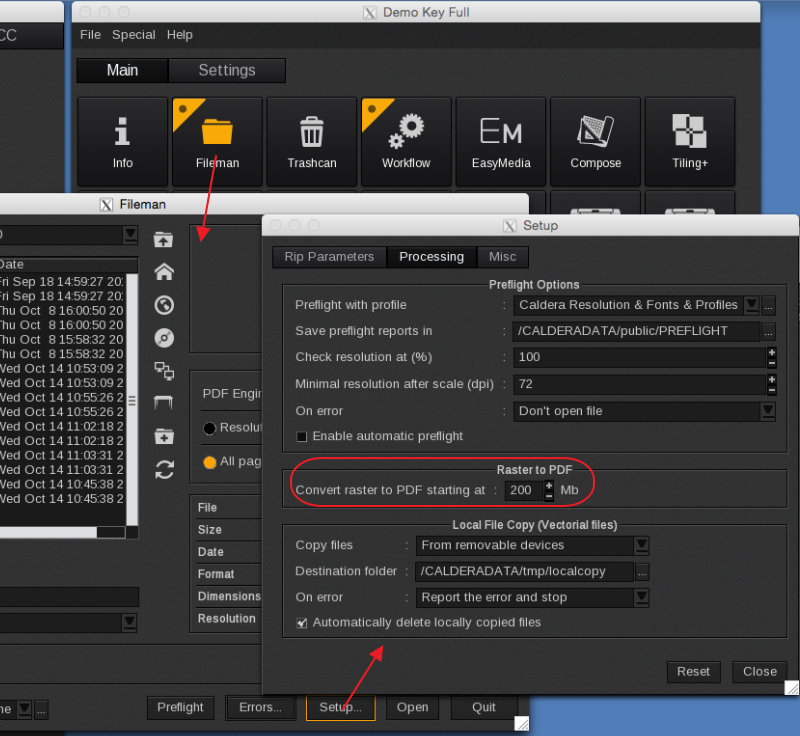
The default "Raster to PDF" file size conversion value (2000Mb) will have to be lowered to trigger this behavior.
Raster files will be converted to a PDF while maintaining the original raster image settings.
The slower opening of files during the conversion is compensated by the faster ripping of the files.
The default value is set to 2000Mb and can be decreased to 200Mb (example). This will now automatically convert all raster files larger than 200Mb like TIFF's or JPEG's to a PDF.
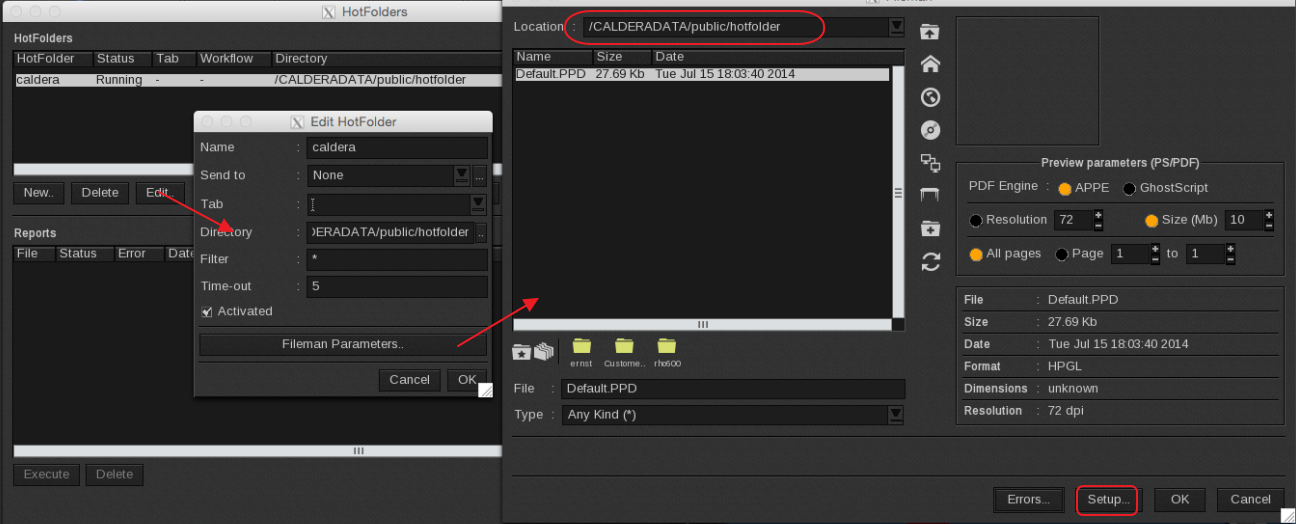
Same option applies to the HotFolder, but it will have to be set for each HotFolders using the FileMan Parameters option (make sure to select the folder acting as HotFolder when making this change).