Problem:
Curves and Arcs show steps/jagged edges.
Issue:
Lack of anti-aliasing.
Solution:
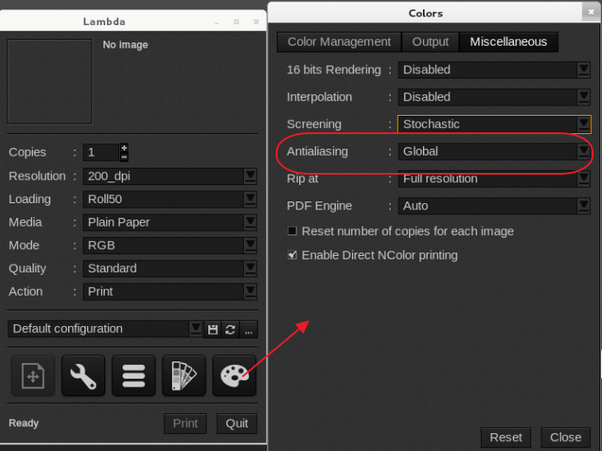
Activate the antialiasing option in the printer driver (see screenshot). Antialiasing is a technique for softening or blurring sharp edges so they appear less jagged when rendered. Antialiasing is accomplished by multi sampling each pixel at multiple pixel locations and combining the samples to generate a final pixel color.
Global is the preferred setting:
Global anti-aliasing is basically a sub-sampling of the original file. The image is ripped at double the resolution and then scaled down by pixel, to create a blur, which has a similar effect as antialiasing.
The other options are real antialising options but have some limitations. It will only work with real vectors.
It will not work with cut contours, cropped images and PDF's ripped with the Adobe PDF Print Engine.