Problem:
When printing a PDF at a high resolution and or large scaling factor, it's possible that the internal memory usage escalates.
Resolution:
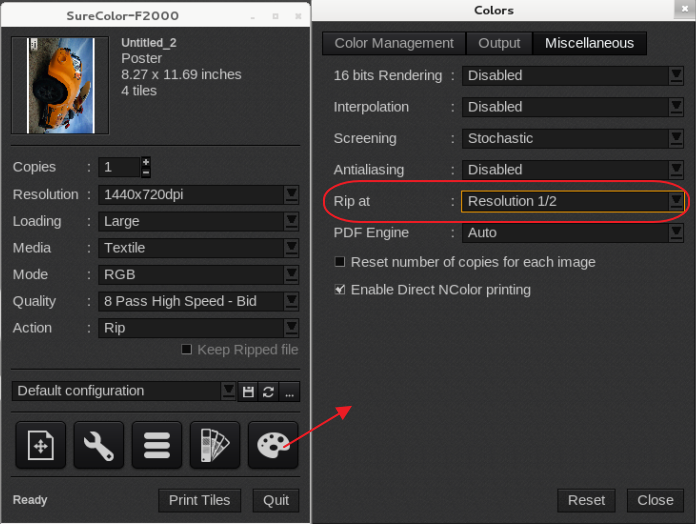
Activate the Rip at a lower resolution. The Print Engine will rip at a lower resolution.
As a result, the lower resolutions might produce some pixelation and loss of precision especially in text and vectors (including crop and cut marks).
Start with 1/2 the resolution and if you still have the "Cannot allocate memory" message lower it to a 1/3.
The following is a screenshot from V11 (V9 and V10 are similar).