To replicate settings related issues, it's useful to get the export.xml file which stores the used printer driver settings.
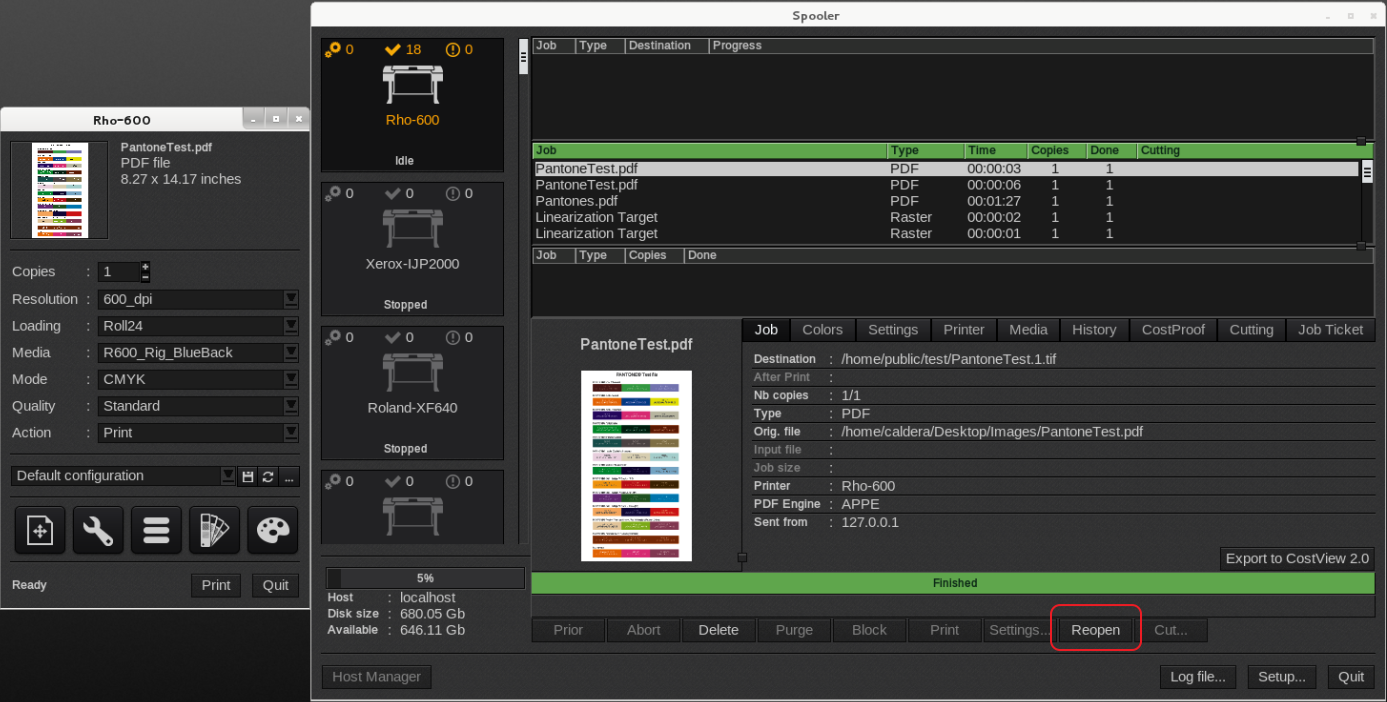
A quick way to obtain settings used is to reopen the "problem" job from the Spooler.
If the original image is no longer available it will at least load the original settings used to print that particular print job.
Open the Spooler from the printer driver and select the job and click on the Reopen button.
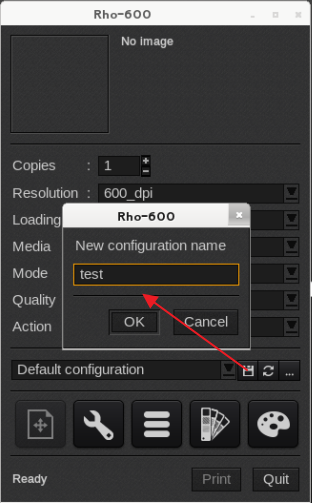
Save the "problematic" configuration by selecting the floppy disk icon, provide a name and click OK.
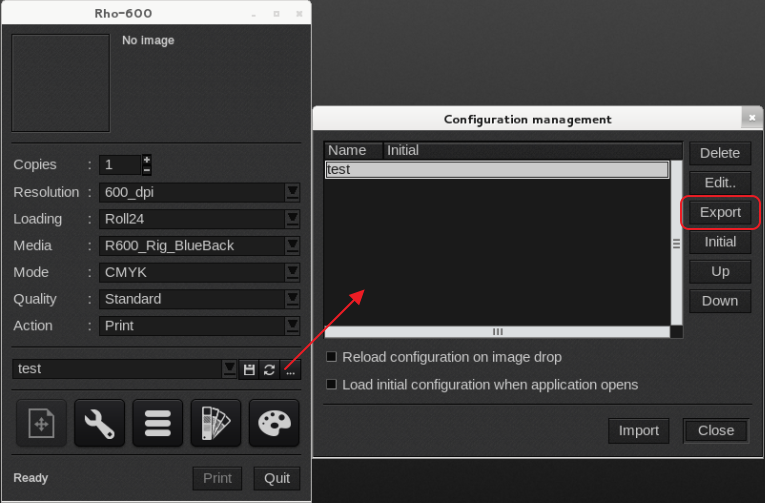
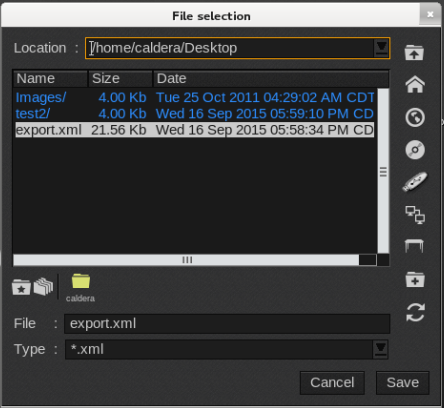
Follow the instructions in the screenshots and save the export.xml to a known location like the Desktop.
Email the export.xml to the Tech support agent.