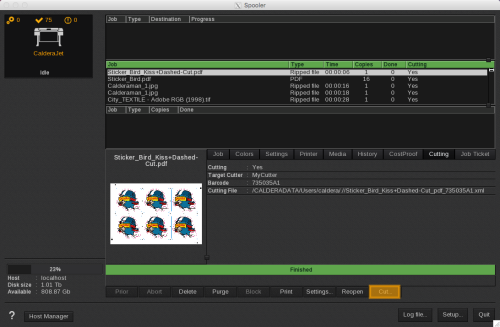
How to find the cut details in the Spooler
Once all print and cut parameters are correctly set up, the print can be launched. You can see its progression in the
- Cutting: indicates if the cut is activated or not.
- Target cutter: name of the cutter chosen to do the cut.
- Barcode: barcode number printed on the document and linked to the job.
- Cutting file: the path of the cutting file that is automatically created and sent to VisualCut.
You can then launch the VisualCut module from the