Issue:
Color change observed between a Composed print job versus a regular non composed print job.
Problem:
Color Management in Compose disabled.
Solution:
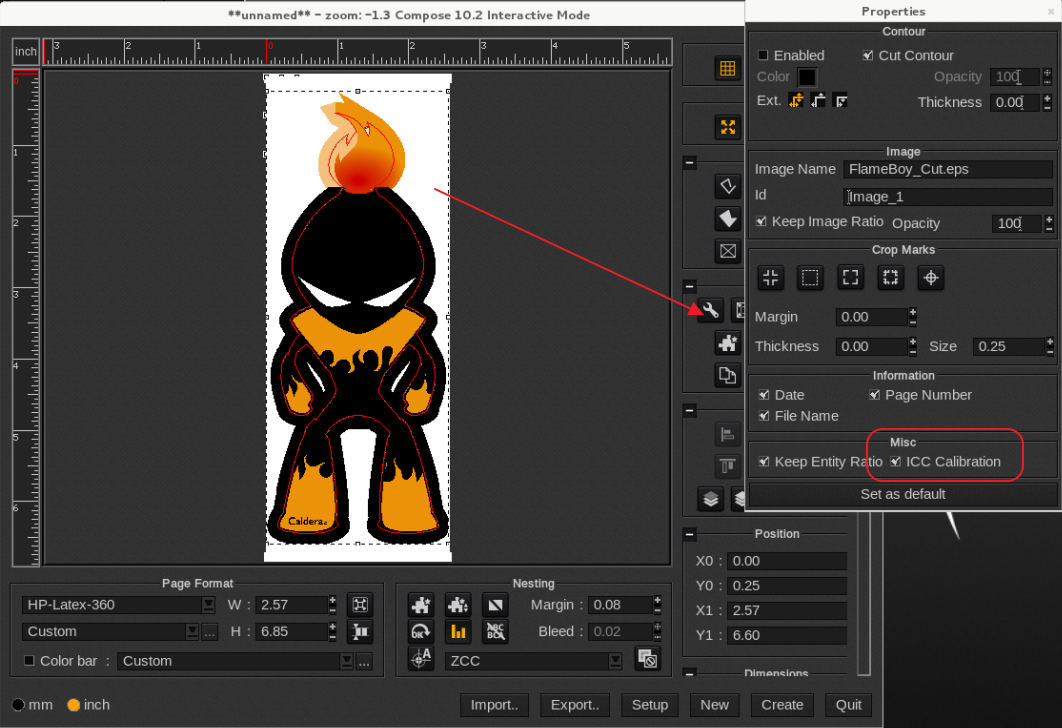
Select an item and right-click, select properties and you see a ICC calibration check-box, it must be on.
Alternative way to access the image properties is to select the image > under Tools, click on the wrench icon (see screen shot).
When clicking the "Set as default" button the setting will apply to all new images dropped in Compose.