Symptom:
Undesirable cut behaviors.
Solution:
The following information is needed to troubleshoot.
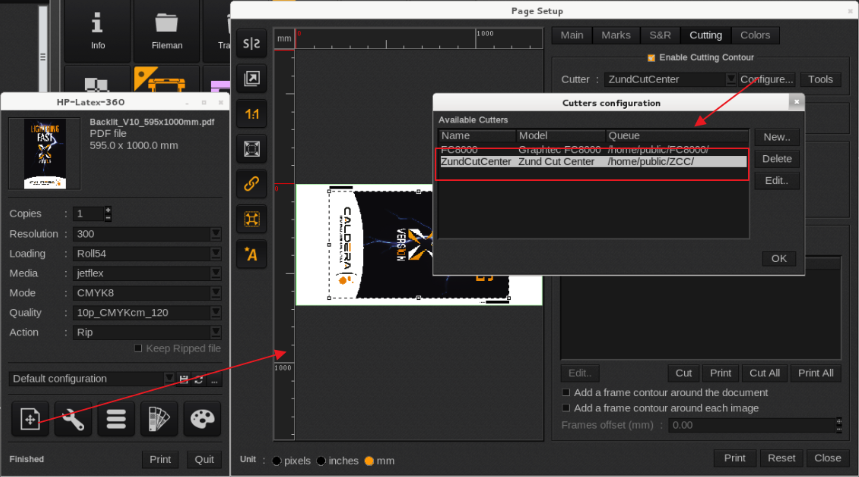
1. The cut file to demonstrate the issue. GrandCut create the cut files in a user defined folder.
You can check in the PageSetup > Cutting > Configure > Under the Queue.
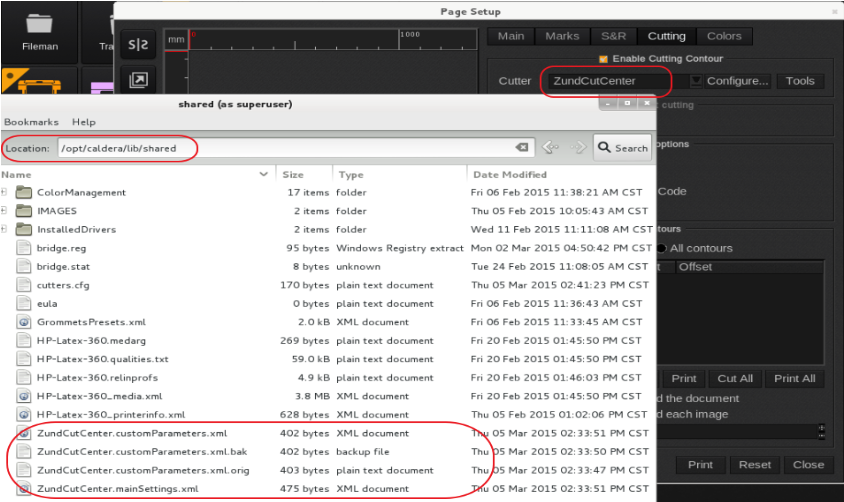
2. The cutter tool configuration files (only available when the custom tools are used): The xml files are located at /opt/caldera/lib/shared/ and typically start with the name of the Cutter as defined when the GrandCut driver was created (Example Name_of_cutter.customParameters.xml and Name_of_cutter.customMargins.xml).
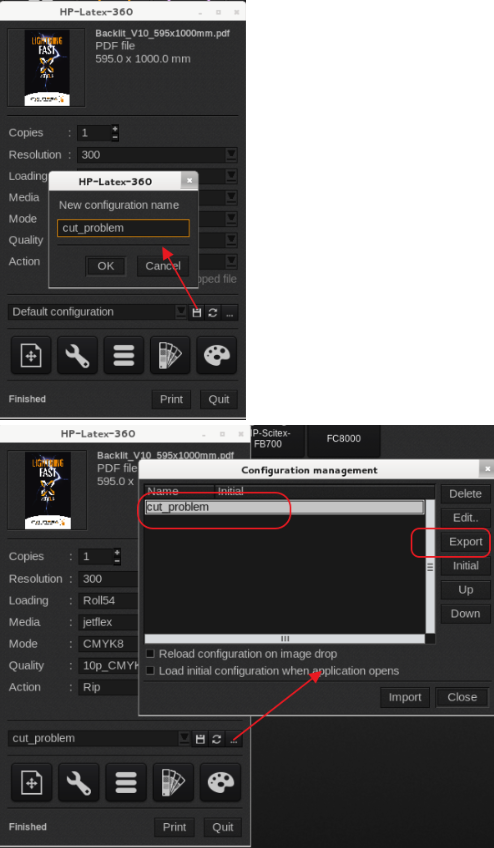
3. Printer driver settings: Use the quick configuration menu in the printer driver to save and export the settings (export.xml file).
Select the floppy icon to save the current settings by providing a name then click on the button with the three dots, select the Saved Settings and click on the export button.
4. Copy of the original file (unless one of the Caldera test files was used).
If the files are large then Caldera support is able to provide an upload link.
5. If applicable include screenshots (demonstrating the issue) of the cutter front end like iCut, Zund Cut Center, Zund Touch and Cut, Mvision etc.