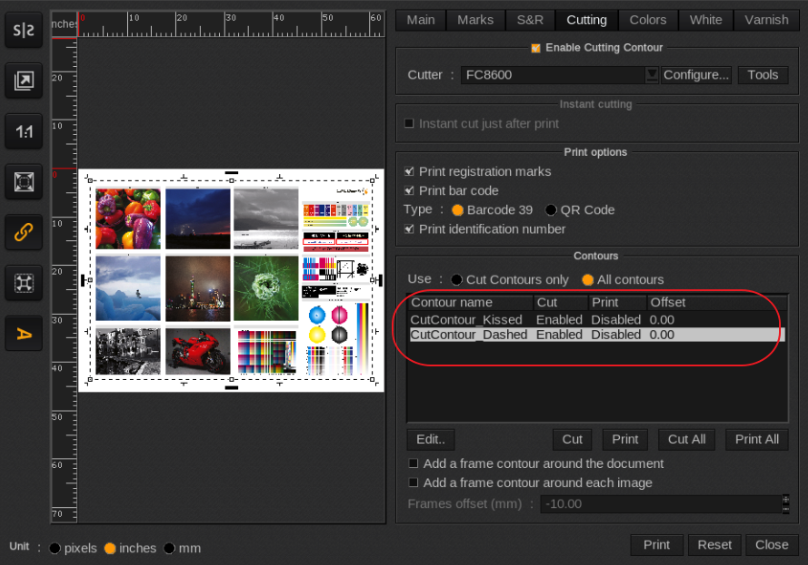
Symptom:
CutContours not recognized (more than likely not properly prepared).
Problem:
One of the following requirements is not met:
CMYK Spot color with a value.
0.1 point line weight (without special effects) to avoid double cuts.
Name needs to be CutContour otherwise it will not automatically be detected (if other name declare in FileMan > Setup > Edit Cut Contour list).
Needs to be centered (Illustrator setting). Not set to inside or outside.
Can not be on a disabled layer (Layer has to be enabled and set to print).
NOTE: Use PDF when using the Adobe PDF Print Engine (version 9 or higher comes typically with the Adobe PDF Print Engine). Avoid EPS as this file format in combination with transparencies will affect (read as destroying) the cut contours when the file is flattened when saved from the pre-press application.
Solution:
First make sure that the cut contour has met the requirements outlined under the problem section and if still an issue continue in with the Troubleshooting suggestions below.
To Troubleshoot contours problems use the following commands:
mkdir /opt/caldera/lib/shared/MonzaSetup (This folder might already exist so skip then to the next step)
echo 3 > /opt/caldera/lib/shared/MonzaSetup/docut
Restart Caldera and reload the problem file. It show now in the Cut contour list all filled contours and also the process color contours.
Docut version: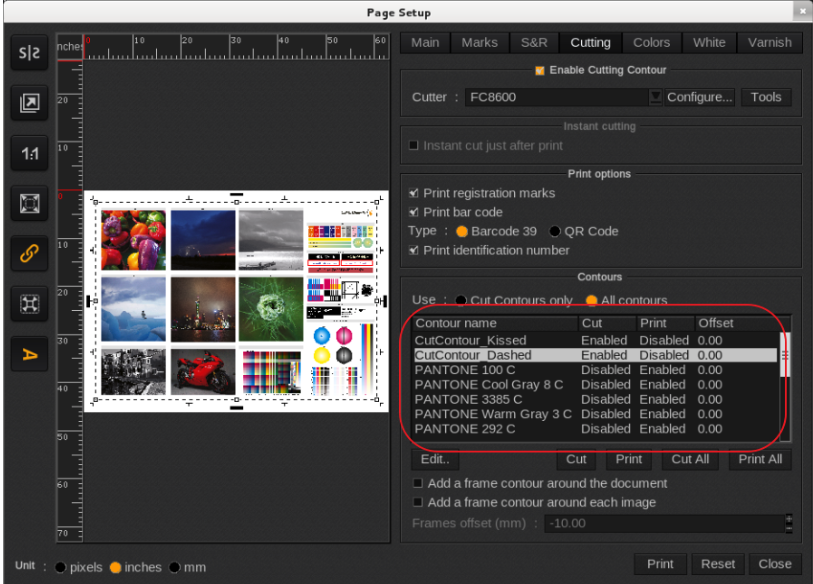
Normal Version: