Symptom:
Undesirable cut behavior.
Solution:
It will help to receive the following information.
Cut file: Caldera will produce a cut file and jpg preview which is located in the VisualCut queue. The path to the VisualCut queue is specified in the VisualCut module.
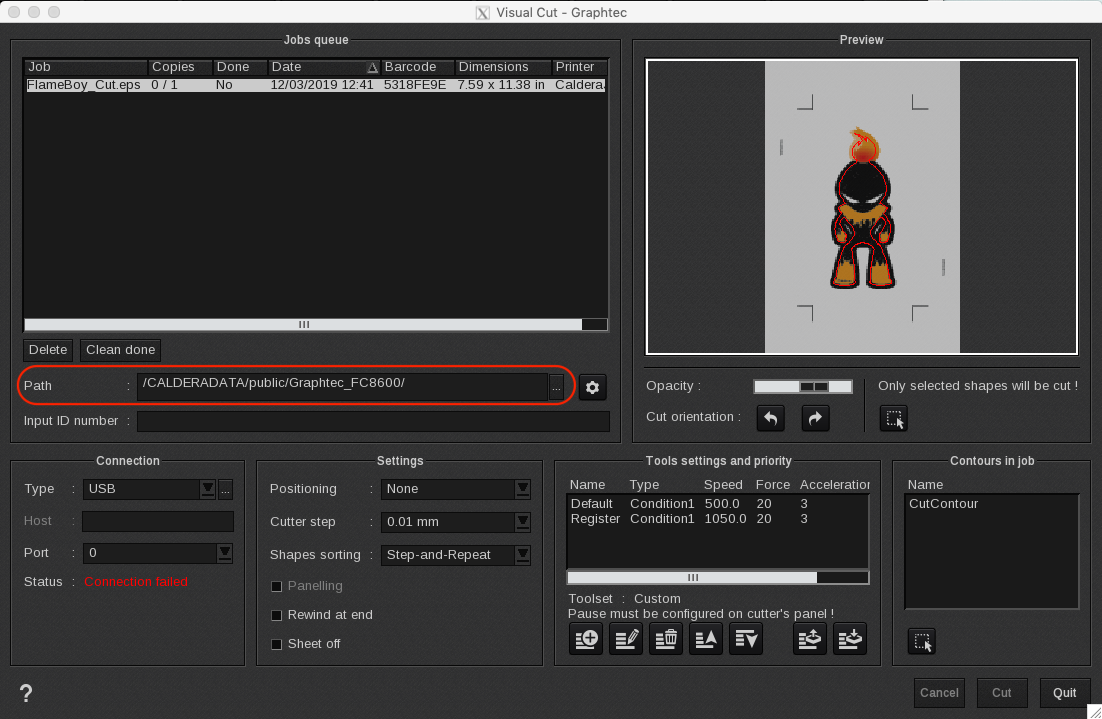
Cutter tool configuration files (only available when the custom Tools are used): The xml files are located at /opt/caldera/lib/shared/ and typically start with the name of the VisualCut module. Example Name_of_VisualCut.customParameters.xml and Name_of_VisualCut.customMargins.xml
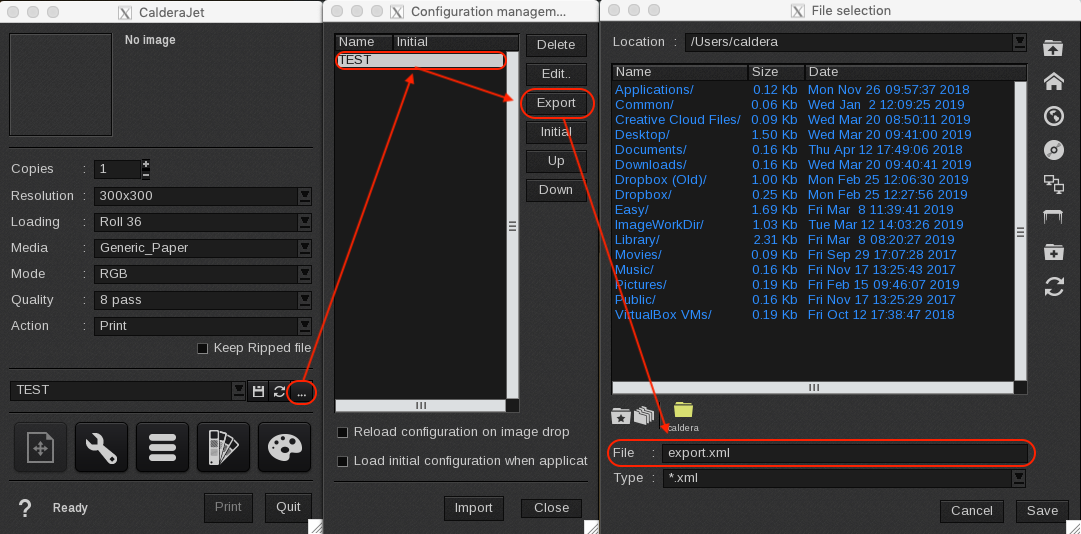
Printer driver settings: Use the quick configuration menu in the printer driver to save and export the settings (export.xml file).
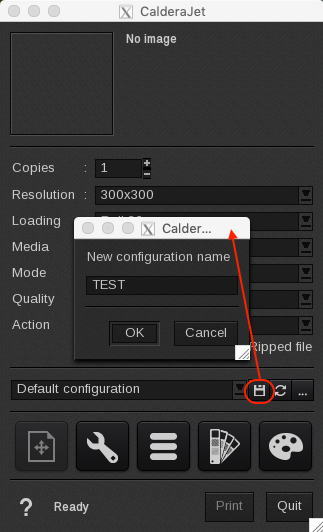
Select the 3 ellipsis icon to save the current settings by providing a name then click on the button with the three dots, select the saved settings and click on the export button.
Original file.
Cell phone video demonstrating the problem.
If the files are large then they can be uploaded using the Caldera file exchange website:
http://file-exchange.caldera.com/
Internal Note
The regular Tool settings file is to be located at:
~/.cas/CONFIGS
It has the name of the VisualCut module and *.le32 extension.