Latest firmware for the Caldera EasyColor (Attached).
Decompress the attached file (should result in a bin file, Firmware_Swing_v419e.bin)
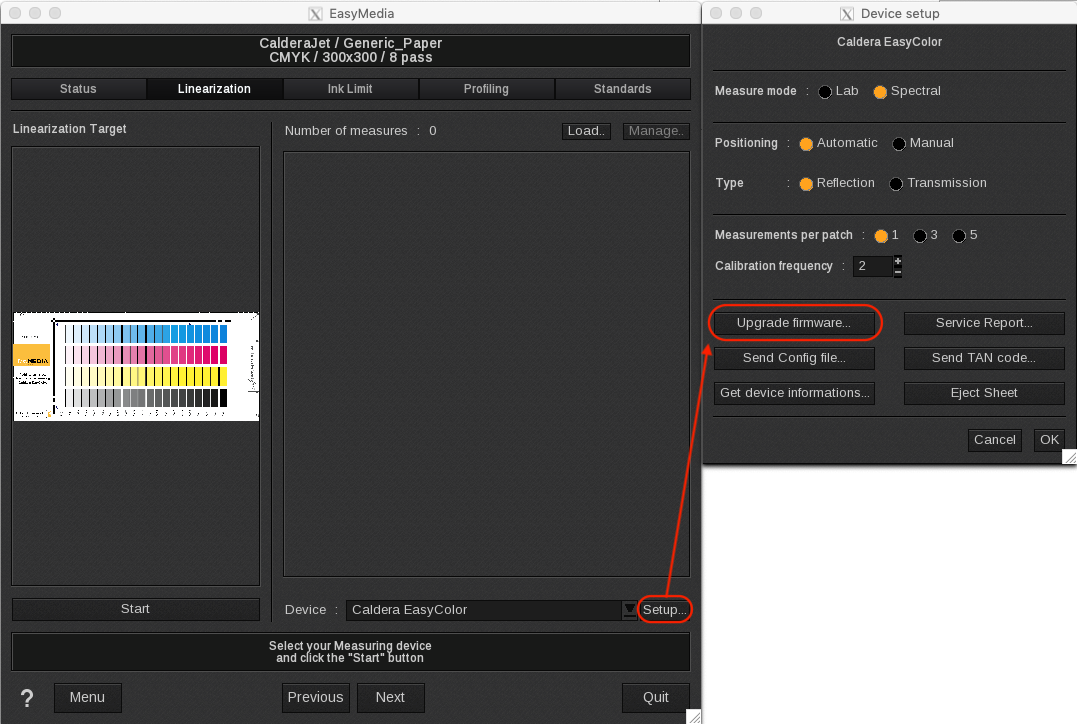
Open EasyMedia.
Go into one of the existing projects or create a new one.
In the measurement dialog select the Caldera EasyColor > Setup > Upgrade firmware > Then browse to the location of the bin file and load it.
CAUTION: Do not close EasyMedia, turn off the EasyColor or interrupt the connection to the computer during the firmware update.