Symptom:
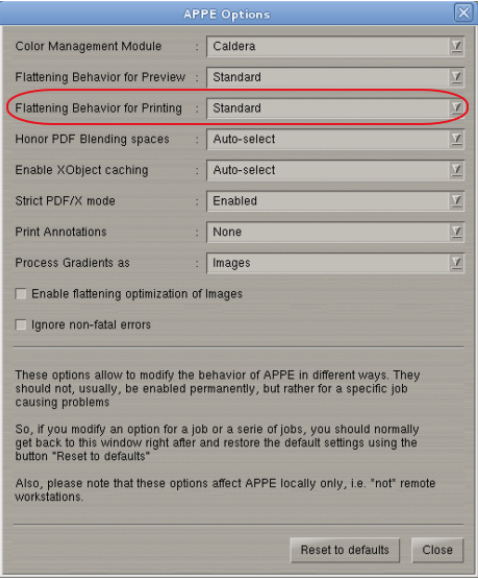
The APPE Options window allows to modify the behavior of APPE in different ways. These options are to be set on a temporary basis and only used on problematic print jobs.
Problem:
Signal errors during opening or ripping of file (indicating rip engine crashed), lack of memory errors etc.
Solution:
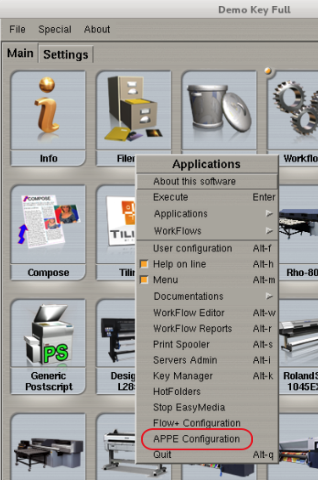
Right click FileMan and select APPE Configuration.
Set the flattening behavior for preview to global in case errors were encountered of loading a PDF file.
Set the flattening behavior for printing to global in case errors were encountered of ripping/printing a PDF file.