Sumptom:
Some video files may flicker or be slowed during playback.
Problem:
- Video codec is not hardware accelerated
- The playback require too much CPU/GPU power
Solution:
You will need to re encode the video that cause the problem, to do it I advice to use WinFF with the attached profile (VD.wff) accessible in the soft in "Digital Signage" section, "Variable Display" preselection
- Convert the video to an hardware accelerated Codec, H.264, I did a tuto for a customer concerning that point
- If the problem persist with a 1080p video (1920 x 1080) or 4K video ( 3840 x 2160), reduce the resolution to 1280 x 720 (if the video is not in 16:9 adapt the resolution to the original video ratio, video resolution guide here) to do it :
- Click on Options to make appear the Advanced Menu
 >
> 
-
- In video Tab Set the new video size and optionally the ratio to keep, In my example case we have a portrait video =>
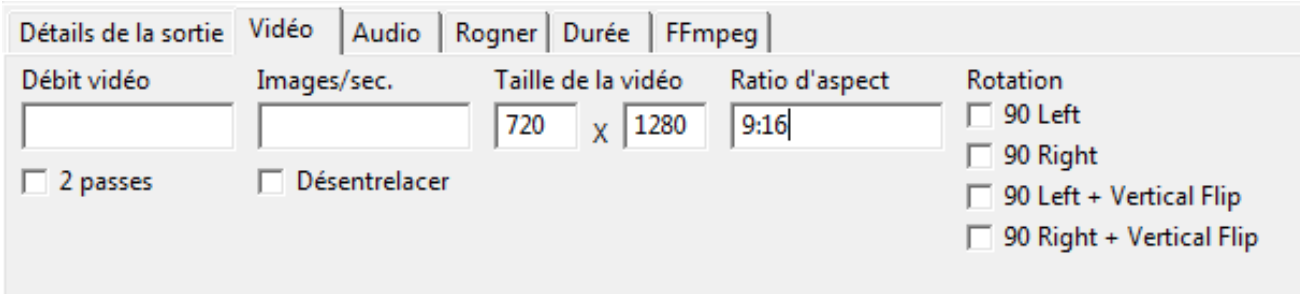
- In video Tab Set the new video size and optionally the ratio to keep, In my example case we have a portrait video =>
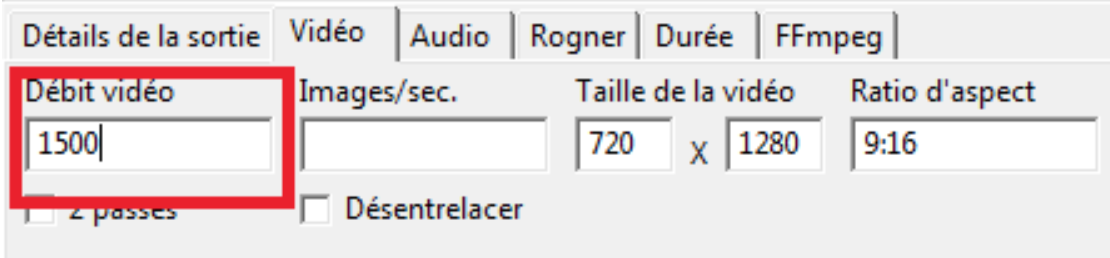
- If the problem still persist in 720 x 1280, you may reduce the bitrate of the video (30% less than original one is a good start) => in my sample case I reduced the bitrate from 2000 kpbs to 1500 kbps.