Symptom:
How to run a file system check which also checks the root partition.
Problem:
Spontaneous reboots, file corruption errors.
Solution:
Check the data integrity of your operating system by using the fsck command.
Steps:
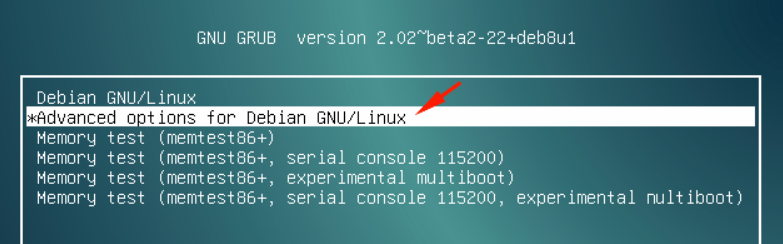
1. Restart and open advanced options on boot menu
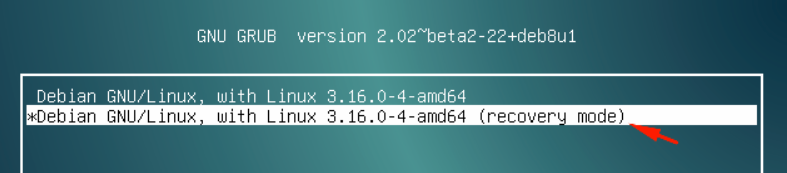
2. Select (recovery mode)
3. Wait for this symbol '#', you may have to hit 'Enter' a couple times, then run the following commands (or type the root password when requested):
touch /forcefsck
reboot

Debian will now reboot and at the next start it will run a file system check (fsck) on all partitions.