Use Misc-TIFF-Halftone driver (V10.2A or newer) for the DuPont Artistri textile printer
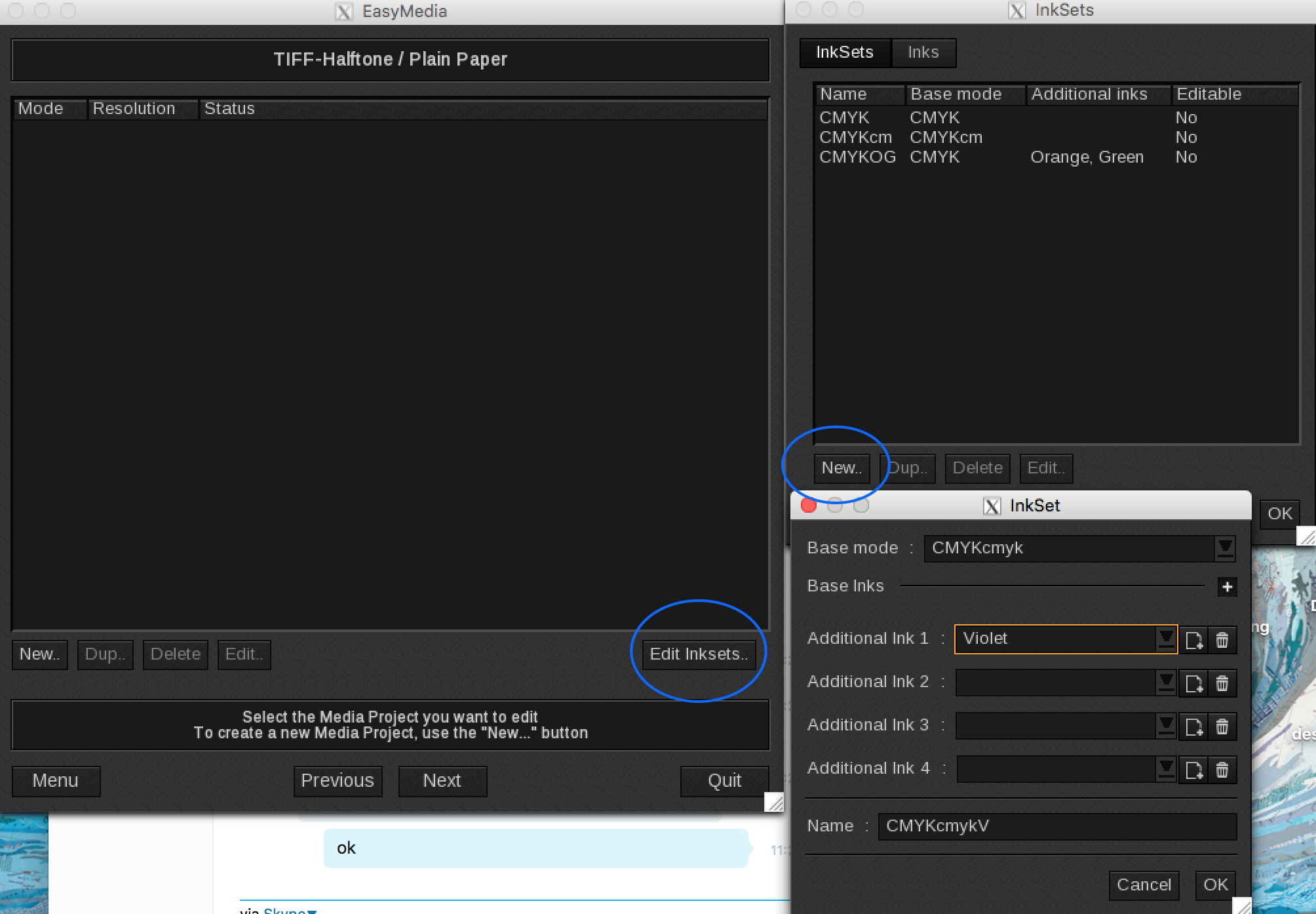
You may need to add custom ink sets depending on what ink set is being used.
The settings for the custom ink set are in Easy Media and the ink order can be set under the printer specific settings in the printer driver (wrench icon)
Easy Media (Select the printer icon > select the printer model > create a media > in the mode window, select Edit ink sets)
Wrench > Inks Tab > Enable ink ordering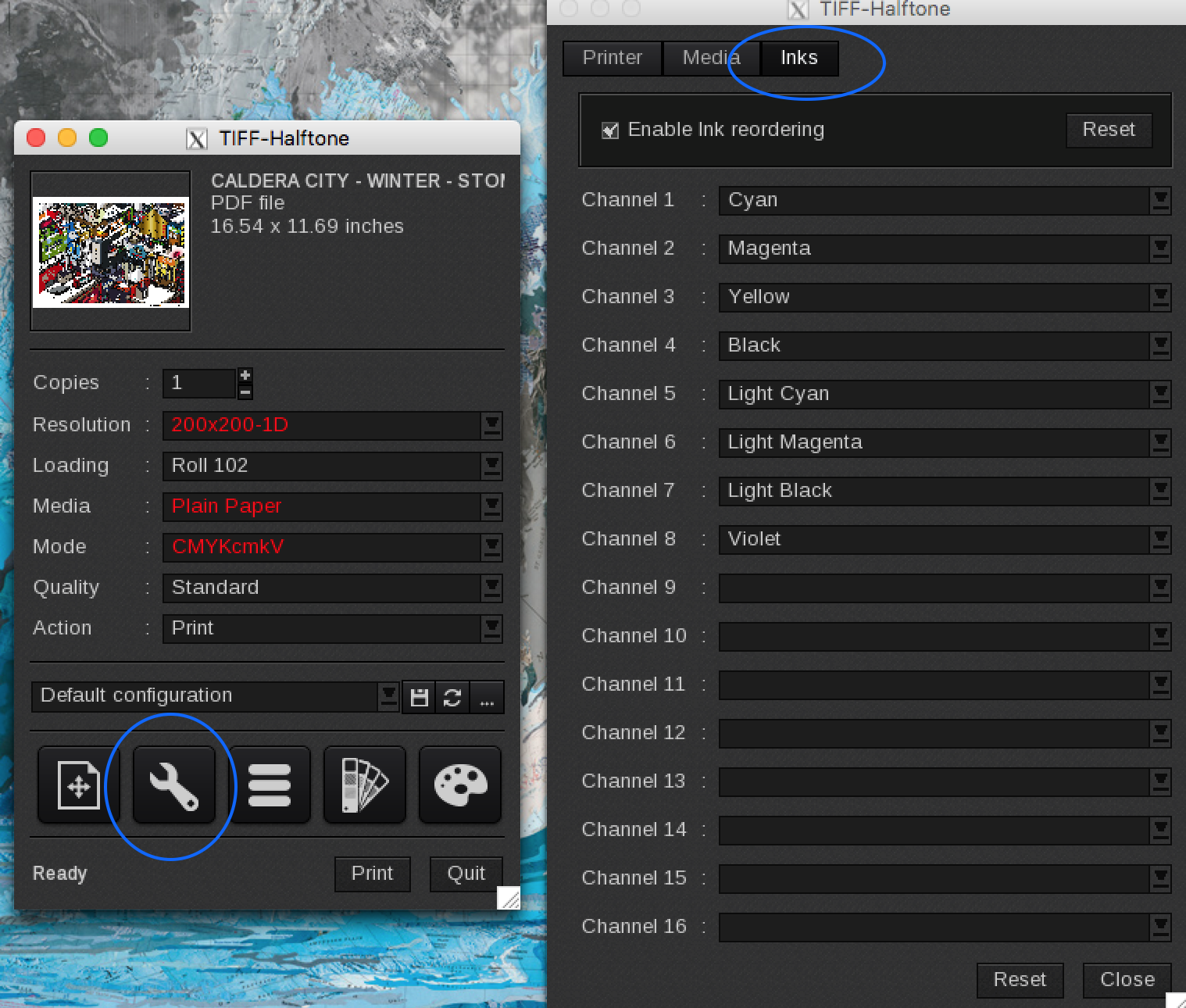
The ripped tiff's need to be named 01.TIF, 02.TIF, etc.
The Halftone tiff driver version 10.2A (or newer) can be configured to output to 0x.TIF
Also select, disable prefix to eliminate the underscore before _01.TIF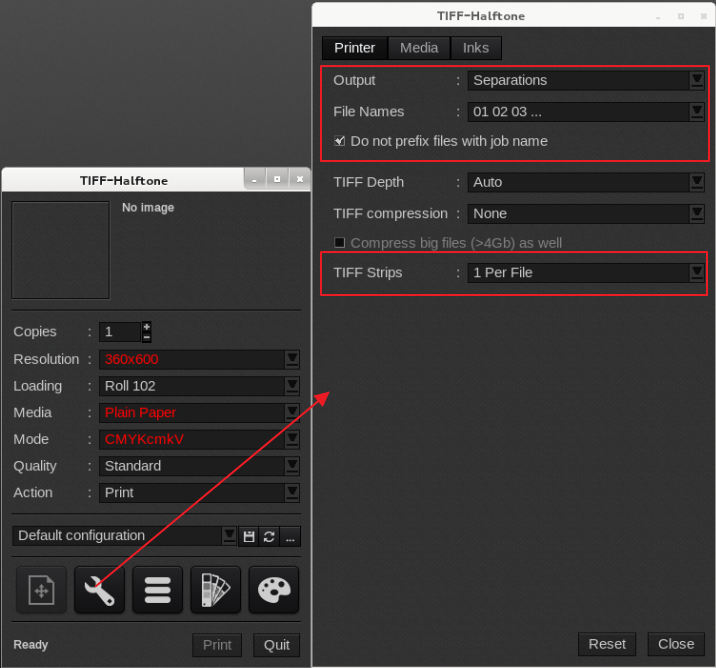
Custom resolutions can be added in the Server Admin:
http://support.caldera.fr/downloads/DOC/English/101/HowTo/HowTo-add%20page%20sizes%20and%20print%20resolutions-EN.pdf
On an Artistry 2020, the one strip per file setting has to be used.