It's possible that a customer with a HP-Latex-560 or 570 encounters at random 63:05 errors with the printer and printer firmware STORM_00_02_03.2
Try the following to reduce the occurrence:
Action is Rip then Print
- Rip while Rip is disabled (in server admin)
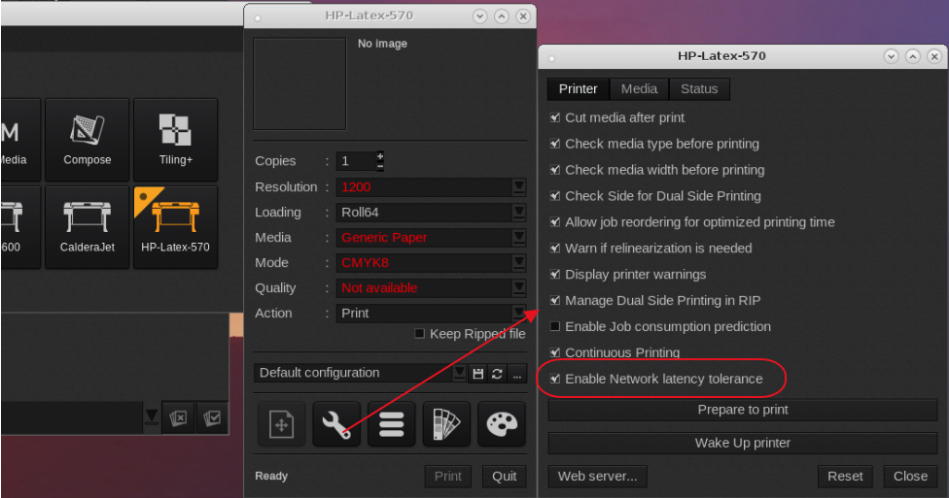
- Network Latency tolerance is enabled (in wrench, printer tab)
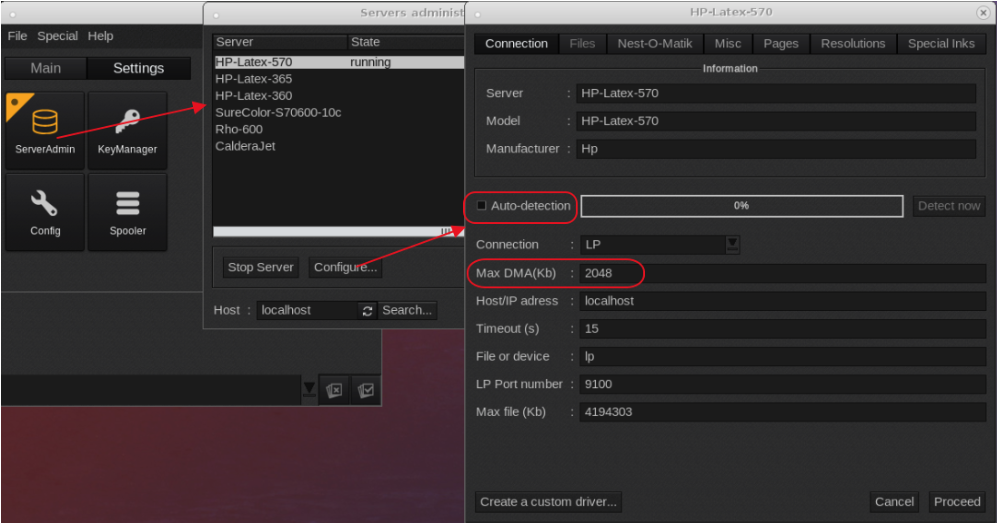
- Max DMA is set to 2048 (in server admin)
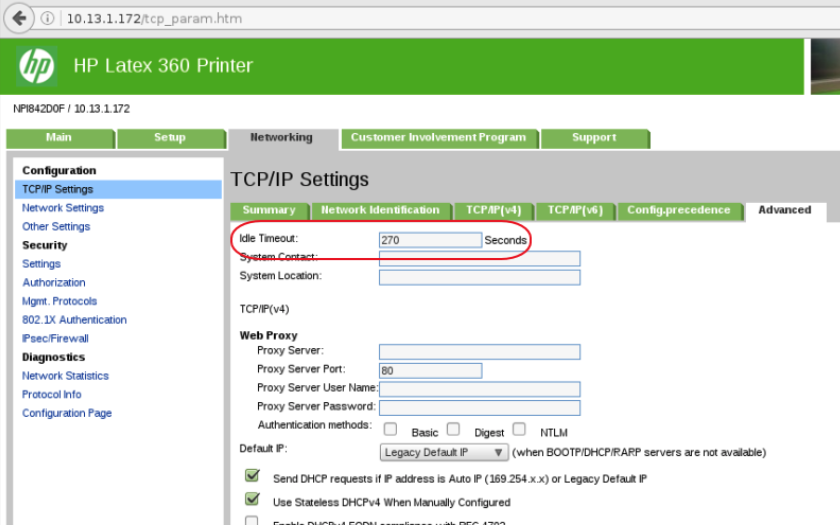
- Set Idle Timeout to 1500 seconds on the printer.
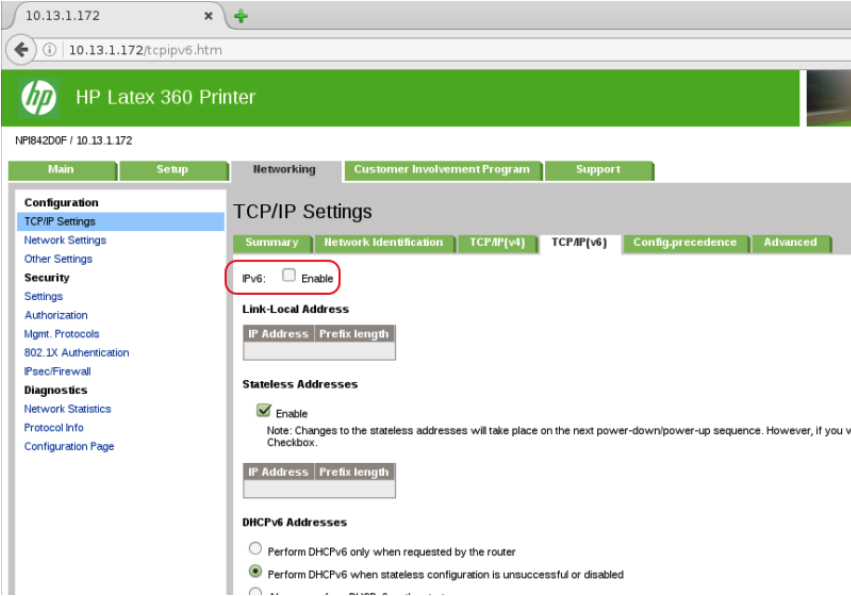
- Disable IPV6 on the printer.
Issue is currently under investigation by HP and Caldera.
Rip While Rip option:
Settings Tab > Server Admin > Select the printer > Configure > Misc Tab > disable > Proceed (password is caldera).

Network Latency:
Double click the printer driver > Wrench icon > "Enable network latency tolerance"
Max DMA is set to 2048 (in server admin)
Settings Tab > Server Admin > Select the printer > Configure > Connection Tab > Disable the "Auto-detection" option and check the Max DMA(Kb) setting.
If change is required enter 2048 > Proceed (password is caldera).
Set Idle Timeout to 1500 seconds on the printer. Using a Web browser and entering the printers ip address, you should be able to find and change the Idle Timeout option.
Screenshot of HP-latex-360 (Latex-5x0 should be in similar location)
Disable IPV6, Using a Web browser and entering the printers ip address, you should be able to find (check the network settings) and disable IPV6
Screenshot of HP-latex-360 (Latex-5x0 should be in similar location)