Symptom:
HP Latex 2x0 & Latex 3xx series printers ignore Caldera's top and bottom margin settings.
Problem:
By default the Caldera HP Latex 2x0 & Latex 3xx printer drivers ignore any top and bottom margins.
Solution:
One can force the driver to deviate from this default behavior.
Stop the printer driver from running first, Settings Tab > Server Admin > select the printer > Stop Server button (password is "caldera")
Create a txt file named hpl_custom_margin and save this file into the folder /opt/caldera/lib/shared
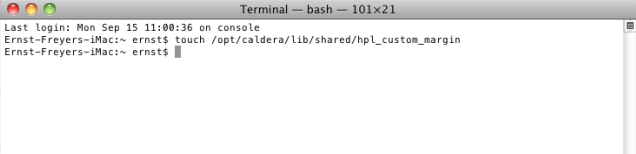
Open terminal (Applies to both Linux and OSX based installs) and type:
touch /opt/caldera/lib/shared/hpl_custom_margin
For OSX: Finder > Utilities > Terminal