Symptom:
Internal error config file error (-9):
Problem:
This error is caused by a corrupt library file (is not very common).
Internal error config file error(-9):
Solution:
The easiest way to fix this error would be to simply reinstall the printer driver in order to overwrite the corrupt file with a working version. If reinstallation does not resolve the issue take the following steps:
For Mac based Caldera V8/V9 installs follow these steps. For Linux based installs you can use CalderaTools (file browser with administrative rights). See location of files for Linux at the bottom of this window.
Step 1:
First stop the driver from running in Caldera:
Settings Tab > Server Admin > highlight the printer > Stop Server (password is caldera)
Step 2: (screenshots are from OSX 10.6 but it should be the same or similar for OSX 10.5).
Copy the attached file to the Desktop of the Mac.
Open the Finder (click on empty space of desktop).
Select pull down menu > Go
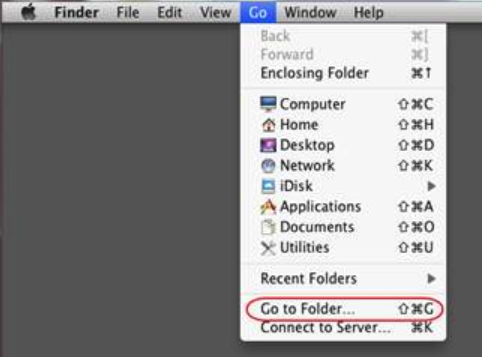
Go to Folder and enter the path as specified in the email (case sensitive) and click Go
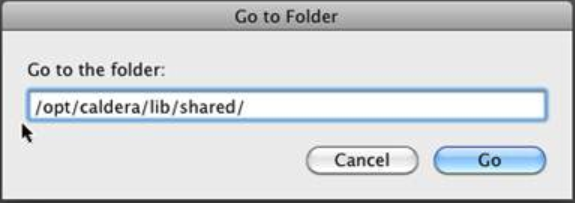
Now select the files starting with HP-Scitex…., and move them to the trashcan.
Repeat above procedure for the other folder:
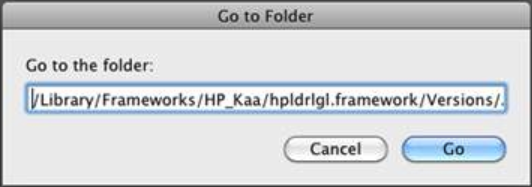
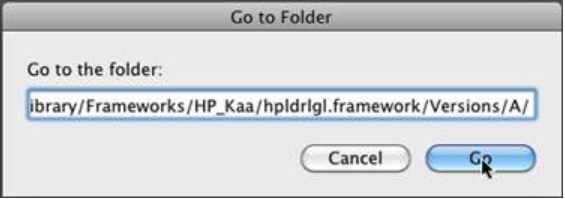
And press Go again. This will open the following window:
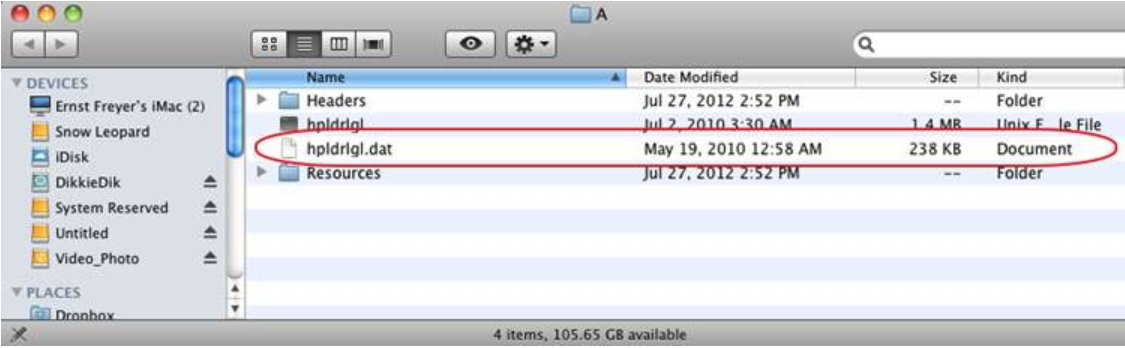
Drag and drop the hpldrlgl.dat in the Trashcan (will require administrative rights so enter the Mac admin username and password).
Copy the new hpldrlgl.dat file from the desktop in the folder we just removed the old hpldrlgl.dat file.
Close all open windows and open Caldera and try again to print.
Here are the alternative locations based on OS version:
Under Kubuntu:
usr/lib/HP_Kaa.
Or
/usr/lib32/HP_Kaa
Debian:
/usr/lib64/HP_Kaa
Or (debian 2.x)
/usr/lib/i386-linux-gnu/HP_Kaa
First stop the printer driver from running as specified in the Mac instruction under step 1. Then replace the hpldrlgl.dat with the attached one.
For V10.2 and newer follow these steps:
Build a media patch.
Make note of current printer IP settings.
Export QuickPrints if present.
Stop the driver from running in Server admin.
Assuming OSX based install: rename the hpldrlgl.dat which is located in /opt/caldera/lib/HpSDK/Mac/HP_Kaa
Assuming Linux based install: rename the hpldrlgl.dat which is located in /opt/caldera/lib/HpSDK/Linux/HP_Kaa
Reinstall the driver.