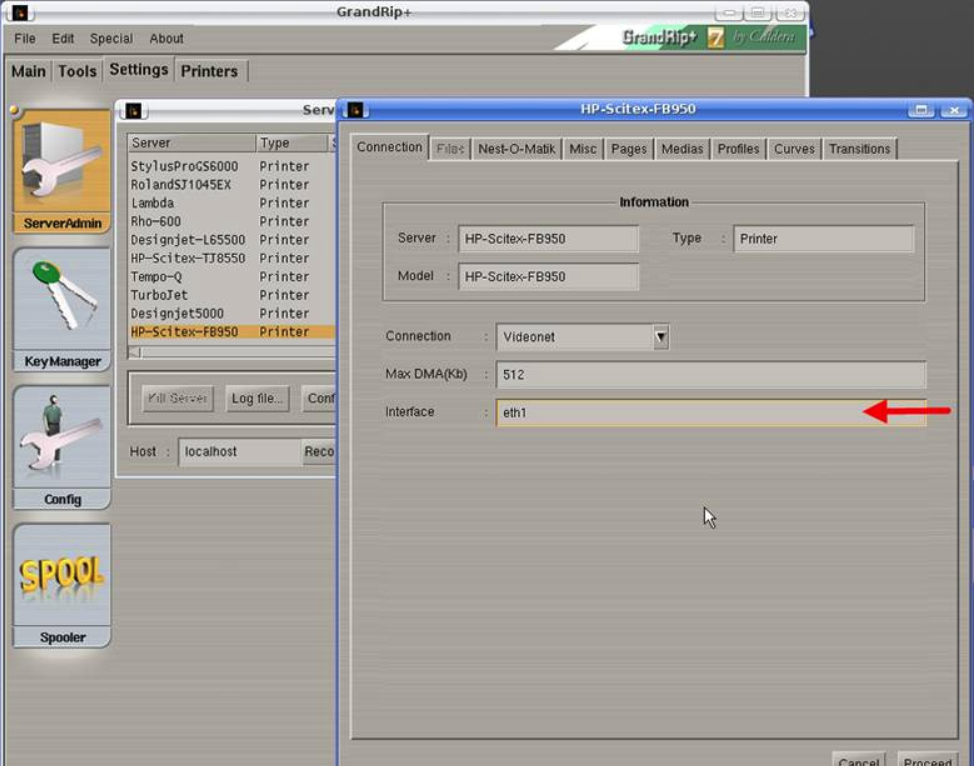
How to setup videonet driver. Be aware that videonet has only been tested using Caldera Kubuntu 8.04. It might work with Caldera Debian 1.10.
__________________________________________________________________________________________________________
The videonet driver is part of the printer driver. So follow these directions (It’s for the FB950 but also applies to the other HP videonet printers).
The videonet protocol requires a dedicated Ethernet controller.
====================================
In Kubuntu goto Kmenu (like windows start) > System Settings > Network Settings
Configure eth0 as your regular network card with a regular static ip.
Configure eth1 also with a static ip but make sure it is in a different address range 10.10.10.10 for example.
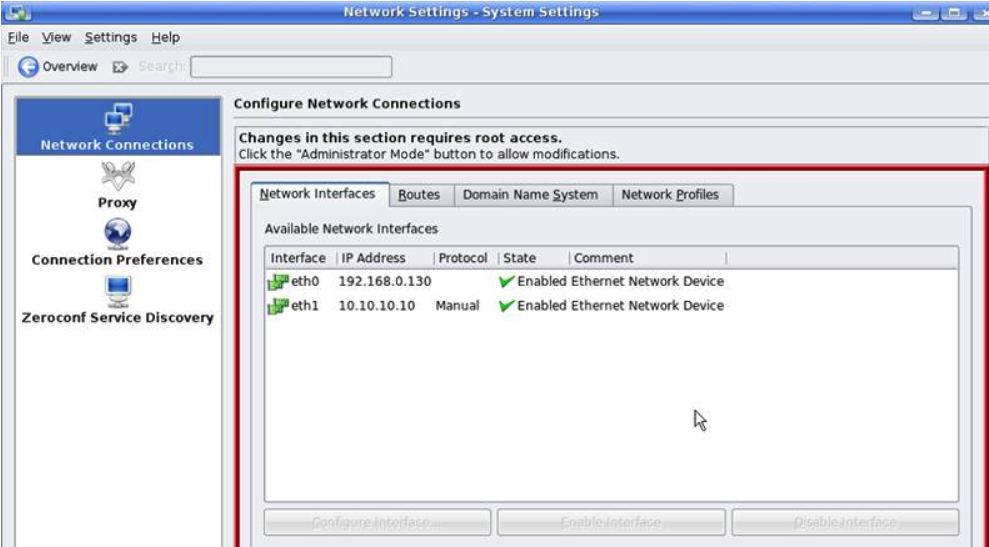
In Debian 2.x go to System > Preferences > Network Connections and set Eth1 to DHCP (When configured with a static IP it might not communicate with the printer.
In Caldera go to:
Settings > Server admin > Select the FB950 (or your HP model) > Configure > Connection tab > Under Interface specify eth1 > press Proceed to save the settings.