Epson SureColor S70600 - How to activate the white?
White activation
The Epson SureColor S70600 printer is able to use the specific White ink. This ink is printed either as an under layer or as a top layer of the “Colored” layer. Caldera RIP does not allow mixing this ink with the basic ones; it needs a particular separation and activation.
To activate the “white” ink, open the page setup (first button at the bottom of the print setup window:  ). It is activated in a separate tab named: White. Here, check the Enable Separation box and adjust the parameters accordingly. The print can then be directly launched from this window or you can close it to carry on with the print configuration.
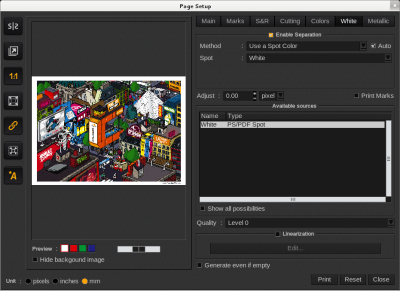
If this step is not completed and even if white parameters are chosen further, the printer will not print with white ink.