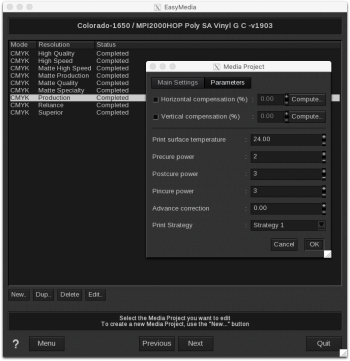
When creating or editing a Media Project, you can set the curing in the Parameters tab. Curing is specific to each Media Project (Mode, Resolution and media).
- Precure power: You can enter values from -5 to +5. -5 stands for off (i.e. no curing), 0 enables the curing and + 5 is for maximal curing.
- Postcure power: You can enter values from -5 to +5. -5 stands for off (i.e. no curing), 0 enables the curing and + 5 is for maximal curing.
- Pincure power: You can enter values from -5 to +5. -5 stands for off (i.e. no curing), 0 enables the curing and + 5 is for maximal curing.