This article explains how to use tools available in Debian to automatically clean specified file folders.
It requires some Terminal and text editor knowledge so feel free to check the internet for specific guides on these tools.
In this script example, the goal is to delete files 7 days or older from the default hotfolder (and subdirectories) using a script.
This script will be automatically executed daily using the Crontab option.
It will also create a log file showing which files were deleted.
#!/bin/bash

path="/opt/caldera/var/public/hotfolder/"
timestamp=$(date +%Y%m%d_%H%M%S)
filename=log_$timestamp.txt
log=$path$filename
days=7

START_TIME=$(date +%s)

find $path -maxdepth 2 -type f -mtime +$days  -print -delete >> $log

echo "Files Removed:: Script Start -- $(date +%Y%m%d_%H%M)" >> $log
The script will search for files older than 7 days in the /opt/caldera/var/public/hotfolder and sub folders.
Code clarification:
- log file named with a timestamp
- type f ensures only files are deleted
- maxdepth 2 (will delete files from the hotfolder and subfolders), set to maxdepth 1 it will only delete files from the hotfolder and leave the subfolders alone.
- All files older than 7 days are deleted (variable to be set in the days field).
Note: to test the code, just use -print instead of -print -delete. But do check your path carefully as this is user configurable in the Caldera hotfolders menu.
Note: mtime can be replaced with mmin for better control as mtime discards all fractions (older than 7 days (+7 days) actually means 8 days ) when it deals with getting the timestamps of files in the context of days
-mtime +$days ---> -mmin +$((60*24*$days))
-------------
The example script is attached to this article.
Copy it to the /home/caldera folder and make it executable with the chmod +x command.
Then test the script (use -print instead of -print -delete) and check the log file for proper execution.
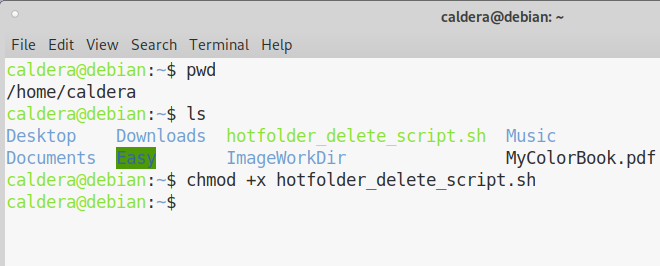
To test/execute the script enter:
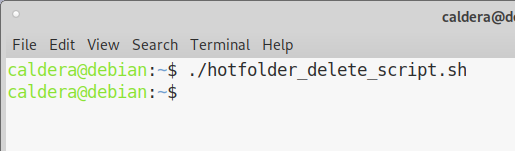
Then check the log file it creates in the /opt/caldera/var/public/hotfolder/ to see the results.
Once it works as desired, add the -delete option back.
Now add the script to a cron job.
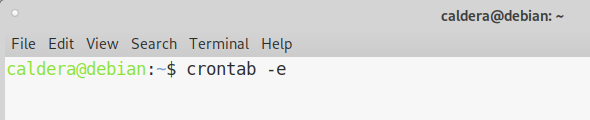
This will open the text editor associated with crontab (in this example nano).
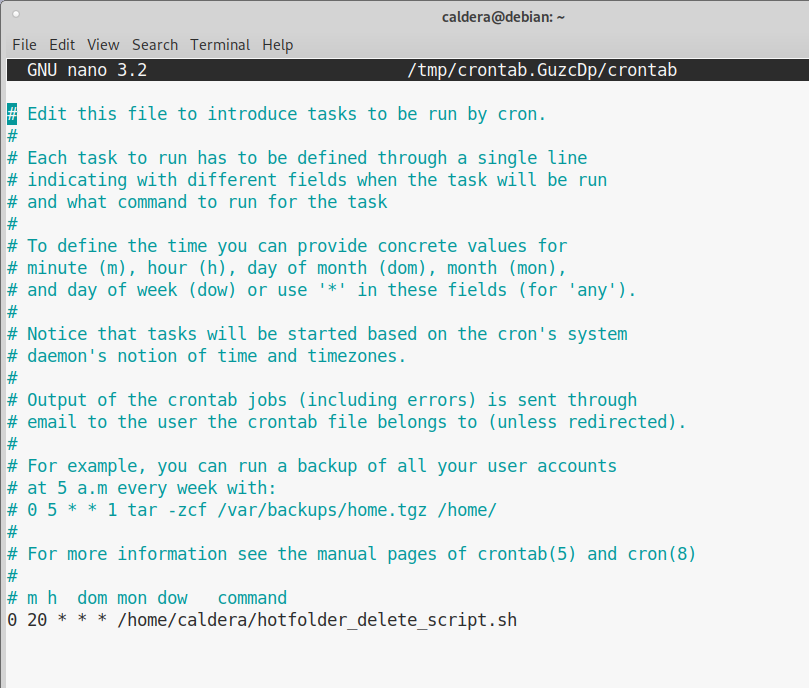
Add the line below. Crontab will now run this script each day at 20:00 hours (8:00pm) and when done ctrl + X to save the file.
Sources:
https://vitux.com/how-to-setup-a-cron-job-in-debian-10/