Driver History
- Supported since Version 14.10
Models
- Agfa Anapurna H1600i LED
- Agfa Anapurna H1600iW LED: Same model with white Spot Ink
Resolutions
- 720x360-2Pass Normal
- 720x360-2Pass Quality
- 540x1080-3Pass Normal
- 720x720-4Pass Normal
- 720x720-4Pass Quality
- 720x1080-6Pass Normal
- 720x1080-6Pass Quality
- 720x1440-8Pass Normal
- 720x1440-8Pass Quality
Modes
- CMYK
- CMYKcm
Qualities
- Bi-dir
- Uni-dir
- Bi-dir Double Strike
- Uni-dir Double Strike
Double Strike: each dot is fired twice, and multiply the passes of the resolution by 2 , so it can lead to a theoretical 200% density compare to the original qualities.
Settings
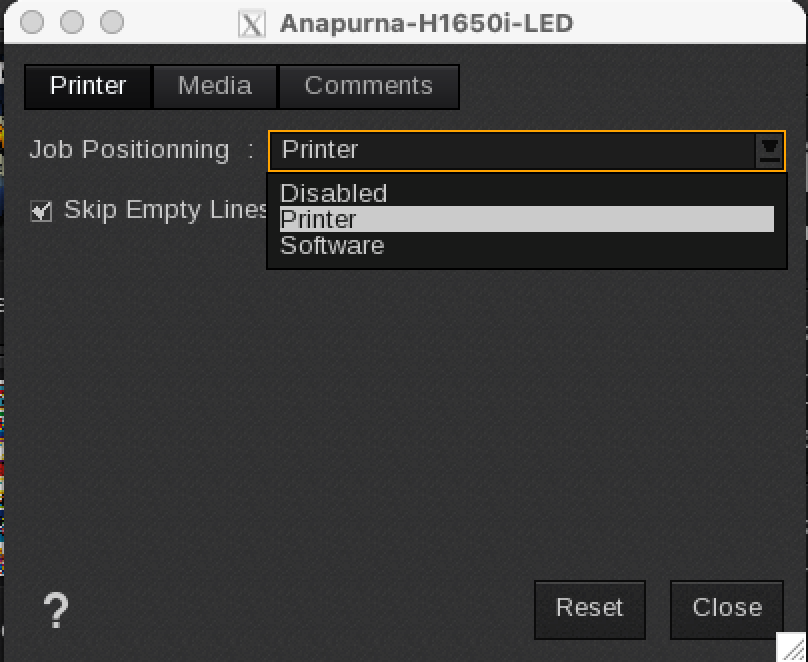
Printer (accessible under the wrench icon in the main dialog)
Job positioning selector:
- Disabled: no position is sent to the printer, needs to be positioned on the printer
- Printer: a X/Y position is sent and the printer automatically knows where to start
- Software: White padding is added to the image to position it on the printer
Skip Empty Lines: By checking this box, the driver will allow the printer to skip large white surfaces automatically (which can be useful in the case of a particular application or in case of regressions).
Note that if it's not available on the printer FW, then you are certain the job fails - even if there are zero empty lines to skip.
Media
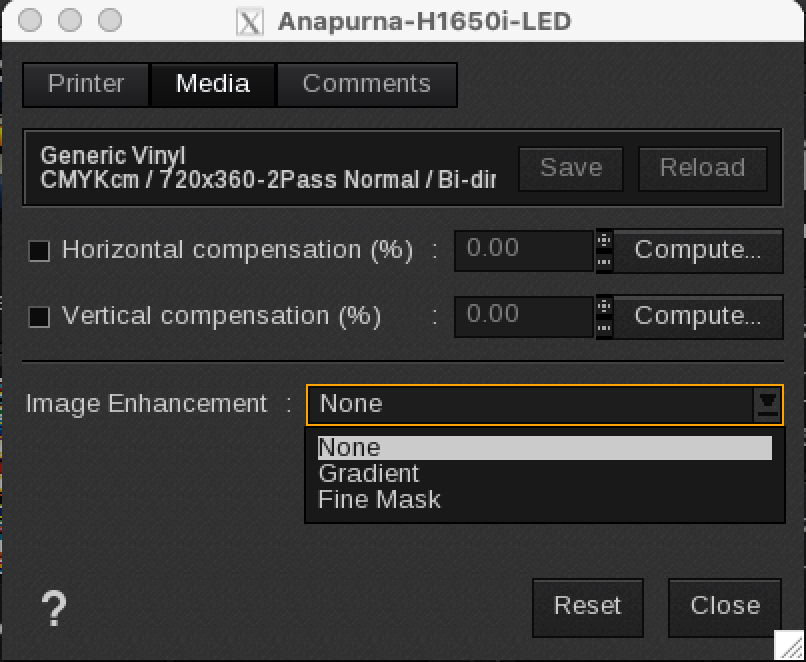
Image Enhancement selector (None/Gradient/Fine Mask) is applied by the printer to optimize image quality.